
News
CMF Phone 1 Gets Nothing OS 3.0 Open Beta: Here’s What’s New

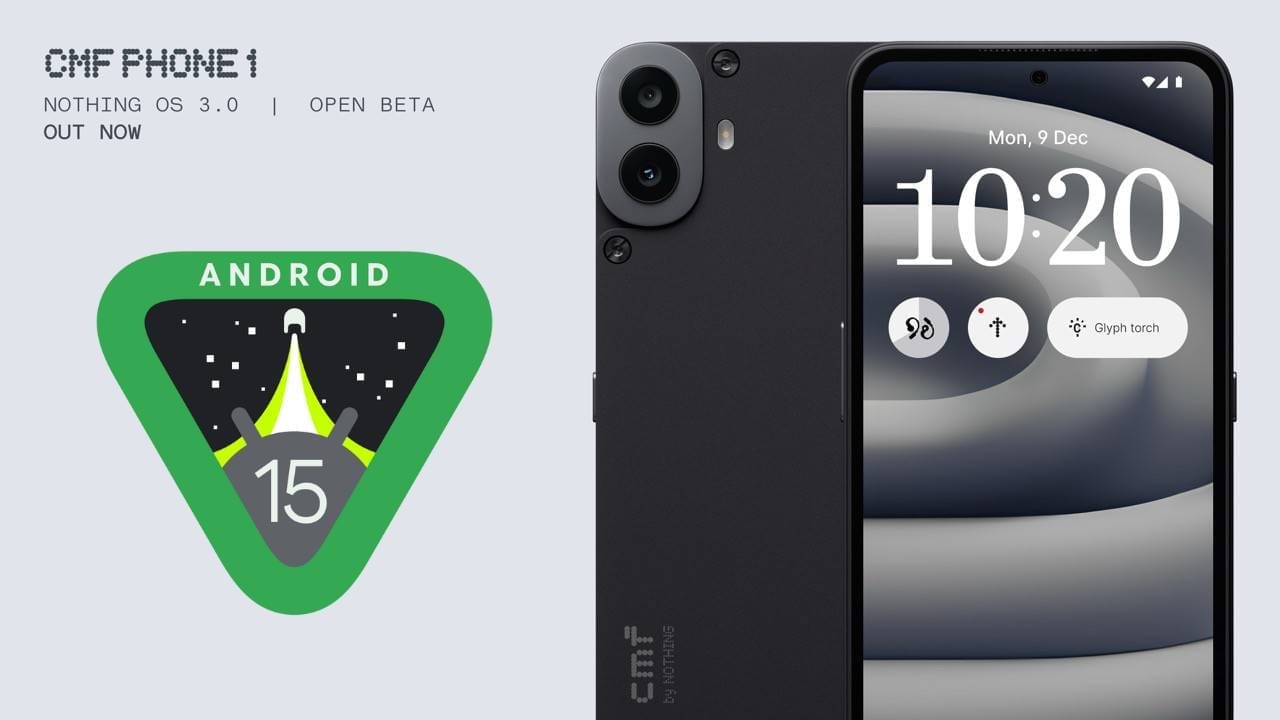
Nothing has launched the much-anticipated Nothing OS 3.0 Open Beta 1 for CMF Phone 1, marking a significant milestone in its software development journey. Starting December 10th, CMF Phone 1 users can explore a wide range of new features and improvements designed to enhance everyday use.
While this release offers a glimpse into the future of Nothing’s mobile ecosystem, it’s important to note that this version is not final. Users are encouraged to share their feedback, as it will help the team refine the software before its official stable release.

The update size is 1.4 GB, and the installation may take approximately 15-20 minutes. The OS version is 3.0, and the build number is Tetris-V3.0-241205-0050-IND.
CMF Phone 1 Nothing OS 3.0 Open Beta 1 Features
One of the standout additions is the introduction of Shared Widgets, a feature that lets you share select widgets with friends and family directly on your home screen. Currently, only photo widgets can be shared, but Nothing plans to support more widget types soon. Meanwhile, the Lock Screen receives a brand-new customization page, allowing easy changes to clock faces and an expanded widget space for greater personalization.
The new Smart Drawer uses AI to organize apps automatically, making it simpler to find what you need. You can even pin your favorite apps to the top for instant access. Additionally, Quick Settings has been redesigned for a cleaner look and smoother editing experience. Visual improvements have been made to Network, Internet, and Bluetooth options, along with an enhanced widget library.
Camera performance gets a boost as well. The Camera Widget now launches faster, HDR scenes process more quickly, and the zoom slider and countdown options feel more refined. Multitasking is also easier, thanks to a Pop-Up View that you can move, resize, and pin for quick access. Simply swipe down on incoming notifications to open them in a pop-up window without leaving your current app.
Beyond these headline features, there are numerous other enhancements. The system’s AI now prioritizes frequently used apps, helping you get to what matters most. The new auto-archive function can free up storage space without removing essential apps or data, while partial screen sharing lets you record only an app’s window for increased privacy. Predictive back animations, a dot matrix-inspired fingerprint animation, and updated charging animations further refine the user experience.
The NDot Font option, known for its unique dot matrix style, is now available in the Nothing OS 3.0 Open Beta 1 for CMF Phone 1. This feature has been highly requested by the community, and its inclusion shows the brand’s commitment to meeting user demands. Enabling the NDot Font is simple—just go to Settings > Special Features > Experimental Features. With this fresh font style, users can give their device’s interface a distinctive look that sets it apart from the crowd.
How to Install
Before installing the beta, keep in mind there is currently no way to roll back to a stable build. This means that once you join the beta, you should be prepared to encounter potential bugs or minor issues. Nothing hopes to release a rollback package at a later date.
To install the beta, ensure your CMF Phone 1 is running Nothing OS 2.6 with one of the specified build numbers. After downloading and installing the required Beta APK, simply go to Settings > System > Update to Beta version and tap “Check for new version.”
As this is an open beta, Nothing welcomes feedback and suggestions. By participating, users have the unique opportunity to shape the evolution of Nothing OS. With the right input, the final release of Nothing OS 3.0 will deliver a polished, user-focused experience that pushes the boundaries of what a smartphone can do.
Stay updated with latest tech news
Follow TechiBoy on Google to get updates on smartphones, gadgets, software updates, and more.





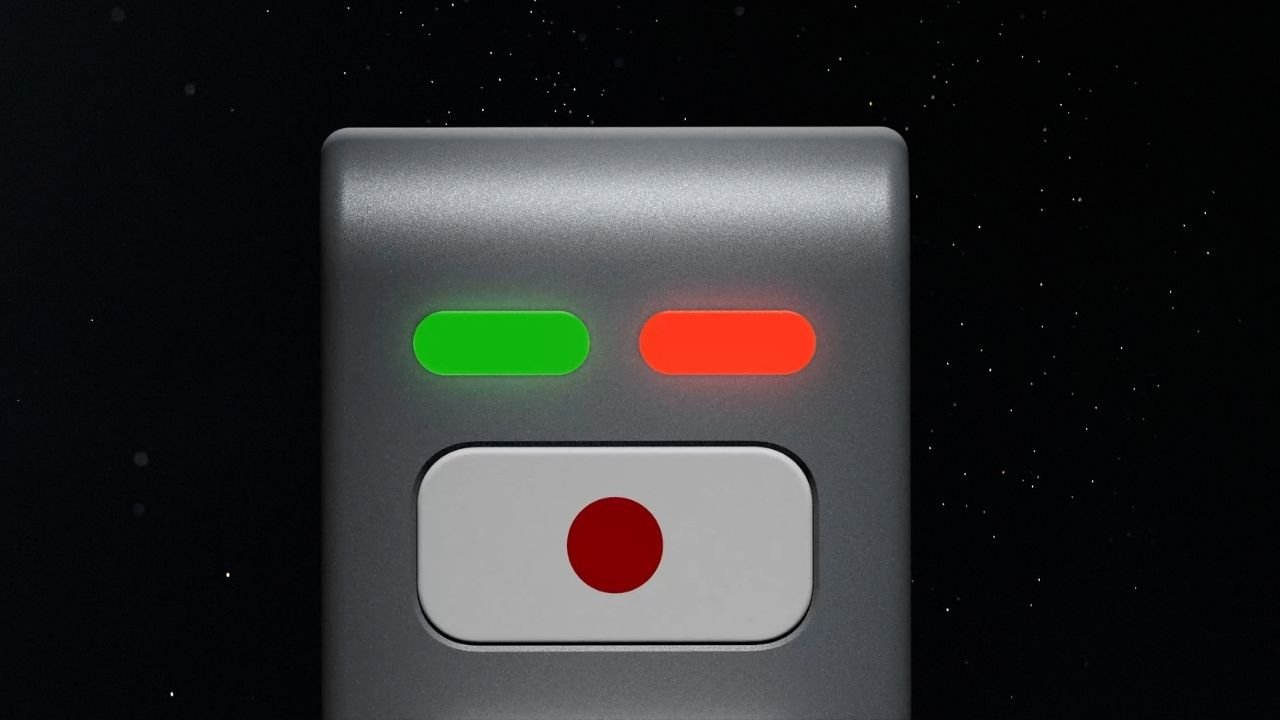
Nothing’s CEO Carl Pei has teased an upcoming AI device on X (formerly Twitter). The device features a unique LEGO-inspired design with a simple and minimalistic look. While the company has not revealed much about it yet, the teaser gives us a first look at what could be its next interesting product.
The upcoming device appears to feature a metal-based body with a matte finish. It does not have a display, but there are two LED lights on the front, one red and one green. Below the lights, there is a physical button with a red dot on a white background.
What Can We Expect From Nothing’s AI Device?
Nothing has not shared any details about the device’s features or how it will work. However, it could work alongside a companion smartphone for internet connectivity. Users may be able to interact with the device to ask questions, get information, and perform different AI-related tasks.
The decision to go with a screen-less design could also be intentional. Nothing has previously spoken about reducing screen time and helping users avoid unnecessary distractions.
The company has introduced several features to reduce distractions, especially at night. Its approach includes the Glyph Interface, Essential Notifications, and a minimalistic monochrome interface.
Rather than focusing only on smartphone specifications, Nothing has been exploring ways to make technology less distracting. Its upcoming AI device could take this idea further by offering a different way to interact with technology without constantly scrolling through social media apps.
Could It Be Nothing Ear (3) Pro With AI Features?
Another possibility is that Nothing’s upcoming AI device could be related to its audio product lineup. It could potentially be a new Nothing Ear (3) Pro with AI features, rather than an entirely new product category.
The screen-less design, physical button and LED indicators could point towards a device designed for quick voice interactions and AI-powered assistance.
However, this is only speculation based on the teaser. Nothing has not confirmed whether the device is a new pair of earbuds, an AI accessory, or an entirely different product.
Could the Device Be Related to Pokémon Kingdra?
There is another interesting detail that could be connected to Nothing’s upcoming AI device. The device may be related to Kingdra, a Water/Dragon-type Pokémon with Pokédex number #0230.

Nothing has previously teased Kingdra in one of its posts on X. This has led to speculation that the upcoming device could carry a model number or internal codename inspired by Kingdra.
Nothing has a history of using Pokémon-inspired names for its products and projects, so this possibility is worth keeping an eye on. However, the company has not officially confirmed any connection between Kingdra and the upcoming AI device.
Nothing AI Device Launch Expected Next Month
Nothing is expected to launch its AI-native device next month. However, the company has not confirmed an exact launch date yet. More details are expected to be revealed by the end of November.
We will have to wait for the official announcement to know what the device can actually do, whether it is related to the Nothing Ear lineup, and how Nothing plans to make it different from existing AI-powered products.
Stay updated with latest tech news
Follow TechiBoy on Google to get updates on smartphones, gadgets, software updates, and more.
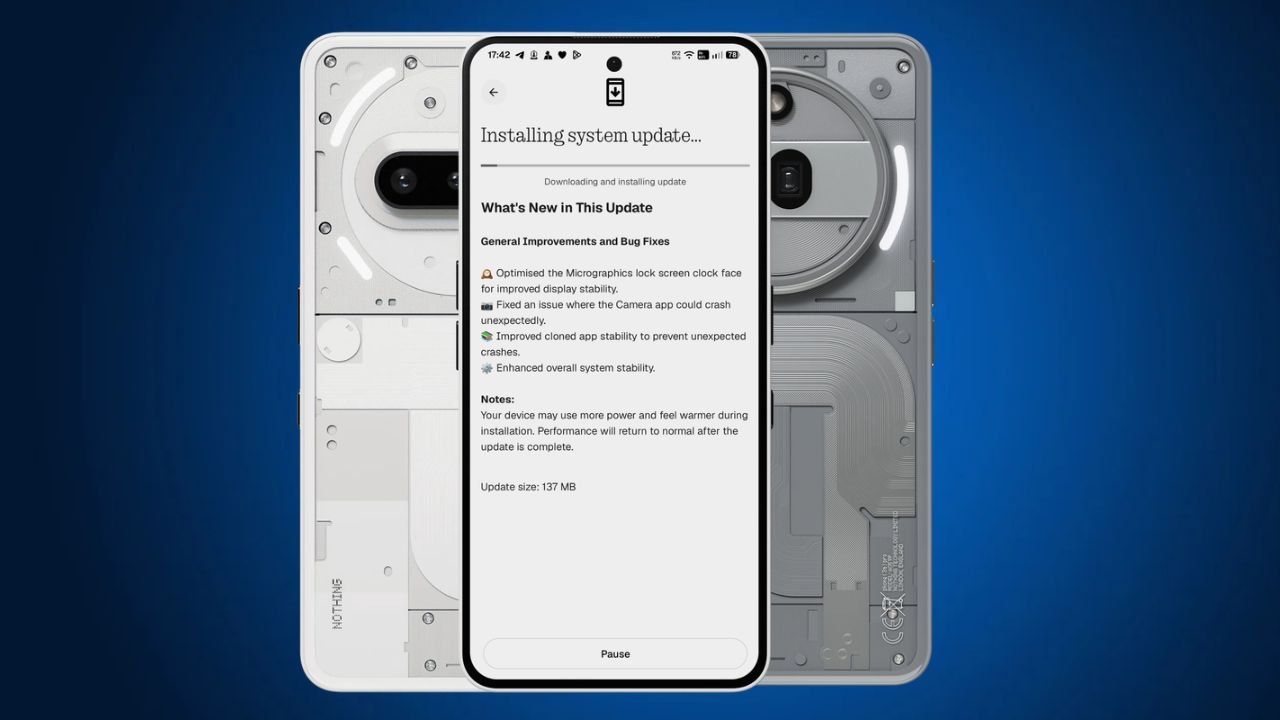
Nothing has started rolling out a new Nothing OS 5.0 Hotfix update for the Nothing Phone (3a) and Nothing Phone (3a) Pro. The latest update focuses on fixing a few issues and improving the overall system stability.
The update is around 137 MB in size and is rolling out to users in phases.
Nothing OS 5.0 Hotfix Update: What’s New?
One of the main changes in this Nothing OS 5.0 hotfix update is related to the Micrographics lock screen clock face. Nothing has optimised it to improve display stability.
Apart from this, the update also brings the following fixes:
- Micrographics Clock: Optimised the Micrographics lock screen clock face for better display stability.
- Camera Fix: Fixed an issue that could cause the Camera app to crash unexpectedly.
- Cloned Apps: Improved stability to prevent cloned apps from crashing unexpectedly.
- System Stability: Improved overall system stability for a smoother experience.
Nothing OS 5.0 Hotfix Update Details
Here are the update details for the Nothing Phone (3a) and Phone (3a) Pro:
| Details | Information |
|---|---|
| Devices | Nothing Phone (3a) and Phone (3a) Pro |
| Software | Nothing OS 5.0 |
| Build Number | C5.0-261106-1007 |
| Update Size | 137 MB |
| Update Type | Hotfix Update |
How to Download the Update?
Nothing Phone (3a) and Phone (3a) Pro users can check for the latest update by following these steps:
- Open Settings on your phone.
- Go to System.
- Select System Update.
- Tap Check for Update.
- Download and install the update if it is available.
The update is rolling out gradually, so it may take some time to reach all users.
Stay updated with latest tech news
Follow TechiBoy on Google to get updates on smartphones, gadgets, software updates, and more.
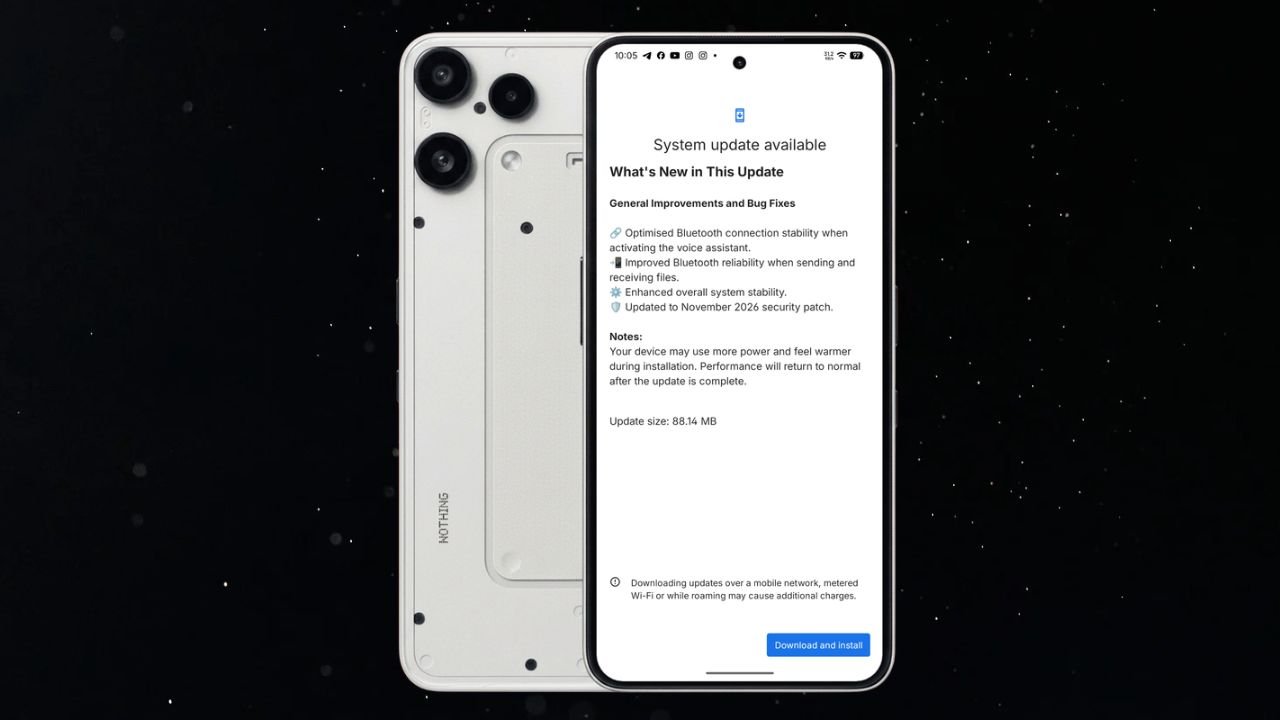
Nothing has started rolling out a new Nothing OS 4.1 November update for the Nothing Phone (3a) Lite. The latest update brings Bluetooth improvements, better system stability, and the November 2026 security patch.
The update is relatively small, with a download size of 88.14 MB. It mainly focuses on improving the overall user experience rather than introducing new features.
Nothing Phone (3a) Lite Nothing OS 4.1 November Update Details
The latest update comes with build number Nothing OS B4.1-261029-1756 for Phone (3a) Lite. It includes several improvements related to Bluetooth connectivity and general system performance.
Here are the update details:
- Device: Nothing Phone (3a) Lite
- Software Version: Nothing OS 4.1
- Build Number: B4.1-261029-1756
- Update Size: 88.14 MB
- Security Patch: November 2026
What’s New in the November Update?
According to the changelog, the update brings the following changes:
1. Improved Bluetooth Stability
Nothing has optimised Bluetooth connection stability when activating the voice assistant. This should make the Bluetooth connection more reliable when using a connected device to access the voice assistant.
2. Better Bluetooth File Sharing
The update also improves Bluetooth reliability when sending and receiving files. This should help provide a more stable experience during Bluetooth file transfers.
3. Enhanced System Stability
Nothing has made improvements to overall system stability. These changes aim to make the phone’s software experience more reliable.
4. November 2026 Security Patch
The update also includes the November 2026 Android security patch to keep the device up to date with the latest security improvements.
How to Download the Update?
Nothing Phone (3a) Lite users can check for the latest update by following these steps:
- Open Settings on your phone.
- Go to System.
- Select System Update.
- Check for the latest available update.
- Download and install latest Nothing OS 4.1.
If the update is not available on your device yet, you can check again later.
Stay updated with latest tech news
Follow TechiBoy on Google to get updates on smartphones, gadgets, software updates, and more.