
Nothing OS
Nothing Phone (3a) and Phone (3a) Pro Get Nothing OS 5.0 Stable Update Based on Android 17

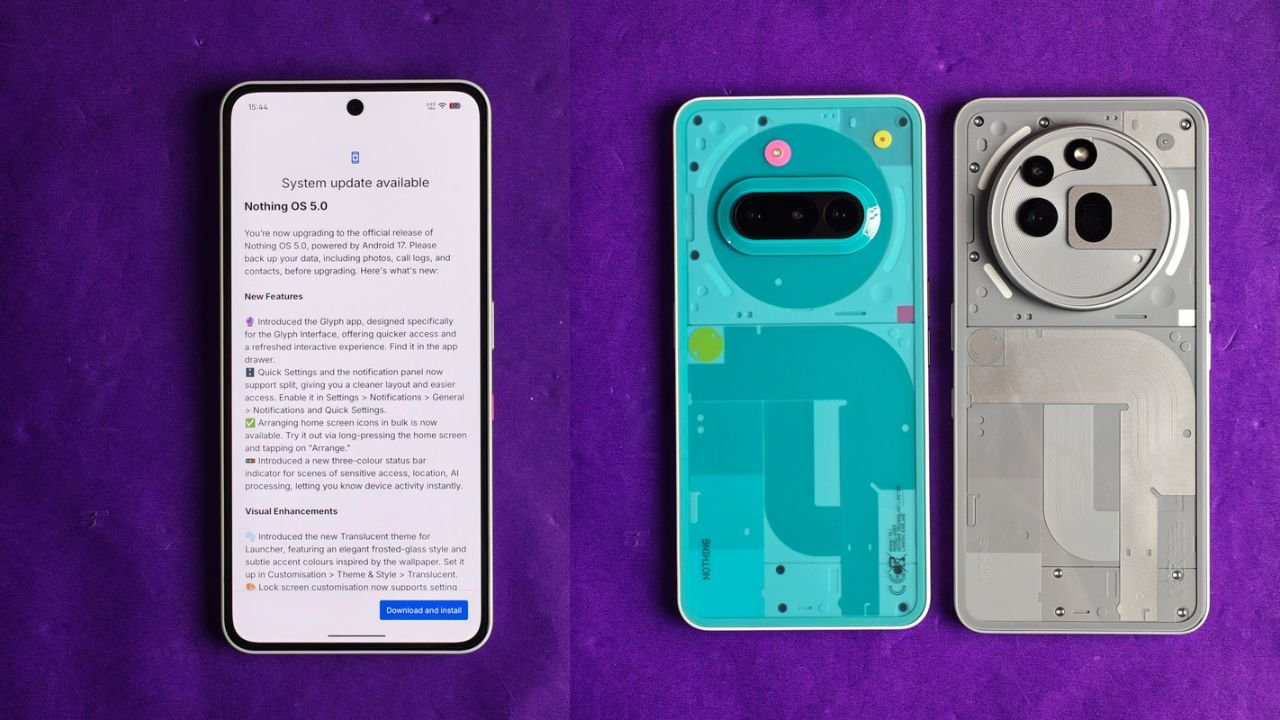
Nothing has started rolling out the Nothing OS 5.0 Stable Update based on Android 17 for the Nothing Phone (3a) and Nothing Phone (3a) Pro. The update brings several new features, UI changes, camera improvements and customisation options to both smartphones.
The new update is around 3.09GB in size and introduces a fresh Translucent Theme, redesigned Quick Settings, new widgets, lock screen customisation and more.
Nothing OS 5.0 Stable Update: What’s New?
One of the biggest changes is the new Translucent Theme. It brings a frosted-glass look to the home screen, with subtle colours that match the selected wallpaper. Users can enable it by going to Customisation > Theme & Style > Translucent.
Nothing has also introduced a new Glyph app, which provides quicker access to Glyph Interface settings. The Quick Settings and Notification Panel can now be separated, giving users a cleaner layout.
Here are some of the major changes included in the update:
1. New Features and UI Changes
- New Glyph App: A dedicated app for accessing Glyph Interface features.
- Separate Quick Settings: Users can now separate Quick Settings and Notifications.
- Bulk App Arrangement: Arrange multiple home screen icons together.
- New Status Bar Indicators: Three-colour indicators show sensitive access, location and AI processing activity.
- Translucent Theme: A new frosted-glass style for the launcher.
- New Clock Faces: Two new lock screen clock styles.
- Lock Screen Customisation: Users can now change the colour of the clock face.
- New Geist Typeface: Updated typography across the system.
2. New Widgets
Nothing OS 5.0 also brings some new widgets to the home screen.
- Collector Widget: Turn favourite photos into decorative home screen elements.
- Away Time Widget: Track how much time you spend away from your phone.
- Glyph Timer Widget: Start and access timers directly from the home screen.
3. Camera Improvements
The camera app has received several improvements with this update.
- Seven adjustable camera tuning effects with a reset option.
- Improved camera presets with easier editing.
- New 2×2 camera preset widget.
- Support for Filters and Tuning in video recording.
- Dual-view Video support.
- Improved zoom and close-up photography.
- Better QR scanning and Google Lens integration.
- Improved Motion Photo playback.
- Refreshed camera interface, controls and animations.
4. Other Improvements
Apart from the major features, Nothing has also added several useful improvements.
- Expanded Dark Theme support for more third-party apps.
- Enhanced HDR Brightness control.
- Depth Wallpapers now support pinch-to-shrink.
- Improved Live Updates experience.
- Noto 3D Emoji support in Gboard.
- Improved lock screen shortcuts.
- Bluetooth devices can now be connected or disconnected with a single tap from Quick Settings.
- Improved system animations and transitions.
Nothing OS 5.0 Update Size and Availability
The update size for this one is 3.09 GB, and the build number is Nothing OS C5.0-261023-2146.
The update is rolling out in phases, which means it may not be available to everyone at the same time. If you haven’t received it yet, you can check for it manually by going to Settings > System > System Update.
Nothing recommends backing up important data before installing the update.
Stay updated with latest tech news
Follow TechiBoy on Google to get updates on smartphones, gadgets, software updates, and more.





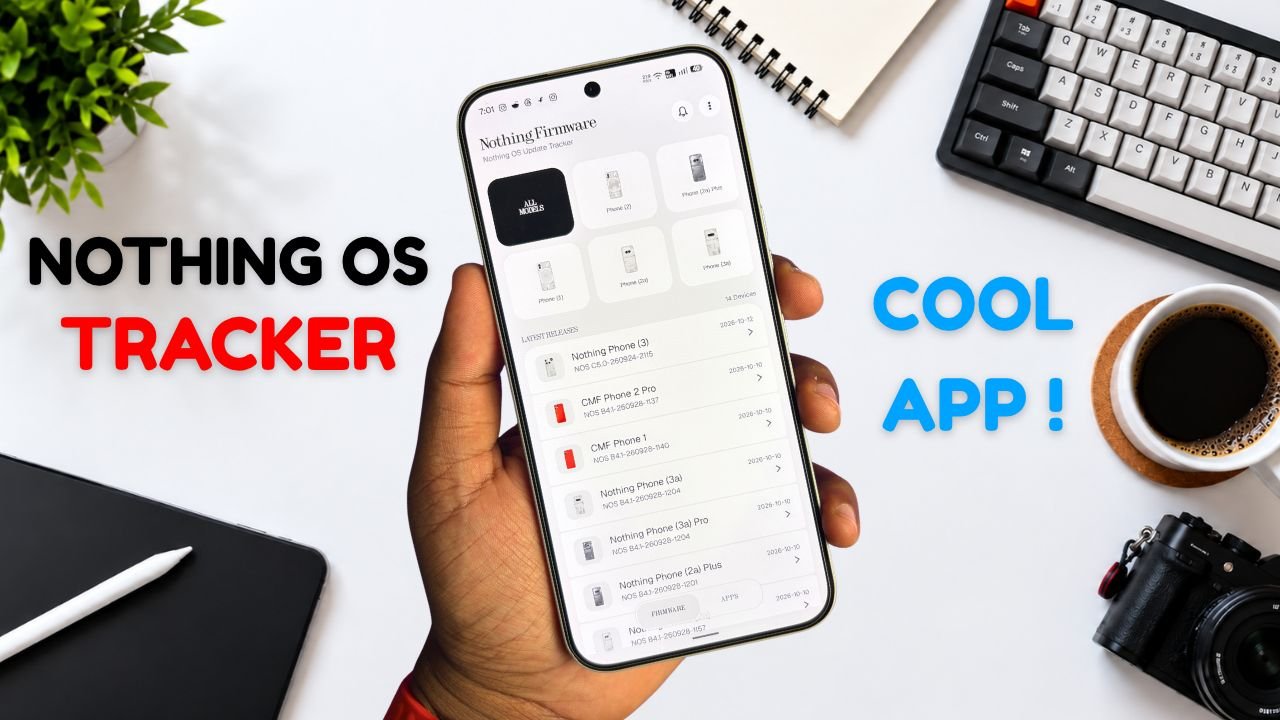
Nothing Phone and CMF users now have a new way to keep track of software updates. Nothing Firmware, an Android app developed by TechiBoy Studios, is now available on Google Play.
The app brings firmware update tracking, changelogs, Nothing OS OTA package downloads, and information on Nothing app updates into one place. It is designed for users who want to stay informed about the latest software releases for their devices.

What Is the Nothing Firmware App?
Nothing Firmware is an independent app built to help Nothing Phone and CMF users follow firmware releases without having to search across multiple sources.
Users can check available firmware updates, read changelogs to understand what’s changed, and download OTA packages through the app. It also tracks Nothing app updates and provides direct links to their Google Play listings.
Nothing Firmware App Features
The app includes several features designed to make software update tracking easier.
- Firmware tracking: Follow firmware releases for Nothing Phone and CMF devices.
- Detailed changelogs: Check update details and learn about new features, improvements, and bug fixes.
- OTA downloads: Download firmware packages with progress tracking.
- Update notifications: Receive alerts when new firmware releases are available.
- Nothing app updates: Track Nothing app releases and open their Google Play listings directly.
- Home screen widget: View the latest firmware information from the home screen.
- Custom alerts: Choose notification sounds and enable voice announcements for update alerts.
- Theme options: Switch between Auto, Light, and true-black Dark themes.
- Device information: Check device details, build numbers, and security patch information.
The app also includes a warning for firmware packages that do not match the detected device, helping users avoid selecting an incorrect package.
Is Nothing Firmware an Official Nothing App?
No. Nothing Firmware is an independent community project developed by TechiBoy Studios. It is not affiliated with, sponsored by, or endorsed by Nothing Technology Limited or CMF by Nothing.

How to Download Nothing Firmware
Nothing Firmware is available on Google Play. Users can download it to keep track of firmware updates, read changelogs, and follow Nothing app releases.
Download: Nothing Firmware on Google Play
If you’re already running an incremental build of Nothing OS 5.0 Open Beta, you can’t directly roll back to the stable version through a regular incremental OTA update. Nothing Firmware currently provides stable incremental updates only. Once Nothing releases the Nothing OS 5.0 stable update for your device, it will appear in the app when available. Until then, you may need to follow Nothing’s official rollback instructions if you want to return to a stable build.
Stay updated with latest tech news
Follow TechiBoy on Google to get updates on smartphones, gadgets, software updates, and more.