
News
Nothing OS 5.0 Open Beta Now Available for Nothing Phone (3a) and Phone (3a) Pro: Full Changelog and How to Join

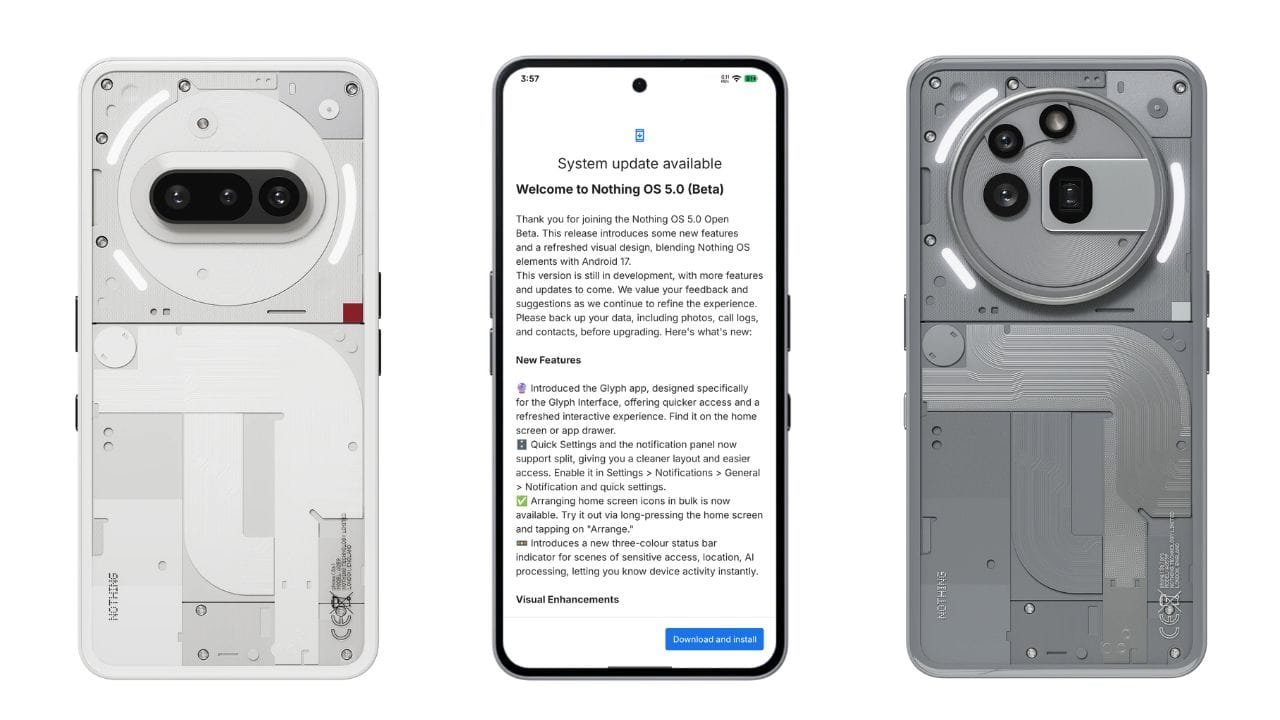
Nothing has started rolling out the Nothing OS 5.0 Open Beta based on Android 17 for the Nothing Phone (3a) and Phone (3a) Pro. The new beta introduces a refreshed visual design, new Glyph features, widgets, camera improvements, and several Android 17-related enhancements.
The update is available to users who register through the Nothing Beta Hub, provided their devices are running the required stable build.
The Nothing OS 5.0 Open Beta update is 2.82GB in size.
Nothing OS 5.0 Open Beta: What’s New?
New Features
New Glyph App: Nothing has introduced a dedicated Glyph app designed specifically for the Glyph Interface. It provides quicker access to Glyph-related features and a refreshed interactive experience. The app can be found on the home screen or in the app drawer.
Split Quick Settings and Notifications: Users can now separate the Quick Settings and notification panels for a cleaner layout. The option can be enabled from:
Settings > Notifications > General > Notification and quick settings
Bulk Home Screen Arrangement: You can now arrange multiple home screen icons at once by long-pressing the home screen and selecting Arrange.
New Status Bar Indicator: Nothing OS 5.0 introduces a three-colour status bar indicator for activities such as sensitive access, location and AI processing.
Visual Enhancements
The update also brings several visual changes across the system:
- Lock screen clock colour customization
- New lock screen clock face
- Updated wallpaper gallery with a new wallpaper style
- Refined status bar icons with subtle animations
- New Geist typeface
- Refreshed Settings UI
- Improved transitions and interactions across the system
New Widgets
Nothing has added several new widgets:
Collector Widgets: Turn your photos into different-style decorations on the home screen.
Away Time Widgets: Track the amount of time you spend away from your screen to provide insights into your daily habits.
Glyph Timer Widget: Glyph Timer is now available through the widget drawer, allowing users to interact with it directly from the home screen.
Camera Improvements
Nothing OS 5.0 also brings a major set of camera improvements.
Camera Tuning
A new Tuning feature offers seven adjustable effects, along with a reset option.
Improved Presets
Presets now offer easier editing, richer cards, Playground integration and a new 2×2 widget.
Video Improvements
Video creation now supports:
- Filters
- Tuning
- Dual-view Video
Nothing has also improved recording, zoom, close-up shooting, QR scanning, Google Lens and Motion Photo playback.
The Camera UI, controls, feedback and animations have also been refreshed.
General Improvements and Bug Fixes
The update includes several system-level improvements:
- Expanded Dark Theme: Automatically applies Dark Theme to most apps that don’t natively support it. It can be enabled through Settings > Display > Dark theme > Expanded.
- Enhanced HDR brightness: Allows users to adjust HDR intensity from Settings > Display > Enhanced HDR brightness.
- Depth (Beta) wallpapers: Users can now pinch to shrink Depth wallpapers.
- Refined Live Updates: Improved status bar experience for ongoing activities.
- Noto 3D Emoji: Added to Gboard.
- Lock screen shortcuts: Improved interaction for a more natural experience.
- Bluetooth Quick Settings: Tap the device icon to instantly connect or disconnect Bluetooth devices.
Nothing OS 5.0 Open Beta Update Size
The update is 2.82GB, so users should make sure they have enough free storage and preferably download the update over Wi-Fi.
Nothing also notes that the device may temporarily heat up and consume more power during the update process. This should return to normal after the installation is complete.
Important: This is an Open Beta build, so users should back up important data, including photos, call logs and contacts, before upgrading.
How to Join Nothing OS 5.0 Open Beta
If you own a Nothing Phone (3a) or Phone (3a) Pro and want to install the Android 17-based beta, follow these steps:
1. Update to the latest stable build
Make sure your phone is running the latest stable Nothing OS build before joining the beta.
2. Install Nothing Beta Hub
Download and install the latest Nothing Beta Hub V2.0 APK from your Downloads folder.
3. Open Nothing Beta Hub
Go to:
Settings > System > Nothing Beta Hub
4. Check the version
Tap Check Version.
5. Join the beta
Tap Join Beta to register for the Nothing OS 5.0 Open Beta.
6. Download the update
Once your registration is complete and the Open Beta is available for your device, tap Go to Update.
If Go to Update doesn’t work, you can manually check for the update by going to:
Settings > System > System updates
Required Build Versions
Before joining the beta, the required build is:
Nothing Phone (3a) ProAsteroids-B4.1-260810-1153
Nothing Phone (3a)Asteroids-B4.1-260810-1153
The Nothing OS 5.0 Open Beta brings Android 17 to the Phone (3a) series alongside a significant visual refresh, new Glyph experiences, additional widgets, camera upgrades and system improvements. Since this is still a beta release, users should expect further changes and additional features in future builds.
Stay updated with latest tech news
Follow TechiBoy on Google to get updates on smartphones, gadgets, software updates, and more.





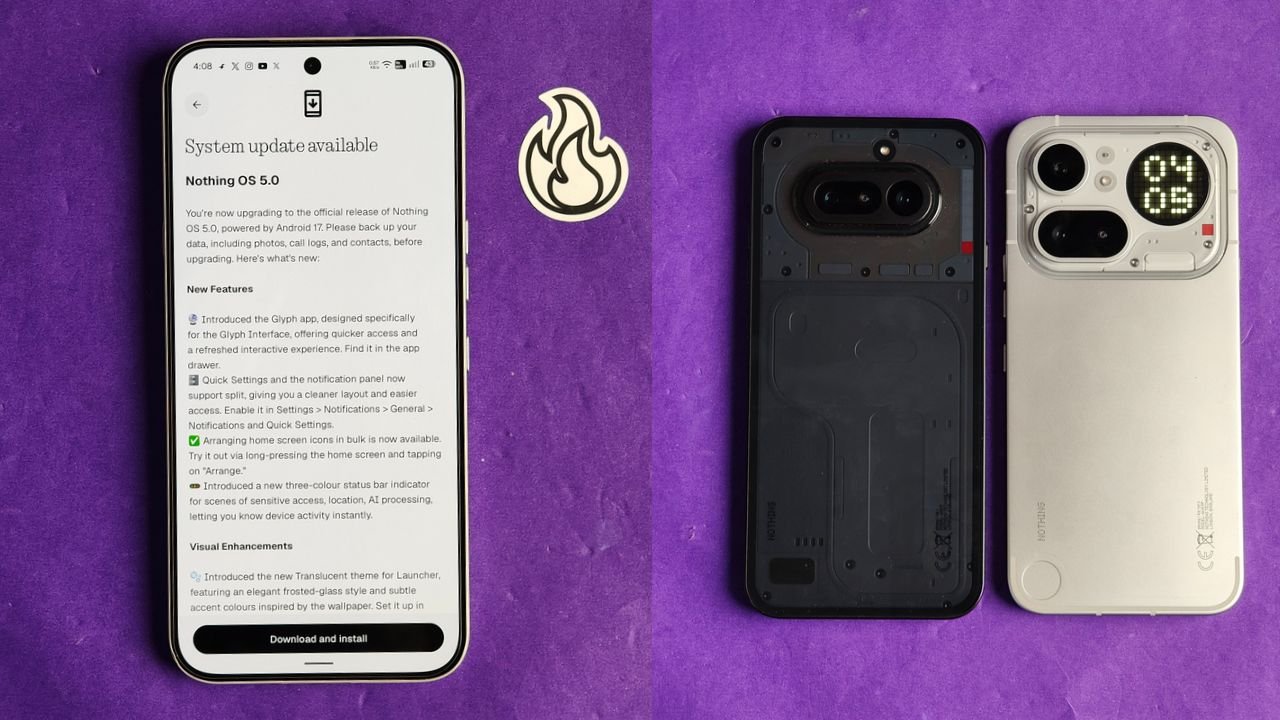
Nothing has started rolling out the stable Nothing OS 5.0 update for the Nothing Phone (4a) and Nothing Phone (4a) Pro. The new update is based on Android 17 and brings several new features, visual changes, camera improvements and other system enhancements.
The stable rollout has started ahead of Nothing’s previously announced early November schedule. However, the update is being released in stages, so it may take some time to reach all users.
Nothing OS 5.0 Update Size
The update is around 1.70 GB in size for beta users, and for non-beta users it is around 3 GB. Users can check for the latest update by going to Settings > System > System update.
What’s New in Nothing OS 5.0?
Nothing OS 5.0 brings quite a few changes to the overall user experience. Here are some of the important additions.
New Glyph App and Split Notifications
Nothing has introduced a dedicated Glyph app that makes it easier to access and manage Glyph Interface features.
The notification panel and Quick Settings can now be separated, giving users more control over how they access notifications and system shortcuts.
There is also a new three-colour status bar indicator that helps users identify sensitive activities such as location access and AI processing.
New Translucent Theme
One of the biggest visual changes is the new Translucent theme for the launcher.

It brings a frosted-glass look with subtle accent colours inspired by your wallpaper. You can enable it by going to Customisation > Theme & Style > Translucent.
Nothing has also added two new lock screen clock faces and the option to customise the clock colour.
New Widgets
The update introduces new widgets, including:
- Collector: Turns your photos into different decorative styles for your home screen.
- Away Time: Tracks how much time you spend away from your phone.
- Glyph Timer: Lets you access the Glyph Timer directly from the widget drawer.
Users can also arrange multiple home screen icons together instead of moving them one by one.
Camera Improvements
Nothing OS 5.0 brings several camera improvements to the Phone (4a) series.
The biggest addition is Dual-view Video, which allows users to record videos using the front and rear cameras simultaneously.
Nothing has also improved video recording, zoom, close-up photography, QR scanning, Google Lens and Motion Photo playback. The camera interface, controls and animations have also been refreshed.
Other Improvements
Apart from these changes, the update includes several smaller improvements:
- Expanded Dark Theme for more apps.
- Enhanced HDR brightness controls.
- Improved Depth wallpapers with pinch-to-resize support.
- Better Live Updates experience.
- Noto 3D Emoji support in Gboard.
- Faster Essential Voice transcriptions.
- Improved lock screen shortcuts.
- One-tap Bluetooth connection and disconnection.
- Refined system animations and a refreshed Settings interface.
How to Download Nothing OS 5.0
If you own a Nothing Phone (4a) or Phone (4a) Pro, follow these steps to check for the update:
- Open Settings on your phone.
- Go to System.
- Tap System update.
- Select Check for updates.
If the update is not available yet, don’t worry. Nothing is following a staged rollout, and it should reach more devices over the coming days.
Before installing, make sure to back up your important data and keep enough battery charge.
Stay updated with latest tech news
Follow TechiBoy on Google to get updates on smartphones, gadgets, software updates, and more.
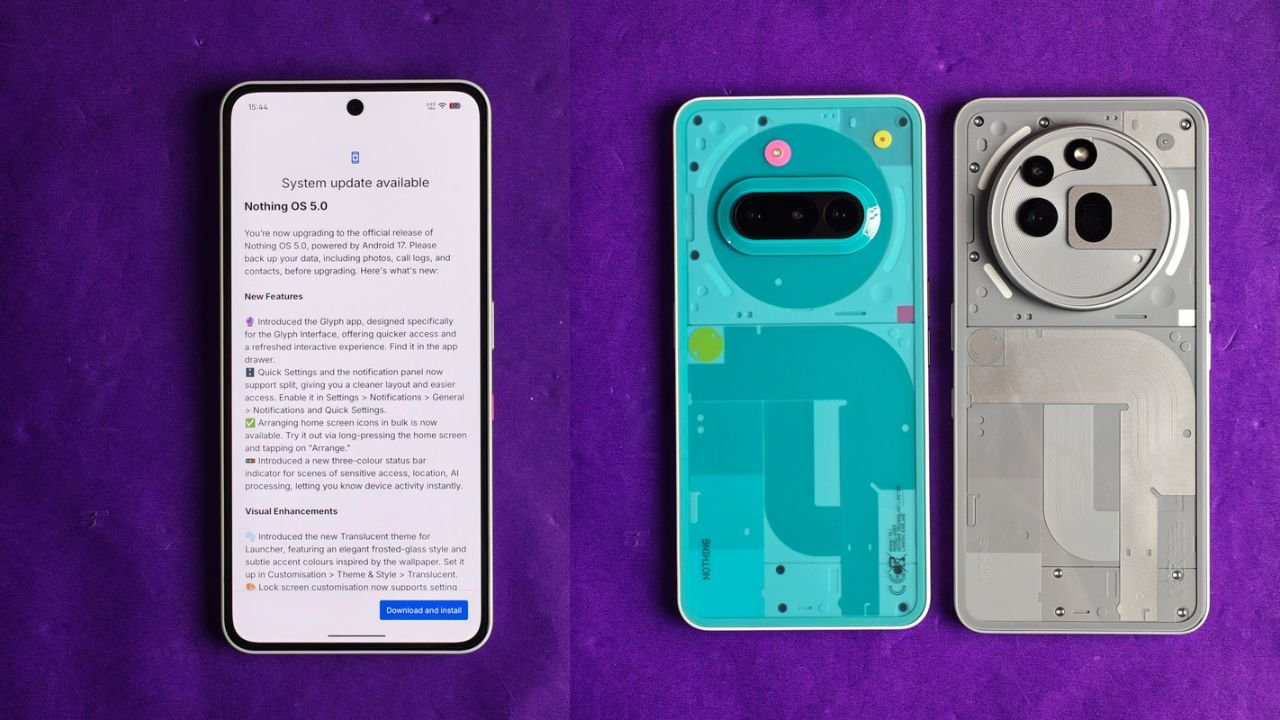
Nothing has started rolling out the Nothing OS 5.0 Stable Update based on Android 17 for the Nothing Phone (3a) and Nothing Phone (3a) Pro. The update brings several new features, UI changes, camera improvements and customisation options to both smartphones.
The new update is around 3.09GB in size and introduces a fresh Translucent Theme, redesigned Quick Settings, new widgets, lock screen customisation and more.
Nothing OS 5.0 Stable Update: What’s New?
One of the biggest changes is the new Translucent Theme. It brings a frosted-glass look to the home screen, with subtle colours that match the selected wallpaper. Users can enable it by going to Customisation > Theme & Style > Translucent.
Nothing has also introduced a new Glyph app, which provides quicker access to Glyph Interface settings. The Quick Settings and Notification Panel can now be separated, giving users a cleaner layout.
Here are some of the major changes included in the update:
1. New Features and UI Changes
- New Glyph App: A dedicated app for accessing Glyph Interface features.
- Separate Quick Settings: Users can now separate Quick Settings and Notifications.
- Bulk App Arrangement: Arrange multiple home screen icons together.
- New Status Bar Indicators: Three-colour indicators show sensitive access, location and AI processing activity.
- Translucent Theme: A new frosted-glass style for the launcher.
- New Clock Faces: Two new lock screen clock styles.
- Lock Screen Customisation: Users can now change the colour of the clock face.
- New Geist Typeface: Updated typography across the system.
2. New Widgets
Nothing OS 5.0 also brings some new widgets to the home screen.
- Collector Widget: Turn favourite photos into decorative home screen elements.
- Away Time Widget: Track how much time you spend away from your phone.
- Glyph Timer Widget: Start and access timers directly from the home screen.
3. Camera Improvements
The camera app has received several improvements with this update.
- Seven adjustable camera tuning effects with a reset option.
- Improved camera presets with easier editing.
- New 2×2 camera preset widget.
- Support for Filters and Tuning in video recording.
- Dual-view Video support.
- Improved zoom and close-up photography.
- Better QR scanning and Google Lens integration.
- Improved Motion Photo playback.
- Refreshed camera interface, controls and animations.
4. Other Improvements
Apart from the major features, Nothing has also added several useful improvements.
- Expanded Dark Theme support for more third-party apps.
- Enhanced HDR Brightness control.
- Depth Wallpapers now support pinch-to-shrink.
- Improved Live Updates experience.
- Noto 3D Emoji support in Gboard.
- Improved lock screen shortcuts.
- Bluetooth devices can now be connected or disconnected with a single tap from Quick Settings.
- Improved system animations and transitions.
Nothing OS 5.0 Update Size and Availability
The update size for this one is 3.09 GB, and the build number is Nothing OS C5.0-261023-2146.
The update is rolling out in phases, which means it may not be available to everyone at the same time. If you haven’t received it yet, you can check for it manually by going to Settings > System > System Update.
Nothing recommends backing up important data before installing the update.
Stay updated with latest tech news
Follow TechiBoy on Google to get updates on smartphones, gadgets, software updates, and more.
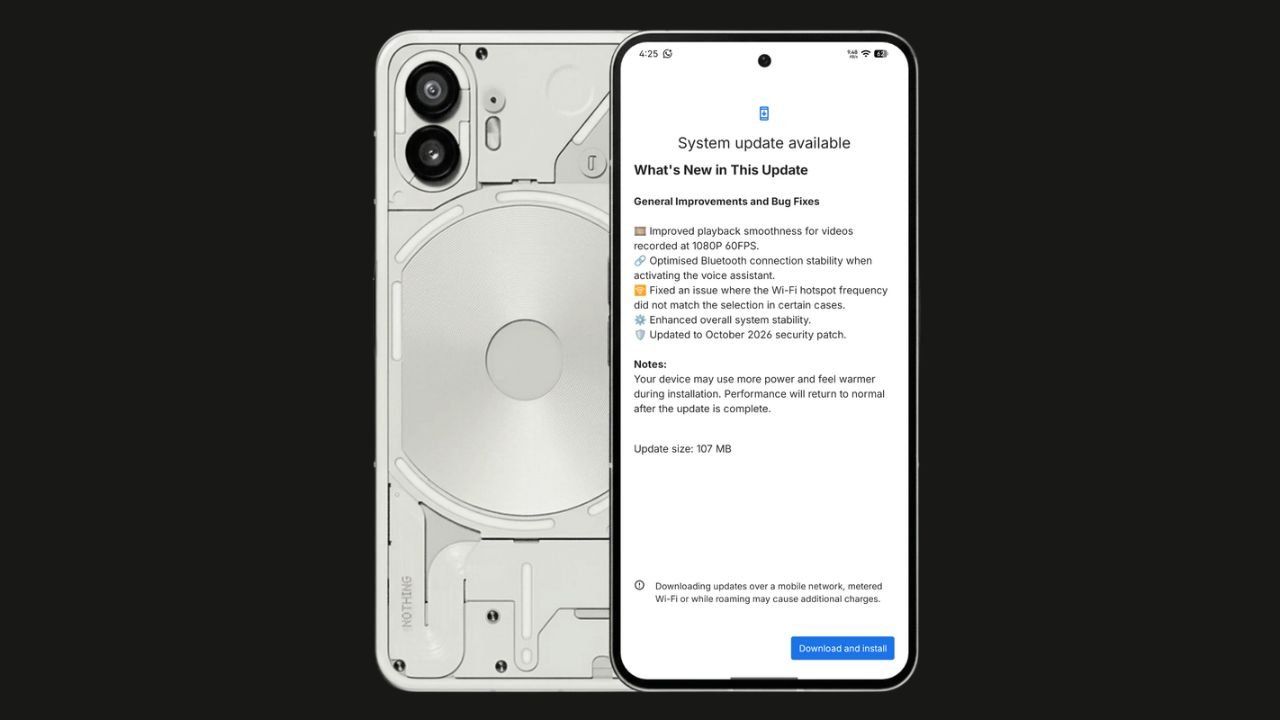
Nothing has started rolling out the Nothing OS 4.1 October 2026 update for the Nothing Phone (2). The update focuses on bug fixes, system stability improvements, and connectivity optimisations. It also brings the October 2026 security patch.
The update size is 107 MB, making it a relatively small maintenance update.
Nothing OS 4.1 October Update: What’s New?
According to the official changelog displayed on the device, the update includes the following improvements:
- Video playback: Improved smoothness for videos recorded at 1080p@ 60FPS.
- Bluetooth: Optimised connection stability when activating the voice assistant.
- Wi-Fi hotspot: Fixed an issue where the hotspot frequency did not match the selected option in certain cases.
- System stability: Enhanced overall system stability.
- Security: Updated to the October 2026 security patch.
How to Download the Update
Nothing Phone (2) users can check for the latest update by navigating to Settings > System > System Update. If the update is available, download and install it.
The rollout may happen in phases, so some users might have to wait before receiving the update.
If you don’t receive any OTA related to the update, you can manually update through our Nothing Firmware app.
Overall, the Nothing OS 4.1 October update is a minor maintenance release focused on improving the everyday user experience rather than introducing new features.
Stay updated with latest tech news
Follow TechiBoy on Google to get updates on smartphones, gadgets, software updates, and more.