
News
Nothing Phone (2a) and Phone (2a) Plus Get Nothing OS 5.0 Stable Update Based on Android 17

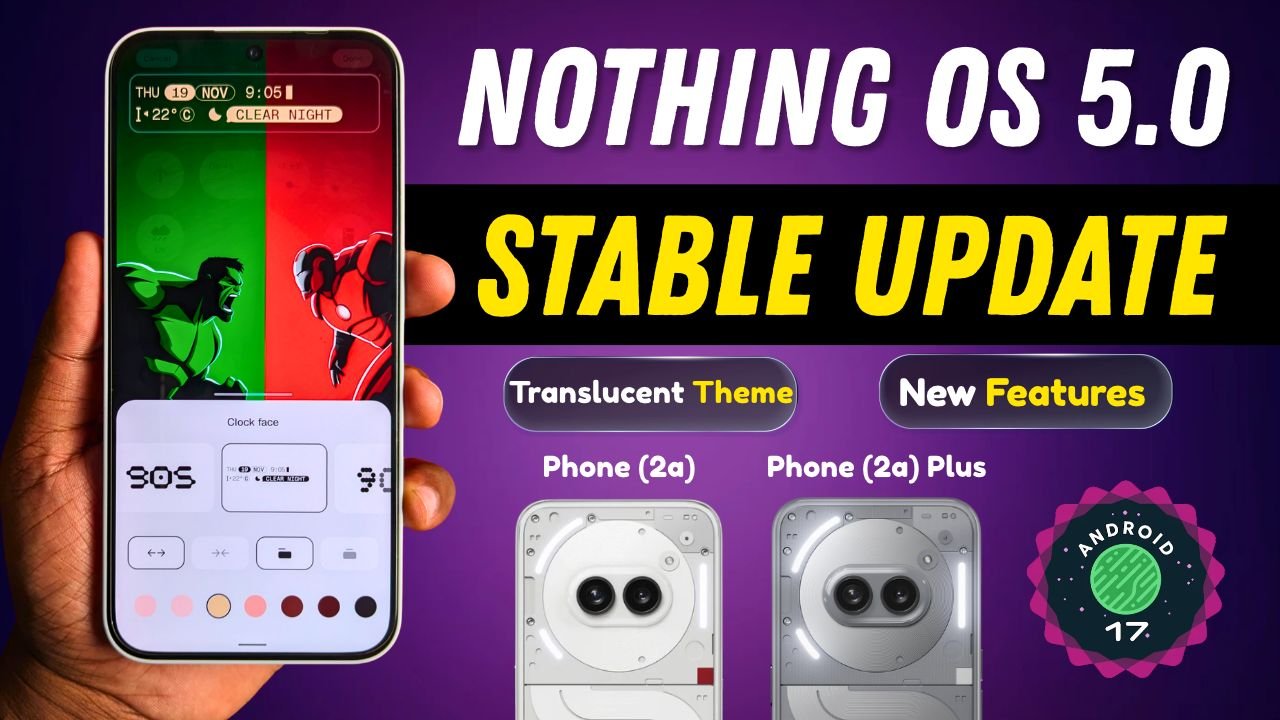
Nothing has started rolling out the Nothing OS 5.0 Stable update, based on Android 17, for the Nothing Phone (2a) and Nothing Phone (2a) Plus. The new update brings several new features, visual changes, camera improvements, new widgets, and bug fixes.
The update is now rolling out to users who were previously using the Nothing OS 5.0 Open Beta.
Nothing OS 5.0 Update Size
According to the update details, the update size is different for beta and non-beta users.
- Beta users: 361 MB
- Non-beta users: 3.15 GB
Build number: Nothing OS C5.0-261112-193
What’s New in Nothing OS 5.0 Stable Update?
The Nothing OS 5.0 update brings several new features and improvements. Here are the major changes. By the way these changes were all present in Nothing OS 5.0 open beta update for Phone (2a) Series.
New Features
Nothing has introduced a new Glyph app, designed specifically for the Glyph Interface. It offers quicker access and a refreshed interactive experience.
The update also brings separate Quick Settings and Notification panels, giving users a cleaner layout and easier access.
Users can now arrange multiple home screen icons in bulk by long-pressing the home screen and selecting the Arrange option.
There is also a new three-colour status bar indicator for sensitive activities such as location access and AI processing. This helps users know when certain device activities are taking place.
Visual Changes
Nothing OS 5.0 introduces a new Translucent theme for the Launcher. It features a frosted-glass design with subtle accent colours inspired by the wallpaper.

Other visual improvements include:
- Lock screen customisation now supports setting a colour for the clock face.
- Two new lock screen clock faces.
- Updated wallpaper gallery with a new wallpaper style.
- New Geist typeface and redesigned Settings UI.
- Improved status bar icons and animations.
- Smoother interactions and transition animations.
New Widgets
Nothing has also added new widgets to improve the home screen experience.
- Collector Widgets: Allows users to turn their photos into different-style decorations on the home screen.
- Away Time Widgets: Helps users track their time away from the screen.
- Glyph Timer: Now supported in the widget drawer.
Widget Blur Effect Difference Between Devices
There is also a difference in the widget experience across Nothing devices.
On the Nothing Phone (2a) and Phone (2a) Plus, opening widgets such as Glyph Timer, Collector, Away Time, and other widgets does not show a blurred background effect.
However, this blur background effect is available on the Nothing Phone (4a) Pro and Nothing Phone (3).
This means the widget experience is not exactly the same across all Nothing smartphones, even with the Nothing OS 5.0 update.
Camera Improvements
The camera app has received several improvements with this update.
Nothing has introduced Tuning with seven adjustable effects and a reset option. Presets have also been upgraded with easier editing, richer cards, Playground integration, and a new 2×2 widget.
Other camera improvements include:
- Enhanced video creation with Filters and Tuning support.
- H.265 video encoding.
- Improved recording and zoom.
- Better close-up shooting and QR scanning.
- Improved Google Lens and Motion Photo playback.
- Refreshed Camera UI, controls, and animations.
General Improvements and Bug Fixes
The update also brings several system-level improvements.
Expanded Dark Theme is now available, allowing users to apply Dark Theme to more apps that do not support it natively.
There is also a new Enhanced HDR Brightness option that lets users customise HDR intensity for a more comfortable viewing experience.
Other changes include:
- Depth (Beta) wallpapers now support pinch-to-shrink.
- Improved Live Updates with a better status bar experience.
- New Nothing 3D Emoji in Gboard.
- Improved lock screen shortcut interactions.
- Bluetooth devices can now be connected or disconnected with a single tap from Quick Settings.
- Security improvements and fixes for reported issues.
How to Download Nothing OS 5.0 Stable Update?
If you own a Nothing Phone (2a) or Nothing Phone (2a) Plus, you can check for the latest update by following these steps:
- Open Settings on your phone.
- Go to System.
- Tap System Update.
- Check for the Nothing OS 5.0 update.
- Download and install it if available.
The update is rolling out gradually, so it may take some time to reach all users.
Note: Your phone may temporarily heat up and consume more power during the update process. This should return to normal after the installation is complete.
Stay updated with latest tech news
Follow TechiBoy on Google to get updates on smartphones, gadgets, software updates, and more.





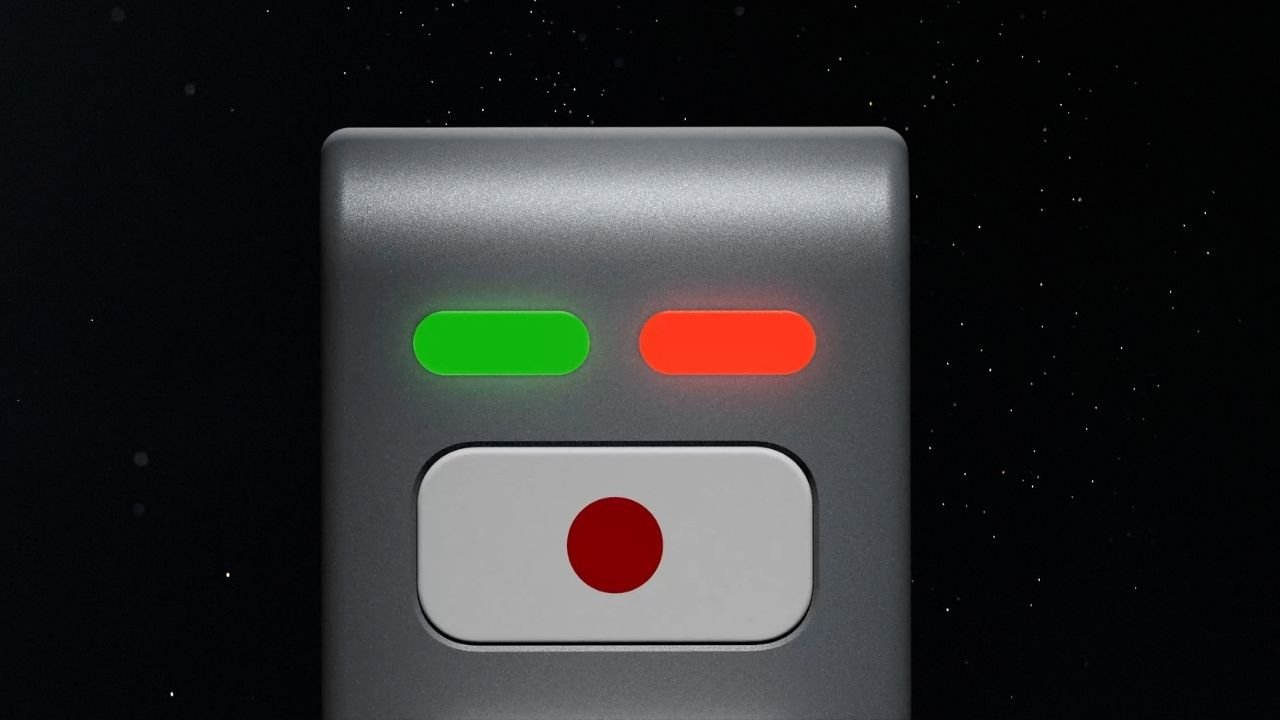
Nothing’s CEO Carl Pei has teased an upcoming AI device on X (formerly Twitter). The device features a unique LEGO-inspired design with a simple and minimalistic look. While the company has not revealed much about it yet, the teaser gives us a first look at what could be its next interesting product.
The upcoming device appears to feature a metal-based body with a matte finish. It does not have a display, but there are two LED lights on the front, one red and one green. Below the lights, there is a physical button with a red dot on a white background.
What Can We Expect From Nothing’s AI Device?
Nothing has not shared any details about the device’s features or how it will work. However, it could work alongside a companion smartphone for internet connectivity. Users may be able to interact with the device to ask questions, get information, and perform different AI-related tasks.
The decision to go with a screen-less design could also be intentional. Nothing has previously spoken about reducing screen time and helping users avoid unnecessary distractions.
The company has introduced several features to reduce distractions, especially at night. Its approach includes the Glyph Interface, Essential Notifications, and a minimalistic monochrome interface.
Rather than focusing only on smartphone specifications, Nothing has been exploring ways to make technology less distracting. Its upcoming AI device could take this idea further by offering a different way to interact with technology without constantly scrolling through social media apps.
Could It Be Nothing Ear (3) Pro With AI Features?
Another possibility is that Nothing’s upcoming AI device could be related to its audio product lineup. It could potentially be a new Nothing Ear (3) Pro with AI features, rather than an entirely new product category.
The screen-less design, physical button and LED indicators could point towards a device designed for quick voice interactions and AI-powered assistance.
However, this is only speculation based on the teaser. Nothing has not confirmed whether the device is a new pair of earbuds, an AI accessory, or an entirely different product.
Could the Device Be Related to Pokémon Kingdra?
There is another interesting detail that could be connected to Nothing’s upcoming AI device. The device may be related to Kingdra, a Water/Dragon-type Pokémon with Pokédex number #0230.

Nothing has previously teased Kingdra in one of its posts on X. This has led to speculation that the upcoming device could carry a model number or internal codename inspired by Kingdra.
Nothing has a history of using Pokémon-inspired names for its products and projects, so this possibility is worth keeping an eye on. However, the company has not officially confirmed any connection between Kingdra and the upcoming AI device.
Nothing AI Device Launch Expected Next Month
Nothing is expected to launch its AI-native device next month. However, the company has not confirmed an exact launch date yet. More details are expected to be revealed by the end of November.
We will have to wait for the official announcement to know what the device can actually do, whether it is related to the Nothing Ear lineup, and how Nothing plans to make it different from existing AI-powered products.
Stay updated with latest tech news
Follow TechiBoy on Google to get updates on smartphones, gadgets, software updates, and more.
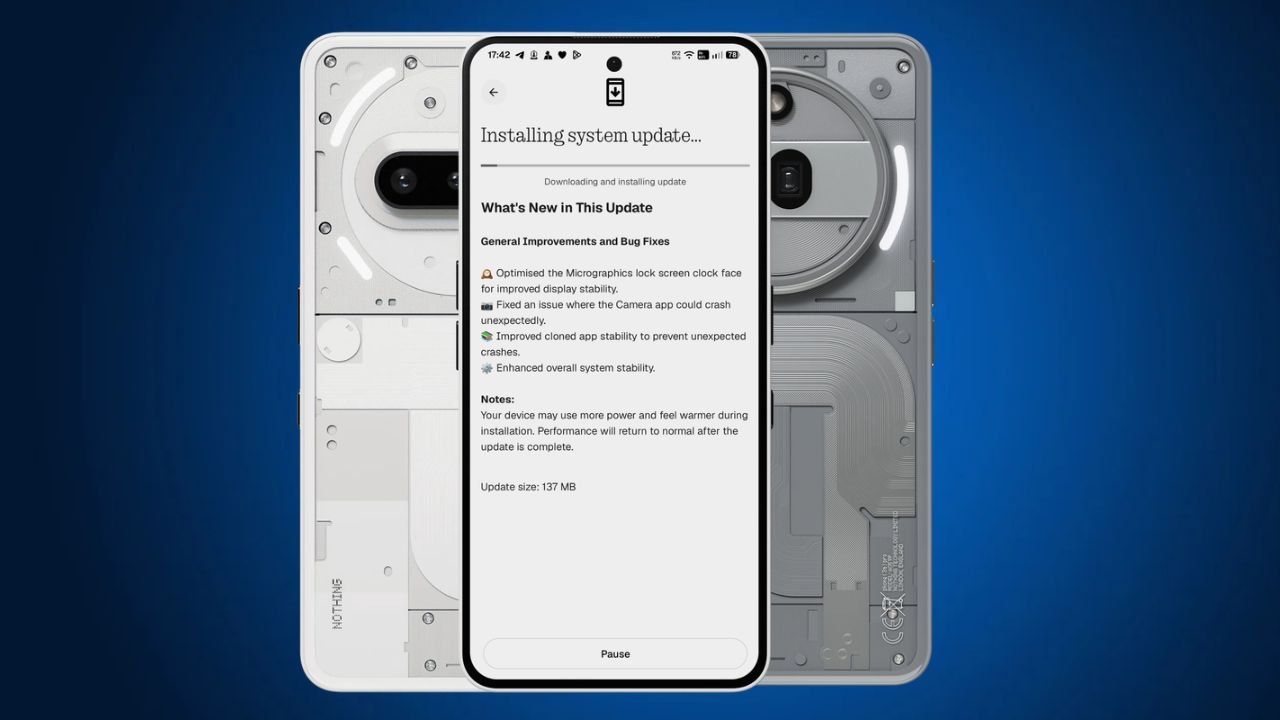
Nothing has started rolling out a new Nothing OS 5.0 Hotfix update for the Nothing Phone (3a) and Nothing Phone (3a) Pro. The latest update focuses on fixing a few issues and improving the overall system stability.
The update is around 137 MB in size and is rolling out to users in phases.
Nothing OS 5.0 Hotfix Update: What’s New?
One of the main changes in this Nothing OS 5.0 hotfix update is related to the Micrographics lock screen clock face. Nothing has optimised it to improve display stability.
Apart from this, the update also brings the following fixes:
- Micrographics Clock: Optimised the Micrographics lock screen clock face for better display stability.
- Camera Fix: Fixed an issue that could cause the Camera app to crash unexpectedly.
- Cloned Apps: Improved stability to prevent cloned apps from crashing unexpectedly.
- System Stability: Improved overall system stability for a smoother experience.
Nothing OS 5.0 Hotfix Update Details
Here are the update details for the Nothing Phone (3a) and Phone (3a) Pro:
| Details | Information |
|---|---|
| Devices | Nothing Phone (3a) and Phone (3a) Pro |
| Software | Nothing OS 5.0 |
| Build Number | C5.0-261106-1007 |
| Update Size | 137 MB |
| Update Type | Hotfix Update |
How to Download the Update?
Nothing Phone (3a) and Phone (3a) Pro users can check for the latest update by following these steps:
- Open Settings on your phone.
- Go to System.
- Select System Update.
- Tap Check for Update.
- Download and install the update if it is available.
The update is rolling out gradually, so it may take some time to reach all users.
Stay updated with latest tech news
Follow TechiBoy on Google to get updates on smartphones, gadgets, software updates, and more.
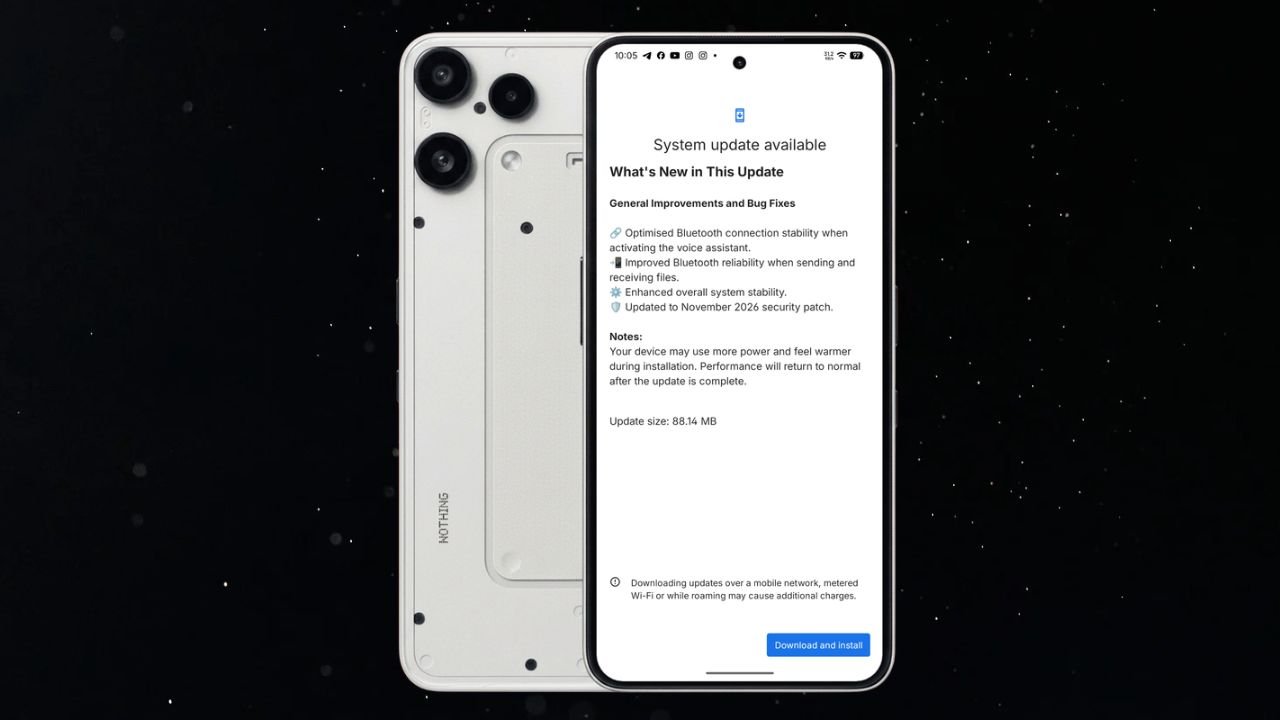
Nothing has started rolling out a new Nothing OS 4.1 November update for the Nothing Phone (3a) Lite. The latest update brings Bluetooth improvements, better system stability, and the November 2026 security patch.
The update is relatively small, with a download size of 88.14 MB. It mainly focuses on improving the overall user experience rather than introducing new features.
Nothing Phone (3a) Lite Nothing OS 4.1 November Update Details
The latest update comes with build number Nothing OS B4.1-261029-1756 for Phone (3a) Lite. It includes several improvements related to Bluetooth connectivity and general system performance.
Here are the update details:
- Device: Nothing Phone (3a) Lite
- Software Version: Nothing OS 4.1
- Build Number: B4.1-261029-1756
- Update Size: 88.14 MB
- Security Patch: November 2026
What’s New in the November Update?
According to the changelog, the update brings the following changes:
1. Improved Bluetooth Stability
Nothing has optimised Bluetooth connection stability when activating the voice assistant. This should make the Bluetooth connection more reliable when using a connected device to access the voice assistant.
2. Better Bluetooth File Sharing
The update also improves Bluetooth reliability when sending and receiving files. This should help provide a more stable experience during Bluetooth file transfers.
3. Enhanced System Stability
Nothing has made improvements to overall system stability. These changes aim to make the phone’s software experience more reliable.
4. November 2026 Security Patch
The update also includes the November 2026 Android security patch to keep the device up to date with the latest security improvements.
How to Download the Update?
Nothing Phone (3a) Lite users can check for the latest update by following these steps:
- Open Settings on your phone.
- Go to System.
- Select System Update.
- Check for the latest available update.
- Download and install latest Nothing OS 4.1.
If the update is not available on your device yet, you can check again later.
Stay updated with latest tech news
Follow TechiBoy on Google to get updates on smartphones, gadgets, software updates, and more.