
Nothing
Nothing OS 4.0 Stable Update: Important Settings You Must Change After Updating

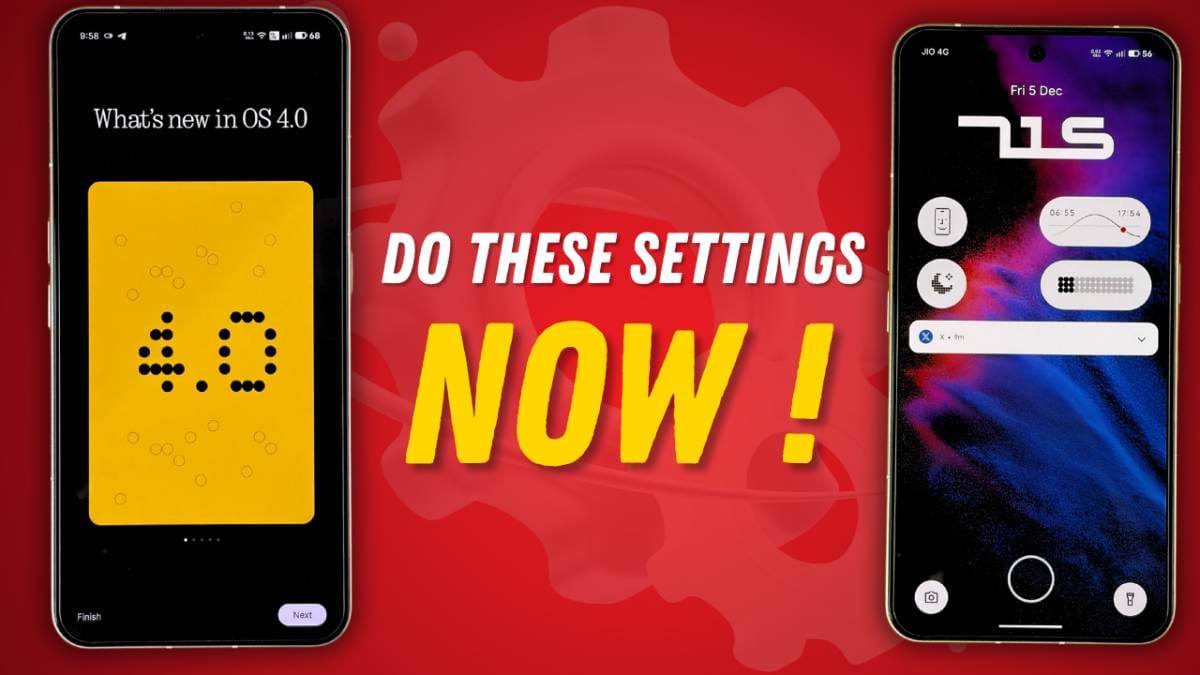
Nothing has rolled out the Nothing OS 4.0 stable update for devices like the Nothing Phone (2a), Phone (2a) Plus, Phone (2), Phone (3a), Phone (3a) Pro, and Phone (3). Many users successfully updated their phones, but after the update, several settings are often ignored. These small mistakes can lead to lag, slow performance, battery drain, and unnecessary background activity.
But before that, it’s worth noting that the Nothing OS 4.0 stable update, which rolled out for multiple devices, was reportedly paused for the Phone (2a) and Phone (2a) Plus after many users said the update disappeared from their system update page. Although Nothing did not officially confirm a halt, the pause was believed to be caused by a confusing “Android Beta Program” message appearing after installation. A hotfix was released on 1st Dec, after which the Phone (2a) and Phone (2a) Plus got the OTA update.
To help you get the best performance, here are all the important settings you should change immediately after installing Nothing OS 4.0.
1. Restart the Phone Twice
After the update finishes, restart your phone once.
Wait a few minutes, and restart it again.
This helps the UI refresh properly and removes early lag or animation glitches.
2. Turn Off RAM Booster
On mid-range devices like Phone (2a) series or Phone (3a) series, RAM Booster can actually slow the phone down instead of improving performance.
Settings → RAM Booster → Turn Off
After disabling it, users often notice smoother performance.
3. Run the App Optimization Tool
Nothing introduced a new App Optimization feature in OS 4.0.
This clears cache, fixes app behavior, and improves battery efficiency.
Settings → Apps → App Optimization → Begin Optimization
Do not skip this step—it’s very important.
4. Disable Lock Glance
Lock Glance changes wallpapers frequently and performs background tasks.
This can affect battery life.
Turn it off:
Settings → Lock Screen → Lock Glance → Disable All Options
5. Restore Deleted Camera Presets
If you removed any camera presets by mistake, you can now restore them easily:
Camera Settings → Restore Deleted Official Presets
Useful if you rely on Nothing’s default film-style presets.
6. Enable Extra Dark Mode
Nothing OS 4.0 adds an Extra Dark Mode for deeper blacks.
It also helps users who noticed slight green tint issues earlier.
Settings → Display → Dark Mode → Extra Dark Mode
7. Try the New App Hide Feature
You can now hide apps directly from the home screen or app drawer.
Just long-press the app → Hide
Hidden apps appear in the Hidden Folder, accessible after verification.
8. Customize Quick Settings Tiles (2×2 Layout)
Quick Settings tiles like Wi-Fi, Screen Recorder, etc., can now be resized.
Go to Edit and change tile size to 1×1, 2×1, 2×2 for easier access.
9. Share Wi-Fi Password Easily
Nothing added a new “Share” button in the Wi-Fi panel.
You can instantly share Wi-Fi details through a QR code—no need to type the password.
10. Remove Essential Widgets for Better Performance
Essential Widgets created by community developers may use background resources.
If not needed, remove them to save battery.
11. Update All Apps After the Android 16 Upgrade
Some apps behave strangely after the update.
Update everything from:
Play Store → Profile → Manage Apps → Update All
Also uninstall unused apps to reduce background activity.
12. Reset Network Settings (If Needed)
If you face Wi-Fi, Bluetooth, or mobile network issues:
Settings → System → Reset Options → Reset Network Settings
This usually fixes the problem.
13. Avoid Third-Party Launchers
Launchers like Nova may cause lag on Nothing devices after OS 4.0.
Switch back to the default Nothing Launcher for best performance.
14. Recalibrate Battery for Better Backup
If battery drain feels unusual after updating:
- Drain phone to 0%
- Charge to 100% while switched off
- Repeat once more
This helps Android 16 stabilize battery management.
15. Enable Power Off Verification
A very important security feature:
When enabled, no one can switch off your phone without entering your password.
Settings → Security & Privacy → More Security → Power Off Verify
Highly recommended.
16. Adjust Flip to Glyph Behavior
Under Glyph Interface → Flip to Glyph, choose whether the phone should go:
- Silent
- Vibrate
when placed face-down.
17. Clean Up App Search Results
Want to remove contacts, messages, or calendars from appearing in app drawer search?
App Drawer → Three Dots → Search Result Settings
Disable what you don’t want.
Final Thoughts
Nothing OS 4.0 brings many improvements, but the experience becomes even better when these settings are adjusted correctly. These small changes help improve:
- Performance
- Battery life
- Smoothness
- Security
- Customization
Stay updated with latest tech news
Follow TechiBoy on Google to get updates on smartphones, gadgets, software updates, and more.





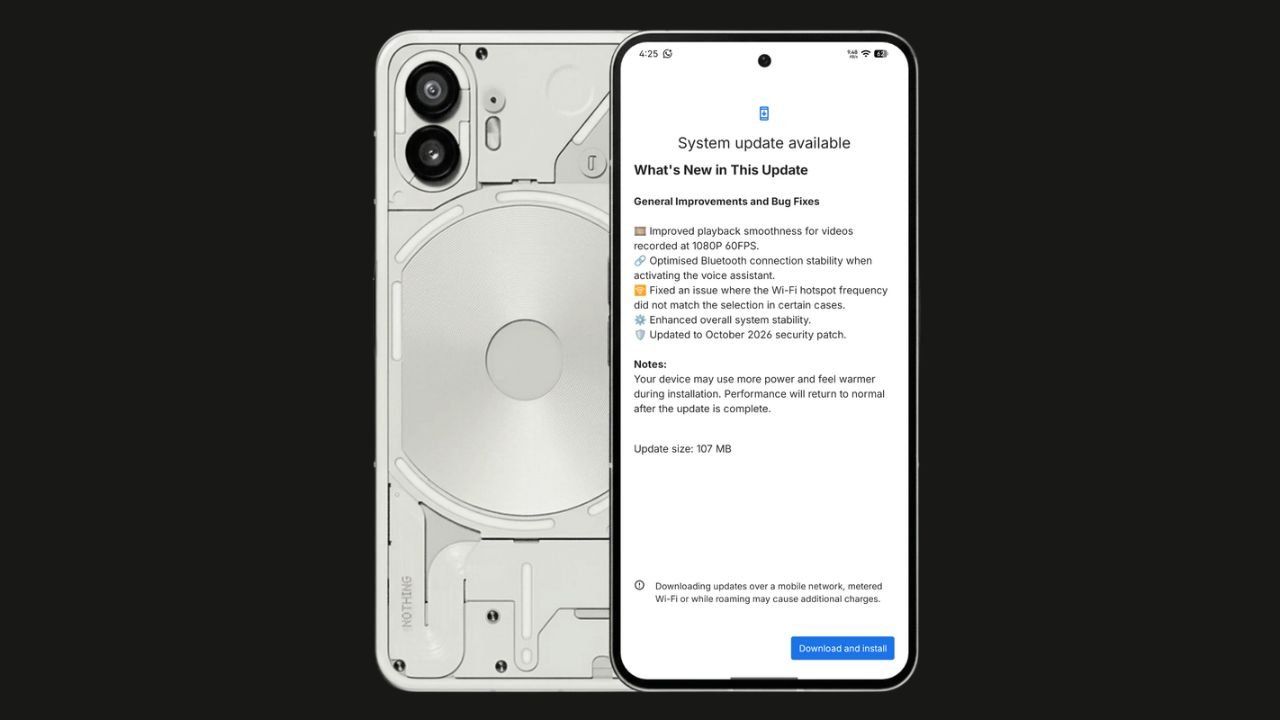
Nothing has started rolling out the Nothing OS 4.1 October 2026 update for the Nothing Phone (2). The update focuses on bug fixes, system stability improvements, and connectivity optimisations. It also brings the October 2026 security patch.
The update size is 107 MB, making it a relatively small maintenance update.
Nothing OS 4.1 October Update: What’s New?
According to the official changelog displayed on the device, the update includes the following improvements:
- Video playback: Improved smoothness for videos recorded at 1080p@ 60FPS.
- Bluetooth: Optimised connection stability when activating the voice assistant.
- Wi-Fi hotspot: Fixed an issue where the hotspot frequency did not match the selected option in certain cases.
- System stability: Enhanced overall system stability.
- Security: Updated to the October 2026 security patch.
How to Download the Update
Nothing Phone (2) users can check for the latest update by navigating to Settings > System > System Update. If the update is available, download and install it.
The rollout may happen in phases, so some users might have to wait before receiving the update.
If you don’t receive any OTA related to the update, you can manually update through our Nothing Firmware app.
Overall, the Nothing OS 4.1 October update is a minor maintenance release focused on improving the everyday user experience rather than introducing new features.
Stay updated with latest tech news
Follow TechiBoy on Google to get updates on smartphones, gadgets, software updates, and more.
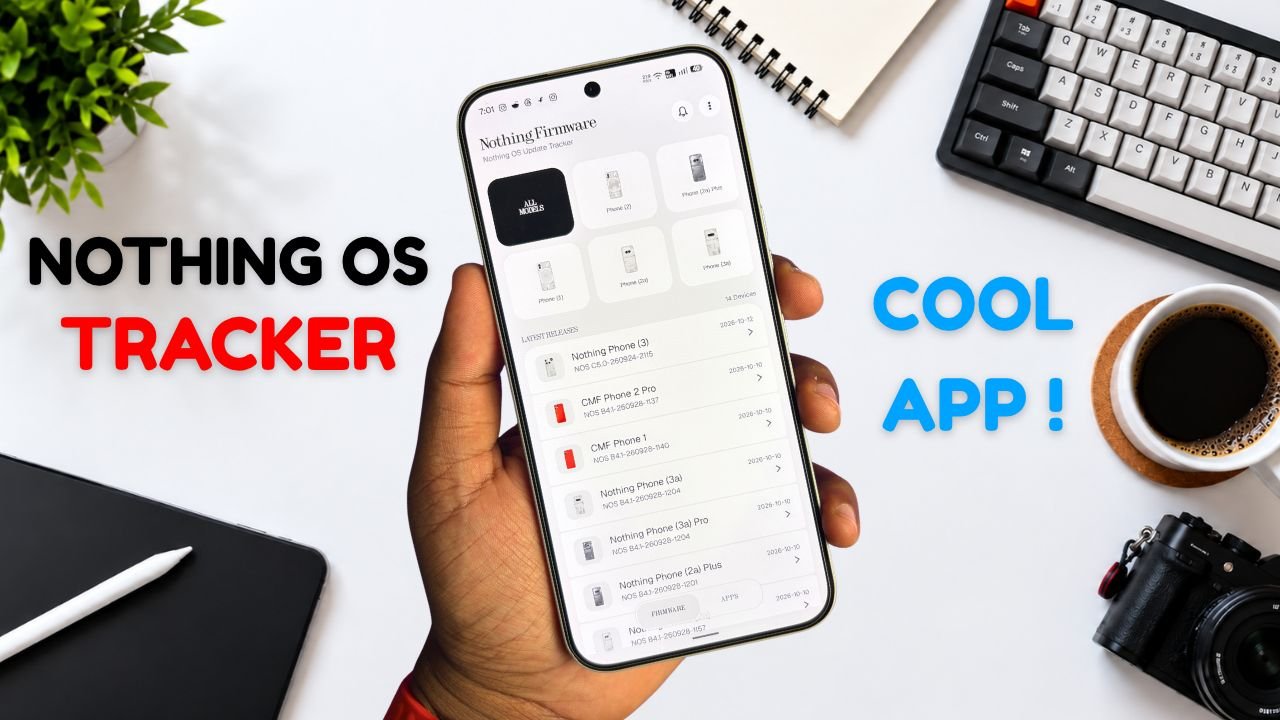
Nothing Phone and CMF users now have a new way to keep track of software updates. Nothing Firmware, an Android app developed by TechiBoy Studios, is now available on Google Play.
The app brings firmware update tracking, changelogs, Nothing OS OTA package downloads, and information on Nothing app updates into one place. It is designed for users who want to stay informed about the latest software releases for their devices.

What Is the Nothing Firmware App?
Nothing Firmware is an independent app built to help Nothing Phone and CMF users follow firmware releases without having to search across multiple sources.
Users can check available firmware updates, read changelogs to understand what’s changed, and download OTA packages through the app. It also tracks Nothing app updates and provides direct links to their Google Play listings.
Nothing Firmware App Features
The app includes several features designed to make software update tracking easier.
- Firmware tracking: Follow firmware releases for Nothing Phone and CMF devices.
- Detailed changelogs: Check update details and learn about new features, improvements, and bug fixes.
- OTA downloads: Download firmware packages with progress tracking.
- Update notifications: Receive alerts when new firmware releases are available.
- Nothing app updates: Track Nothing app releases and open their Google Play listings directly.
- Home screen widget: View the latest firmware information from the home screen.
- Custom alerts: Choose notification sounds and enable voice announcements for update alerts.
- Theme options: Switch between Auto, Light, and true-black Dark themes.
- Device information: Check device details, build numbers, and security patch information.
The app also includes a warning for firmware packages that do not match the detected device, helping users avoid selecting an incorrect package.
Is Nothing Firmware an Official Nothing App?
No. Nothing Firmware is an independent community project developed by TechiBoy Studios. It is not affiliated with, sponsored by, or endorsed by Nothing Technology Limited or CMF by Nothing.

How to Download Nothing Firmware
Nothing Firmware is available on Google Play. Users can download it to keep track of firmware updates, read changelogs, and follow Nothing app releases.
Download: Nothing Firmware on Google Play
If you’re already running an incremental build of Nothing OS 5.0 Open Beta, you can’t directly roll back to the stable version through a regular incremental OTA update. Nothing Firmware currently provides stable incremental updates only. Once Nothing releases the Nothing OS 5.0 stable update for your device, it will appear in the app when available. Until then, you may need to follow Nothing’s official rollback instructions if you want to return to a stable build.
Stay updated with latest tech news
Follow TechiBoy on Google to get updates on smartphones, gadgets, software updates, and more.
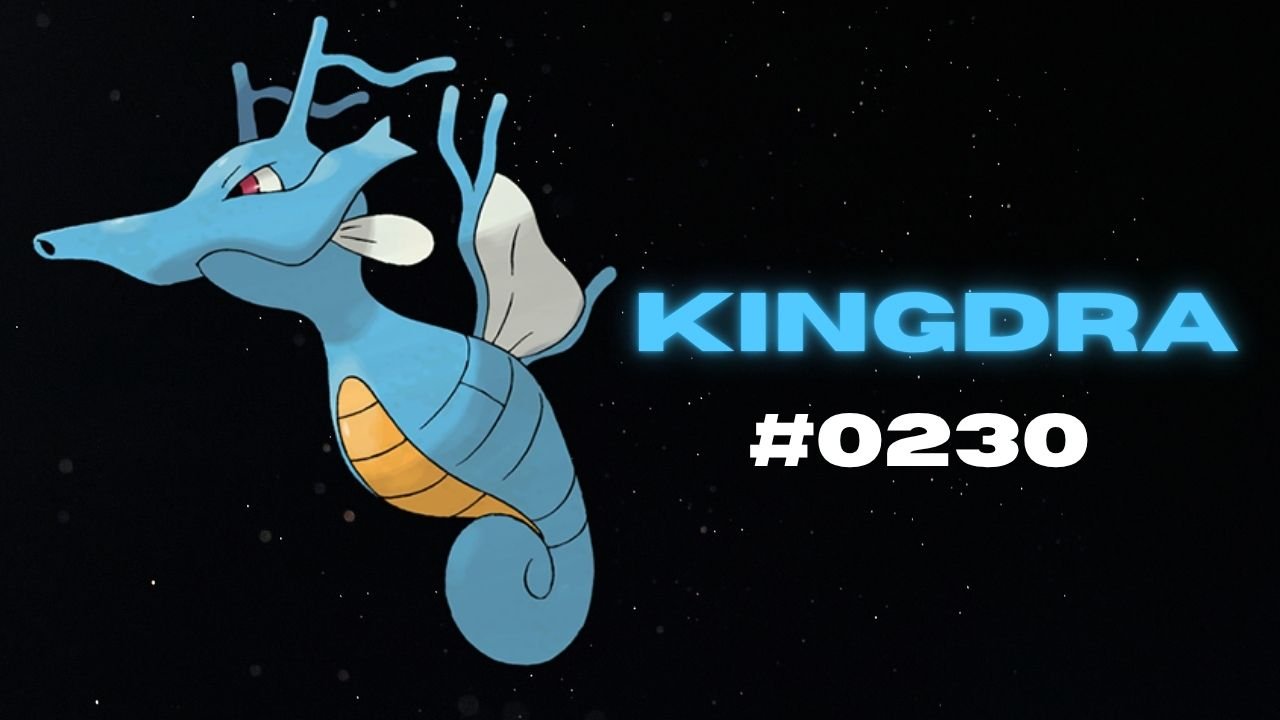
Nothing has teased another Pokémon on its official X account and Nothing Community, hinting that a new product could be on the way. This time, the company has shared Kingdra, Pokémon #230 in the National Pokédex.
Kingdra is a Water/Dragon-type Pokémon introduced in Generation II. The teaser features the Pokémon alongside a cryptic description about sleeping deep on the ocean floor to build energy and causing tornadoes when it wakes up.

What Could Nothing Be Launching Next?
Nothing has not revealed which product the new Pokémon teaser refers to. However, the company has previously used Pokémon-themed teasers to build anticipation for upcoming devices, making this latest post worth watching.
An audio product, such as new Nothing Ear earbuds or headphones, could be one possibility. A new smartphone or another product category cannot be ruled out either.
For now, the product name, specifications, pricing and launch date remain unknown. More details may emerge through future teasers from the company.
Stay updated with latest tech news
Follow TechiBoy on Google to get updates on smartphones, gadgets, software updates, and more.