
News
Nothing OS 5.0 Lets You Separate Notifications and Quick Settings

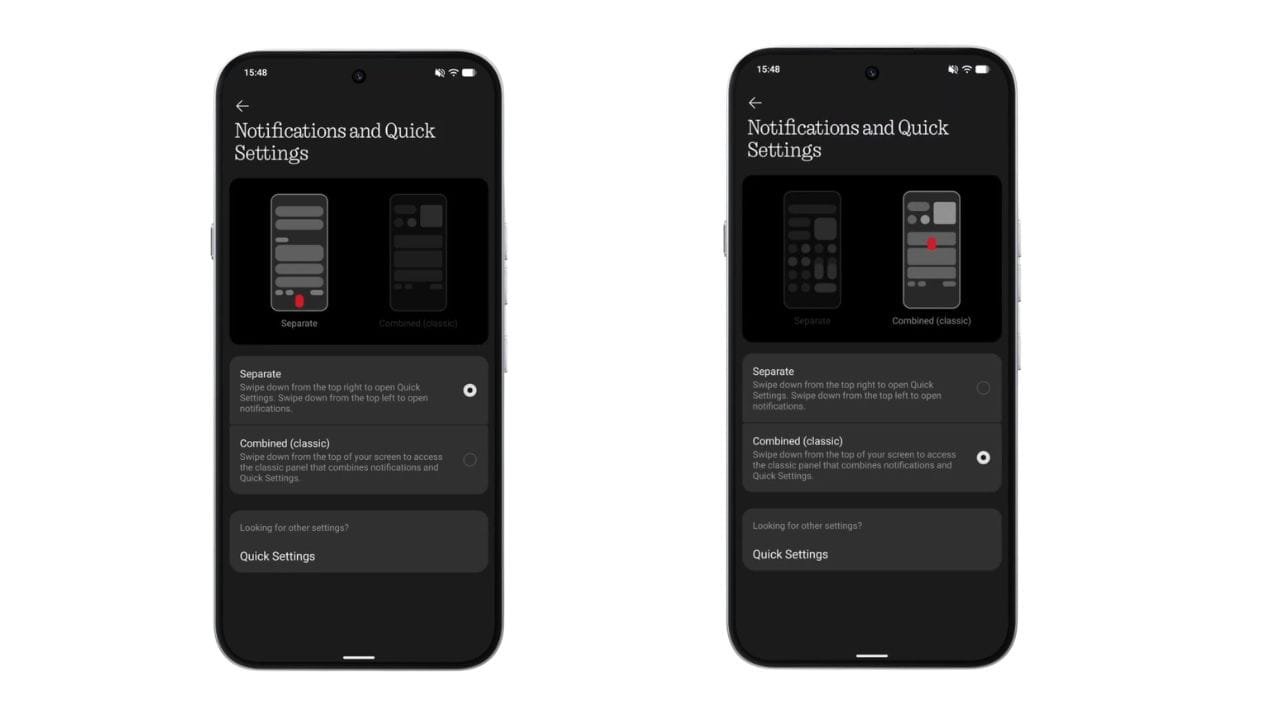
Nothing has revealed another useful feature coming with Nothing OS 5.0. The upcoming update will let users separate Notifications and Quick Settings, making it easier to access the controls they need.
Nothing CEO Carl Pei shared the feature on X, saying:
“In Nothing OS 5.0, you can separate Notifications and Quick Settings for faster access to what you need.”
Notifications and Quick Settings Can Be Separated
With the new option, users will be able to keep their Notifications and Quick Settings separate instead of accessing them from the same panel.
This should make everyday controls easier to reach. For example, users can quickly check their notifications without having to navigate through the Quick Settings panel, while important controls can remain easily accessible.
The change may look small, but it could make the overall notification shade feel more organized and easier to use.
More Nothing OS 5.0 Changes Are Coming
This is not the first Nothing OS 5.0 feature Nothing has teased. The company has already shown new system animations, wallpapers and other visual changes in its teasers.
Nothing OS 5.0 is expected to bring a refreshed experience with more focus on animations and small UI details. Also, Nothing Phone (3) will be the first phone to get this update as it’s Nothing’s flagship device.
The company has also confirmed that Nothing OS 5.0 will be officially revealed on August 25 at 11:00 AM BST (3:30 PM IST).
More details about supported devices, new features and the rollout timeline are expected to be announced during the official reveal.
For now, the ability to separate Notifications and Quick Settings looks like one of the small but useful changes coming with Nothing OS 5.0.
Stay updated with latest tech news
Follow TechiBoy on Google to get updates on smartphones, gadgets, software updates, and more.





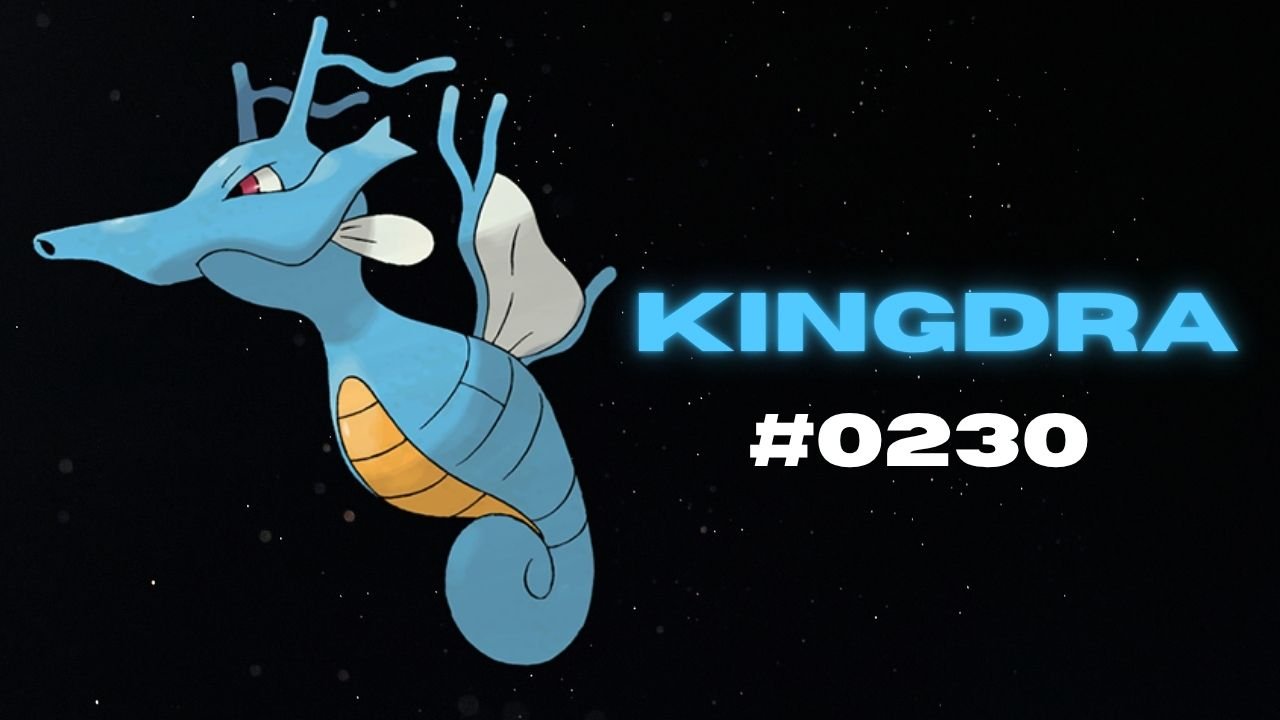
Nothing has teased another Pokémon on its official X account and Nothing Community, hinting that a new product could be on the way. This time, the company has shared Kingdra, Pokémon #230 in the National Pokédex.
Kingdra is a Water/Dragon-type Pokémon introduced in Generation II. The teaser features the Pokémon alongside a cryptic description about sleeping deep on the ocean floor to build energy and causing tornadoes when it wakes up.

What Could Nothing Be Launching Next?
Nothing has not revealed which product the new Pokémon teaser refers to. However, the company has previously used Pokémon-themed teasers to build anticipation for upcoming devices, making this latest post worth watching.
An audio product, such as new Nothing Ear earbuds or headphones, could be one possibility. A new smartphone or another product category cannot be ruled out either.
For now, the product name, specifications, pricing and launch date remain unknown. More details may emerge through future teasers from the company.
Stay updated with latest tech news
Follow TechiBoy on Google to get updates on smartphones, gadgets, software updates, and more.
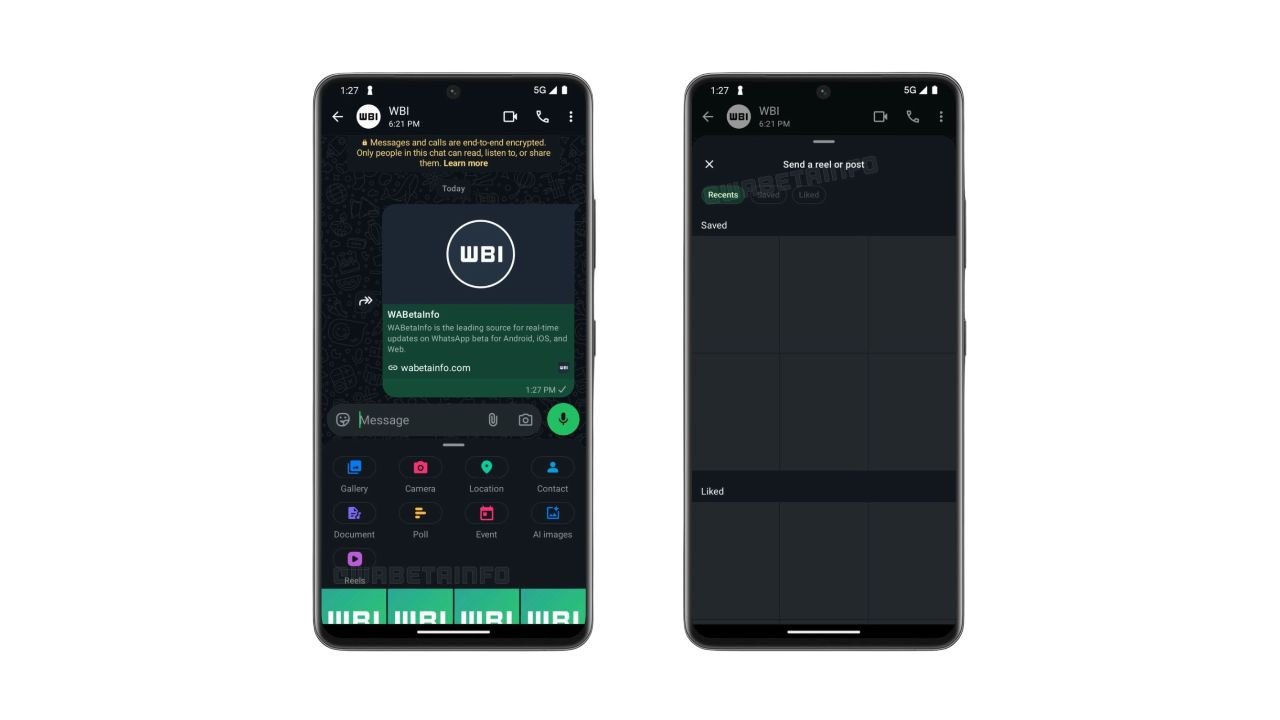
WhatsApp is testing a new shortcut that makes sharing Instagram Reels directly in chats easier. The feature adds a dedicated Reels button to the chat attachment menu, allowing users to quickly find and share Instagram content without navigating through multiple menus.
The feature was spotted in WhatsApp beta for Android version 2.26.42.9 and is currently rolling out to some beta testers.
WhatsApp Adds a Dedicated Reels Button
Previously, users who linked their WhatsApp account to Meta’s Accounts Center could access Instagram Reels through the media picker. However, finding the option required opening the picker and selecting Instagram from the source list.
With the new shortcut, users can tap the Reels button directly from the chat attachment menu to open a dedicated interface for browsing and sharing content.
Recent, Saved and Liked Reels
The new interface includes three tabs:
- Recent: Reels recently watched on Instagram.
- Saved: Reels saved by the user.
- Liked: Reels liked by the user.
Users can browse these sections and select content to share in WhatsApp chats. The interface also reportedly provides access to posts.
Availability
The shortcut requires users to link their WhatsApp account to Meta’s Accounts Center. This integration remains optional, so users who prefer to keep their accounts separate can continue using WhatsApp without connecting them.
The feature is rolling out gradually to Android beta testers through the Google Play Store. WhatsApp has not yet announced when the dedicated Reels shortcut will become available to all users.
Stay updated with latest tech news
Follow TechiBoy on Google to get updates on smartphones, gadgets, software updates, and more.
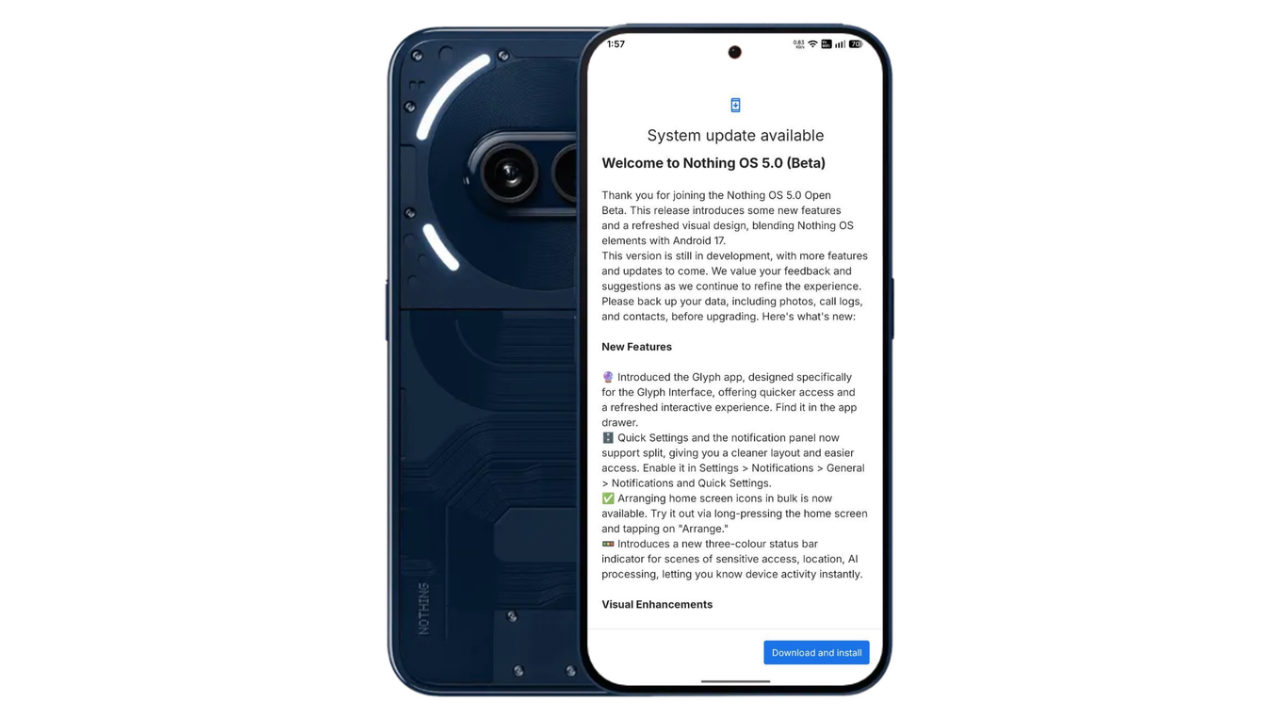
Nothing has started rolling out the Nothing OS 5.0 Open Beta update for the Nothing Phone (2a) and Phone (2a) Plus, bringing Android 17 along with a refreshed user interface, new customisation options, camera improvements and several other features. The update started rolling out on October 21, 2026, with a reported download size of 3.14GB.
One of the biggest surprises in this update is the addition of the translucent theme and Micrographics clock face, giving users more ways to personalise their devices.
Nothing OS 5.0 Brings Translucent Theme and Micrographics Clock
The Nothing Phone (2a) and Phone (2a) Plus receives the new translucent theme as part of the Nothing OS 5.0 Open Beta. The updated design introduces translucent elements and wallpaper-inspired accent colours, offering a refreshed look across the interface.

The update also brings the Micrographics clock face, along with additional lock screen customisation options, including the ability to change the clock colour and choose a new clock design.
Other New Features in Nothing OS 5.0
Apart from the visual changes, the update introduces several new features and improvements:
- Separate Quick Settings and Notifications: Users can enable a split layout for easier access to notifications and system controls.
- New Glyph app: A dedicated app provides quicker access to Glyph Interface features.
- Home screen improvements: Users can arrange multiple app icons at once.
- New status indicators: Three-colour indicators show sensitive access, location and AI processing activity.
- New widgets: Collector, Away Time and Glyph Timer widgets expand home screen functionality.
- Updated system design: The Geist typeface, refreshed Settings interface and redesigned status bar icons improve the overall appearance.
- Smoother animations: Updated transitions improve the experience across widgets and recent tasks.
Camera Improvements
Nothing OS 5.0 brings several camera enhancements to the Nothing Phone (2a). These include Tuning with seven adjustable effects and a reset option, improved Presets editing, richer preset cards and Playground integration.
The update also introduces a new 2×2 camera widget and support for Filters and Tuning during video creation. Other improvements include video recording, zoom, close-up shooting, QR scanning, Google Lens and Motion Photo playback, alongside refinements to the camera interface, controls and animations.
Dark Theme, HDR and Other Improvements
The update expands Dark Theme support to many apps that do not offer a native dark mode. Users can also customise Enhanced HDR Brightness to adjust the intensity of HDR content.
Depth wallpapers now support pinch-to-shrink, while Live Updates receive an improved status bar experience. The update also adds Noto 3D Emoji support in Gboard, improves lock screen shortcut interactions and enables one-tap Bluetooth connection or disconnection through Quick Settings.
Nothing OS 5.0 Open Beta: How to Update
Nothing Phone (2a) and Phoen (2a) Plus users can check for the update through the software update section in Settings. The rollout is happening in stages, so it may take some time to appear on all eligible devices.
As this is a beta release, users should back up their important data before installing it. Beta software may contain bugs and could temporarily cause increased battery consumption or heating.
What do you think of the new Nothing OS 5.0 design? Let us know in the comments.
Stay updated with latest tech news
Follow TechiBoy on Google to get updates on smartphones, gadgets, software updates, and more.