
News
Try the New Unofficial Nothing Music App Designed for Nothing Phones

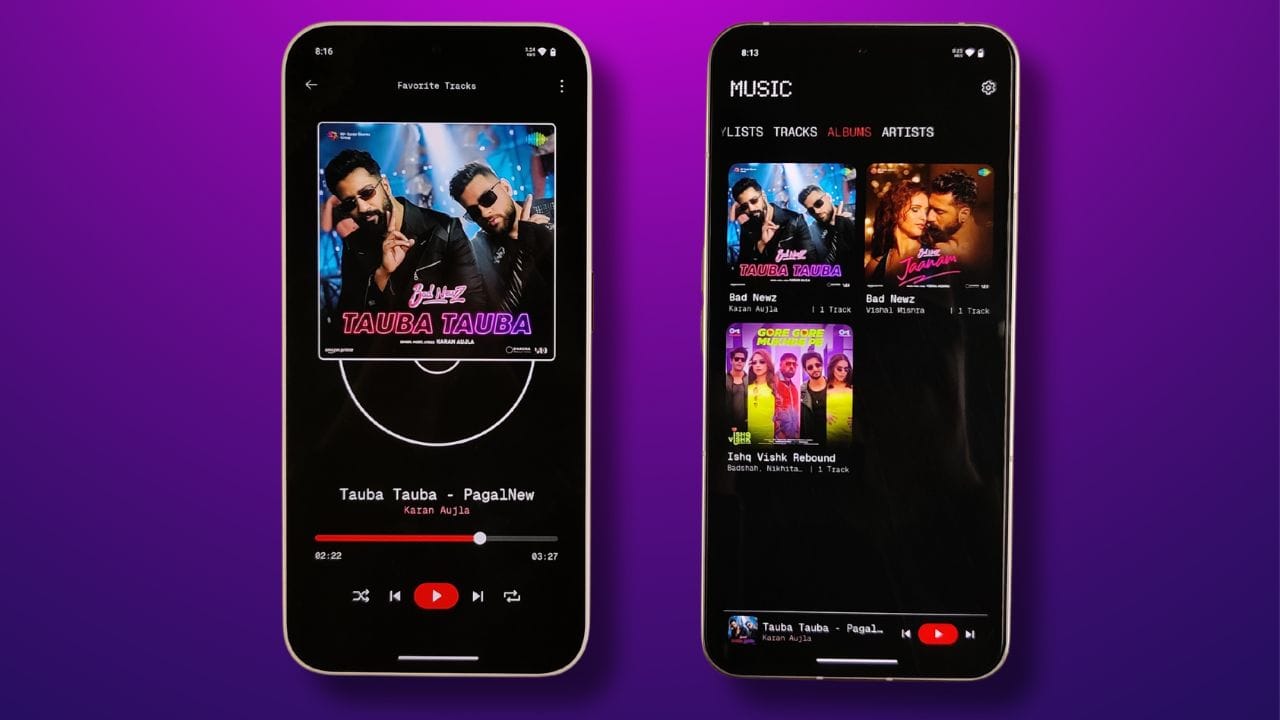
Nothing Phones doesn’t have its own stock music app in Nothing OS. But third-party developers made a music app exclusive for Nothing Phones. This was designed by @shuli_alkid and developed by MissingCore. This fills the gap in music players on Nothing devices and its going to provide users with strong alternatives against the mainstream music players available.
Nothing Music App: Key Features:
- High Resolution Audio Support: It is designed to support high-resolution audio playback, letting users play their music in the highest possible quality.
- User-Friendly Interface: It features a clean and minimalistic interface, making it easy to use, just like other music players.
- Offline Playback Capability: One can download favorite tracks and playlists for offline playback, which obviously makes it easy to have fun with the music running in the absence of any internet connectivity.
The Nothing Music App is still in its beta phase so whenever it get approves by Google then it will be available to the public. Currently, we have APK link where you can download this app on your phone allowing Nothing Phone users can try the app and give their feedback in return, which will be highly required and helpful for further refinements and enhancements.
Download Nothing Music from our Telegram Group
I already tried it on my all Nothing Phones such as Phone (1), Phone (2), Phone (2a), and CMF Phone 1. It was working fine without any problems, but for now, you have to copy your MP3 files or track to the Music folder present in Internal storage.
Stay updated with latest tech news
Follow TechiBoy on Google to get updates on smartphones, gadgets, software updates, and more.





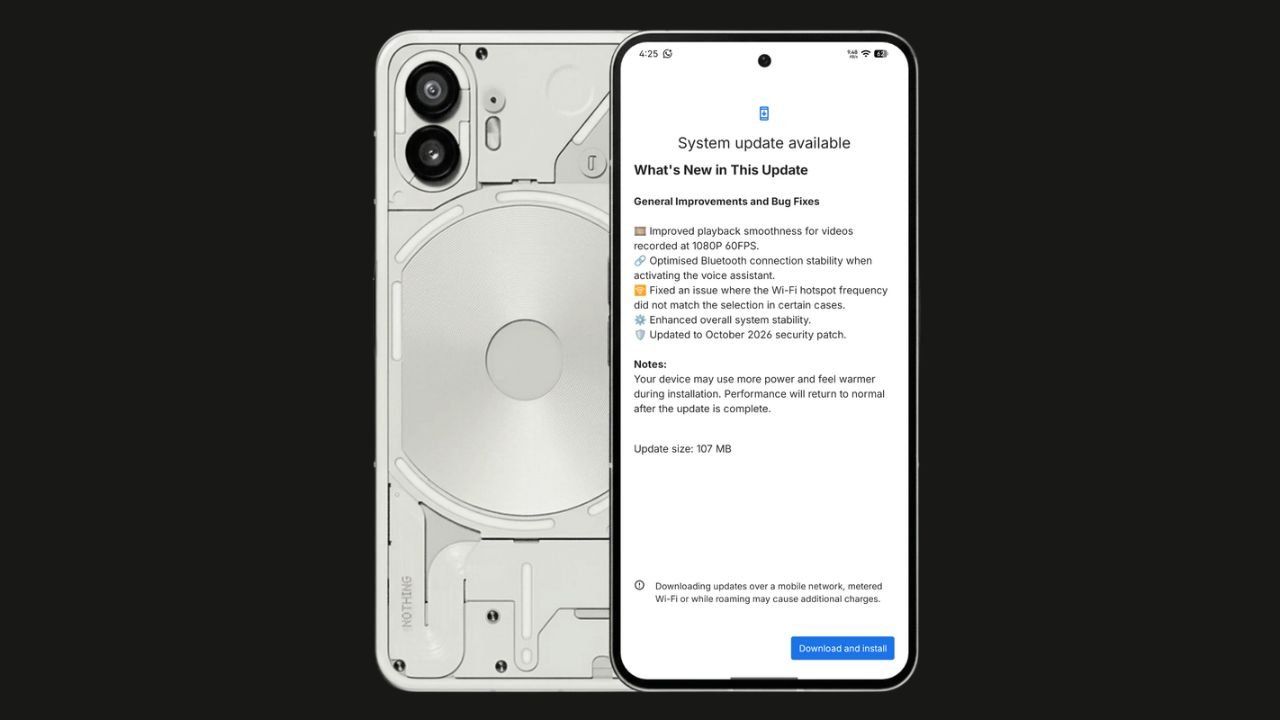
Nothing has started rolling out the Nothing OS 4.1 October 2026 update for the Nothing Phone (2). The update focuses on bug fixes, system stability improvements, and connectivity optimisations. It also brings the October 2026 security patch.
The update size is 107 MB, making it a relatively small maintenance update.
Nothing OS 4.1 October Update: What’s New?
According to the official changelog displayed on the device, the update includes the following improvements:
- Video playback: Improved smoothness for videos recorded at 1080p@ 60FPS.
- Bluetooth: Optimised connection stability when activating the voice assistant.
- Wi-Fi hotspot: Fixed an issue where the hotspot frequency did not match the selected option in certain cases.
- System stability: Enhanced overall system stability.
- Security: Updated to the October 2026 security patch.
How to Download the Update
Nothing Phone (2) users can check for the latest update by navigating to Settings > System > System Update. If the update is available, download and install it.
The rollout may happen in phases, so some users might have to wait before receiving the update.
If you don’t receive any OTA related to the update, you can manually update through our Nothing Firmware app.
Overall, the Nothing OS 4.1 October update is a minor maintenance release focused on improving the everyday user experience rather than introducing new features.
Stay updated with latest tech news
Follow TechiBoy on Google to get updates on smartphones, gadgets, software updates, and more.
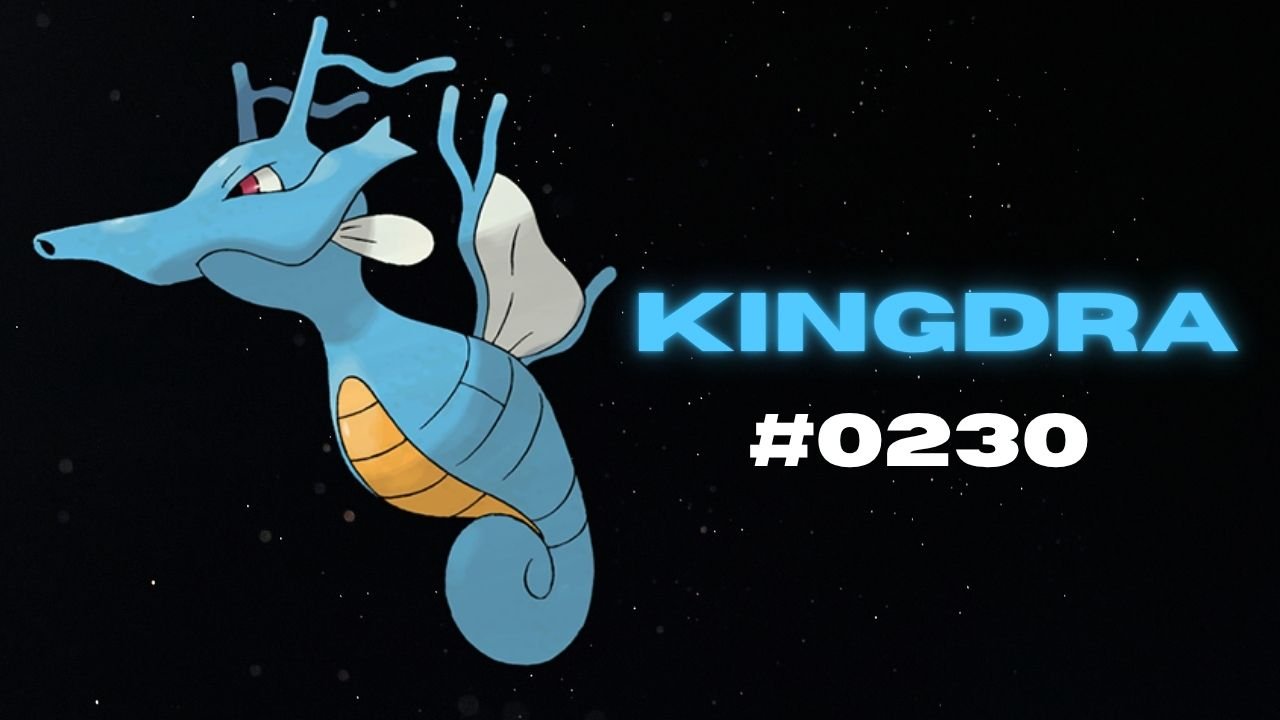
Nothing has teased another Pokémon on its official X account and Nothing Community, hinting that a new product could be on the way. This time, the company has shared Kingdra, Pokémon #230 in the National Pokédex.
Kingdra is a Water/Dragon-type Pokémon introduced in Generation II. The teaser features the Pokémon alongside a cryptic description about sleeping deep on the ocean floor to build energy and causing tornadoes when it wakes up.

What Could Nothing Be Launching Next?
Nothing has not revealed which product the new Pokémon teaser refers to. However, the company has previously used Pokémon-themed teasers to build anticipation for upcoming devices, making this latest post worth watching.
An audio product, such as new Nothing Ear earbuds or headphones, could be one possibility. A new smartphone or another product category cannot be ruled out either.
For now, the product name, specifications, pricing and launch date remain unknown. More details may emerge through future teasers from the company.
Stay updated with latest tech news
Follow TechiBoy on Google to get updates on smartphones, gadgets, software updates, and more.
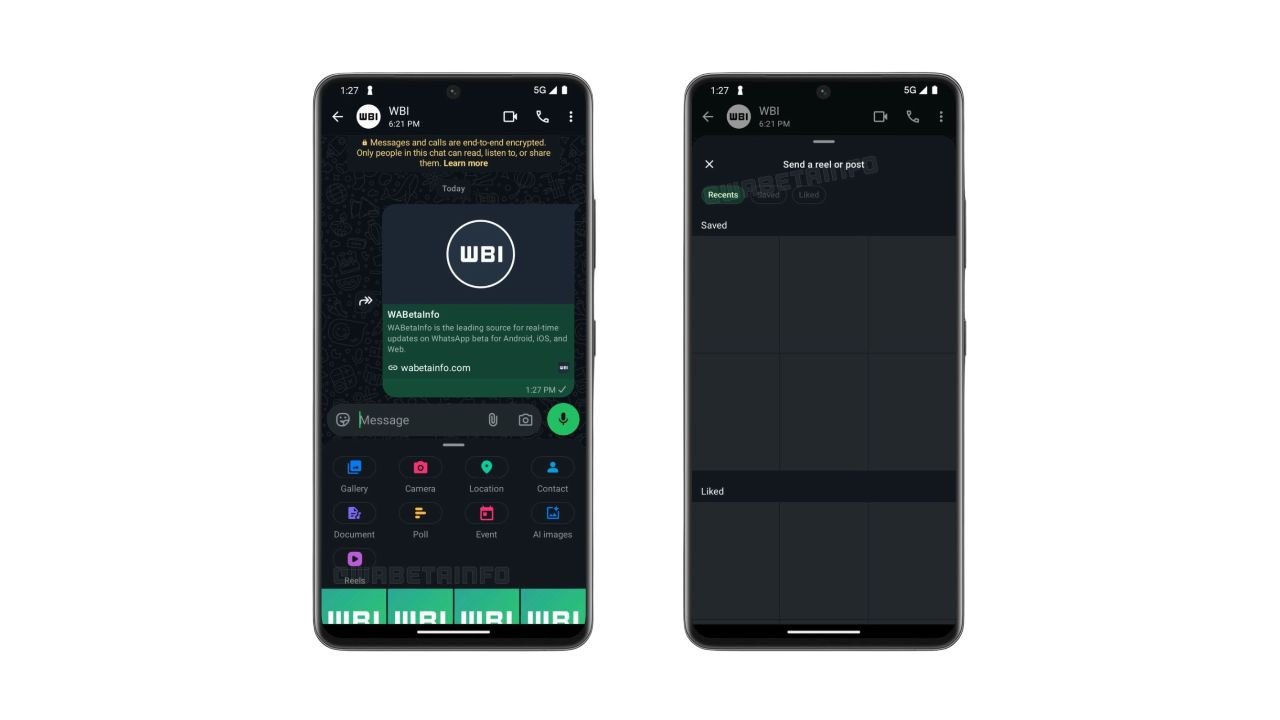
WhatsApp is testing a new shortcut that makes sharing Instagram Reels directly in chats easier. The feature adds a dedicated Reels button to the chat attachment menu, allowing users to quickly find and share Instagram content without navigating through multiple menus.
The feature was spotted in WhatsApp beta for Android version 2.26.42.9 and is currently rolling out to some beta testers.
WhatsApp Adds a Dedicated Reels Button
Previously, users who linked their WhatsApp account to Meta’s Accounts Center could access Instagram Reels through the media picker. However, finding the option required opening the picker and selecting Instagram from the source list.
With the new shortcut, users can tap the Reels button directly from the chat attachment menu to open a dedicated interface for browsing and sharing content.
Recent, Saved and Liked Reels
The new interface includes three tabs:
- Recent: Reels recently watched on Instagram.
- Saved: Reels saved by the user.
- Liked: Reels liked by the user.
Users can browse these sections and select content to share in WhatsApp chats. The interface also reportedly provides access to posts.
Availability
The shortcut requires users to link their WhatsApp account to Meta’s Accounts Center. This integration remains optional, so users who prefer to keep their accounts separate can continue using WhatsApp without connecting them.
The feature is rolling out gradually to Android beta testers through the Google Play Store. WhatsApp has not yet announced when the dedicated Reels shortcut will become available to all users.
Stay updated with latest tech news
Follow TechiBoy on Google to get updates on smartphones, gadgets, software updates, and more.