
News
Nothing OS 5.0 Officially Launched: New Design, Android 17 and More

Nothing has officially launched Nothing OS 5.0, its latest major software update. The update brings a new design, more customisation, smoother performance, new AI features and Android 17 improvements.
Nothing OS 5.0 changes many parts of the phone, including the home screen, lock screen, Settings, Camera, Gallery, widgets and Essential Space.
New Design in Nothing OS 5.0
The biggest change you will notice is the new look.
Nothing has updated the icons, font, spacing, animations and overall design across the system.
Nothing OS 5.0 also uses Geist as the new system font. The new font is designed to make text easier to read while keeping the Nothing look.

Settings has also been redesigned with new icons and a cleaner layout.
The status bar gets new icons and smoother animations for things like Wi-Fi, signal and battery.

Transparent Design and New Home Screen
Nothing is also adding more transparent elements to the interface. The new home screen has transparent details in widgets and Search. App icons can also change their colour based on your wallpaper.

Widgets can use adaptive colours and transparent designs, making the home screen look more connected to the wallpaper.

The new home screen design will be available as an additional theme, so users can choose between the new design and the existing Nothing OS style.
New Lock Screen Options
Nothing OS 5.0 adds two new lock screen clock styles:
- Gooey
- Micrographics

You also get more colour options, including colours that can match your wallpaper.
The Depth Wallpaper feature has also been improved. You can now move and resize your wallpaper more easily around the clock and other lock screen information.
Easier Home Screen Editing
Changing the home screen is now easier. You can select multiple apps and widgets and move them together instead of moving them one by one. You can also move multiple items between different home screen pages.
Nothing has also added new widgets.
The Away Time widget shows how much time you spend away from your phone.
The Collector widget lets you create collections using photos from your camera or Gallery. For example, you can create a collection of cars, shoes, bikes or anything else you like.
New Glyph Features
The Glyph Interface now has its own dedicated app.
The app brings Glyph features, sounds, ringtones and schedules together in one place.
There is also a new Glyph Timer widget. You can start a timer directly from the home screen, while the Glyph lights on the back of the phone show the remaining time.
Smoother Performance
Nothing OS 5.0 also focuses on making the phone feel faster and smoother.
The update improves:
- App launches
- Scrolling
- Touch response
- Multitasking
- Background app performance
- Animations
Animations are also more responsive. For example, if you start an animation and then swipe back, the animation can follow your movement instead of simply finishing first.
Bluetooth controls in Quick Settings have also been improved, making it easier to connect or disconnect supported devices.
Essential AI Features
Nothing has added several improvements to its Essential AI tools.
Essential Voice
Essential Voice now provides faster and cleaner transcriptions.
It can better understand when your speech should be written as a paragraph or a list.
Real-time transcription is also available, so you can see the words appear while you are speaking.
Real-time translation is planned for later this year.
Essential Space
Essential Space has also received improvements.
Smart Collections can automatically suggest related content for your collections.
For example, if you save several things about the same topic, Essential Space can suggest putting them into one collection.
Essential Apps Builder
Nothing is also bringing Essential Apps Builder directly to the phone.
You can describe the app or tool you want using normal language, preview it, make changes and add it to your home screen.
You don’t need to write code to create these simple tools.
The feature is still in beta and will be available to more users over time.
Android 17 Features
Nothing OS 5.0 is based on Android 17 and includes several new Android features.
One of the biggest changes is the option to separate Notifications and Quick Settings.
When enabled, you can swipe down from the left side for Notifications and from the right side for Quick Settings.
If you don’t like the split layout, you can continue using the combined layout.
Enhanced Quick Share
Quick Share is also getting an update.
You can create a QR code when sharing files. Another person can scan the QR code using an iPhone or Android phone and download the files through a web browser.
Live Updates
Supported apps can now show Live Updates directly in the status bar.
This lets you see ongoing information without opening the app again.
Up to two Live Updates can appear at the same time.
New Privacy Indicators
Nothing OS 5.0 also adds new privacy indicators.
The status bar uses three colours:
- Green — sensitive access
- Blue — location sharing
- Yellow — AI data processing
This makes it easier to understand what your phone is doing.
More Android 17 Improvements
Nothing OS 5.0 also includes:
- Improved location permission messages
- Better screen recording controls
- Noto 3D Emoji
- Expanded Dark Theme
- Separate assistant volume
- Enhanced HDR brightness
- Updated Recents screen
The Expanded Dark Theme can make more apps appear dark, even if those apps don’t have their own full dark mode.
You can also control this feature for individual apps.
Camera and Gallery Improvements
The Camera app gets a cleaner design with updated icons and controls.
QR code scanning is also easier. Once a QR code is detected, the result stays in one place, making it easier to tap.
Gallery also gets new sorting and filtering options.
You can sort photos by:
- Recently added
- Captured date
You can also filter your photos by:
- All
- Favourites
- Edited
- Photos
- Videos
- Screenshots
The Albums section has also been redesigned, making frequently used albums easier to access.
Nothing OS 5.0 Open Beta
The Nothing OS 5.0 Open Beta starts on August 26 at 11:00 BST, starting with the Nothing Phone (3).
More eligible devices will get the update over the coming months.
Nothing says the rollout timings can change depending on development and testing.
The redesigned Launcher and Micrographics clock will not be available in the first Open Beta. They are expected to arrive with the general release starting from October.
Final Thoughts
Nothing OS 5.0 is a major update with changes across almost every part of the phone.
The new transparent design, Geist font, new home screen, lock screen customisation and smoother animations give Nothing OS a fresh look.
At the same time, new Essential AI features and Android 17 features such as separate Notifications and Quick Settings, Live Updates, Enhanced Quick Share and Expanded Dark Theme make the software more useful.
Overall, Nothing OS 5.0 brings a fresh design while keeping the unique Nothing style.
Stay updated with latest tech news
Follow TechiBoy on Google to get updates on smartphones, gadgets, software updates, and more.





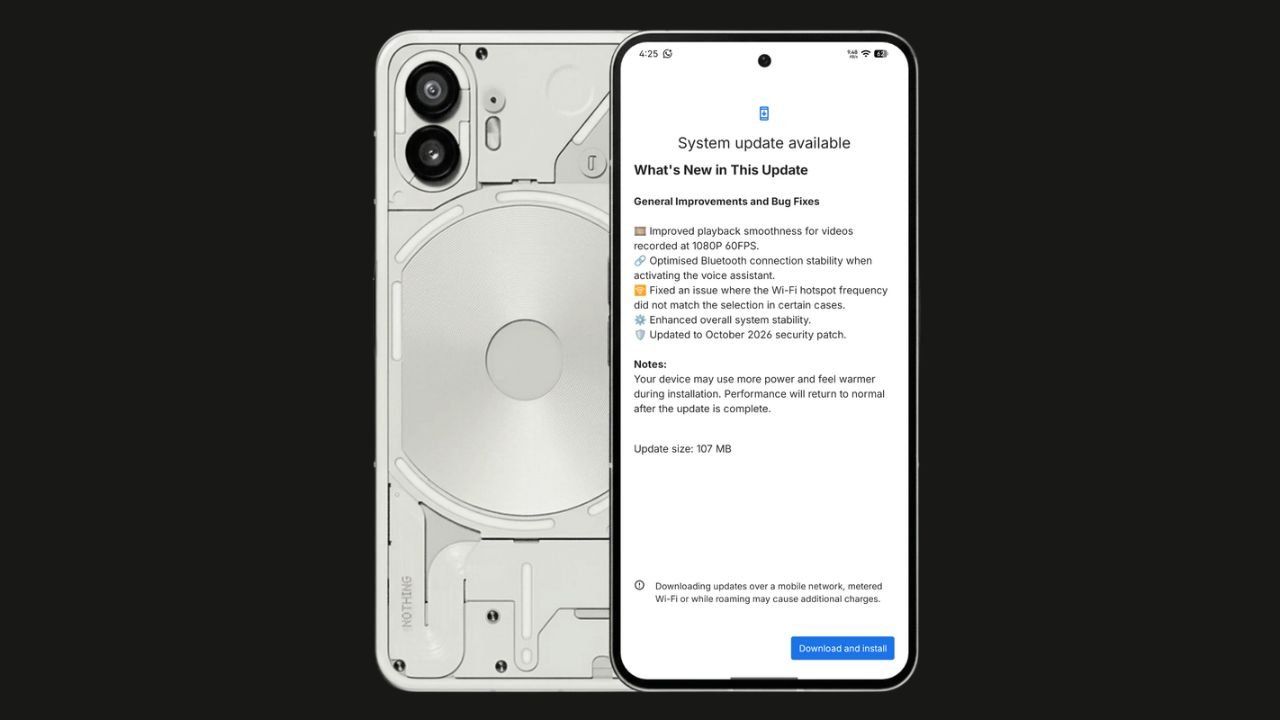
Nothing has started rolling out the Nothing OS 4.1 October 2026 update for the Nothing Phone (2). The update focuses on bug fixes, system stability improvements, and connectivity optimisations. It also brings the October 2026 security patch.
The update size is 107 MB, making it a relatively small maintenance update.
Nothing OS 4.1 October Update: What’s New?
According to the official changelog displayed on the device, the update includes the following improvements:
- Video playback: Improved smoothness for videos recorded at 1080p@ 60FPS.
- Bluetooth: Optimised connection stability when activating the voice assistant.
- Wi-Fi hotspot: Fixed an issue where the hotspot frequency did not match the selected option in certain cases.
- System stability: Enhanced overall system stability.
- Security: Updated to the October 2026 security patch.
How to Download the Update
Nothing Phone (2) users can check for the latest update by navigating to Settings > System > System Update. If the update is available, download and install it.
The rollout may happen in phases, so some users might have to wait before receiving the update.
If you don’t receive any OTA related to the update, you can manually update through our Nothing Firmware app.
Overall, the Nothing OS 4.1 October update is a minor maintenance release focused on improving the everyday user experience rather than introducing new features.
Stay updated with latest tech news
Follow TechiBoy on Google to get updates on smartphones, gadgets, software updates, and more.
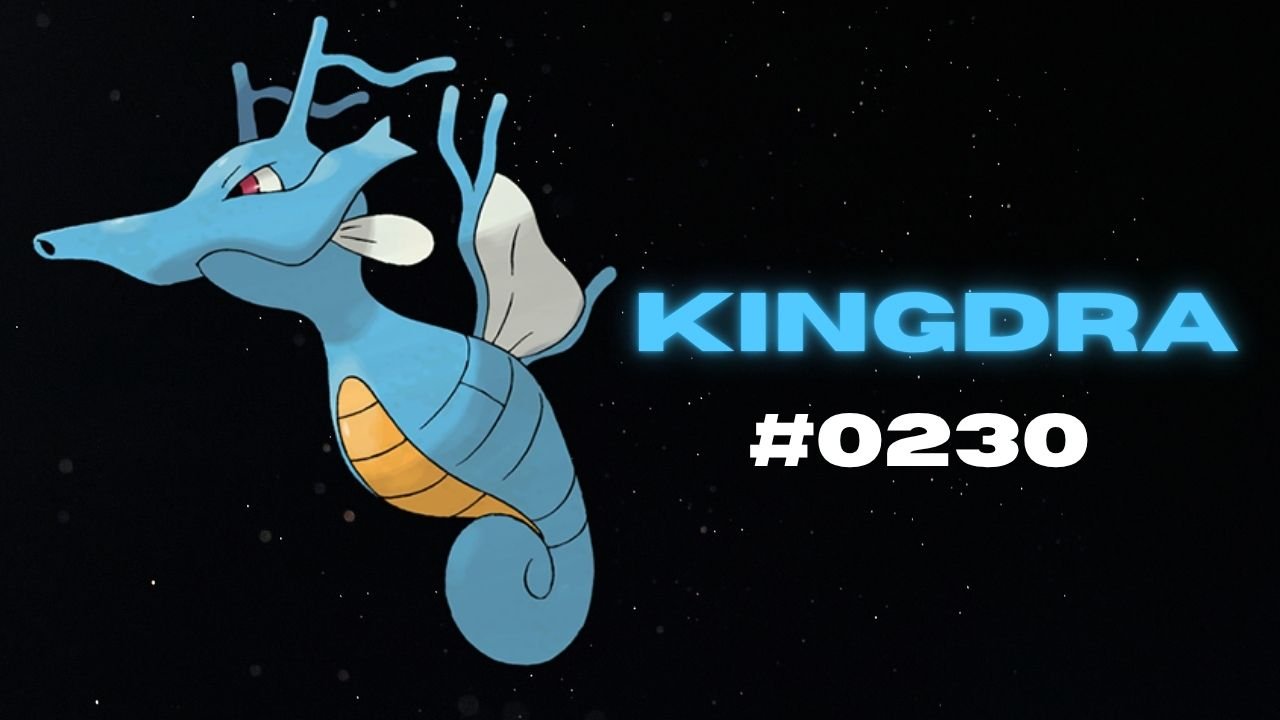
Nothing has teased another Pokémon on its official X account and Nothing Community, hinting that a new product could be on the way. This time, the company has shared Kingdra, Pokémon #230 in the National Pokédex.
Kingdra is a Water/Dragon-type Pokémon introduced in Generation II. The teaser features the Pokémon alongside a cryptic description about sleeping deep on the ocean floor to build energy and causing tornadoes when it wakes up.

What Could Nothing Be Launching Next?
Nothing has not revealed which product the new Pokémon teaser refers to. However, the company has previously used Pokémon-themed teasers to build anticipation for upcoming devices, making this latest post worth watching.
An audio product, such as new Nothing Ear earbuds or headphones, could be one possibility. A new smartphone or another product category cannot be ruled out either.
For now, the product name, specifications, pricing and launch date remain unknown. More details may emerge through future teasers from the company.
Stay updated with latest tech news
Follow TechiBoy on Google to get updates on smartphones, gadgets, software updates, and more.
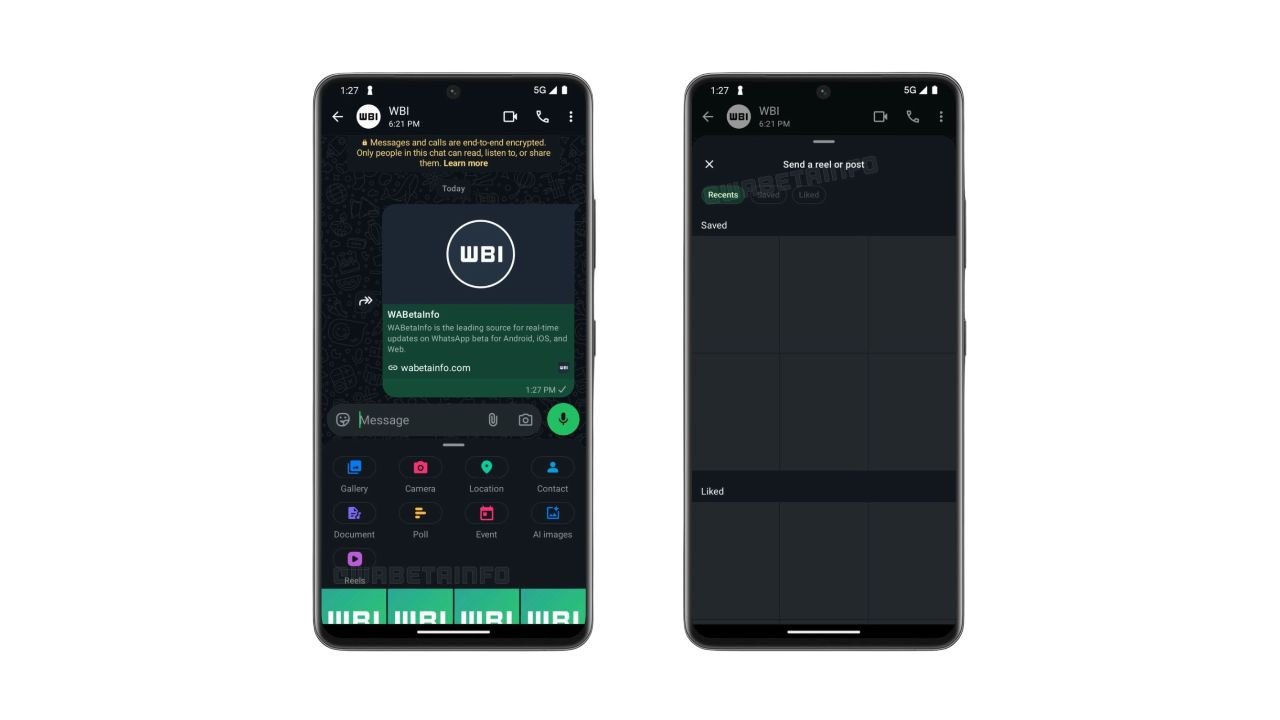
WhatsApp is testing a new shortcut that makes sharing Instagram Reels directly in chats easier. The feature adds a dedicated Reels button to the chat attachment menu, allowing users to quickly find and share Instagram content without navigating through multiple menus.
The feature was spotted in WhatsApp beta for Android version 2.26.42.9 and is currently rolling out to some beta testers.
WhatsApp Adds a Dedicated Reels Button
Previously, users who linked their WhatsApp account to Meta’s Accounts Center could access Instagram Reels through the media picker. However, finding the option required opening the picker and selecting Instagram from the source list.
With the new shortcut, users can tap the Reels button directly from the chat attachment menu to open a dedicated interface for browsing and sharing content.
Recent, Saved and Liked Reels
The new interface includes three tabs:
- Recent: Reels recently watched on Instagram.
- Saved: Reels saved by the user.
- Liked: Reels liked by the user.
Users can browse these sections and select content to share in WhatsApp chats. The interface also reportedly provides access to posts.
Availability
The shortcut requires users to link their WhatsApp account to Meta’s Accounts Center. This integration remains optional, so users who prefer to keep their accounts separate can continue using WhatsApp without connecting them.
The feature is rolling out gradually to Android beta testers through the Google Play Store. WhatsApp has not yet announced when the dedicated Reels shortcut will become available to all users.
Stay updated with latest tech news
Follow TechiBoy on Google to get updates on smartphones, gadgets, software updates, and more.