
Apple
Apple Releases iOS 26.5.1 Update to Fix Charging Issue on iPhone Air and iPhone 17 Series

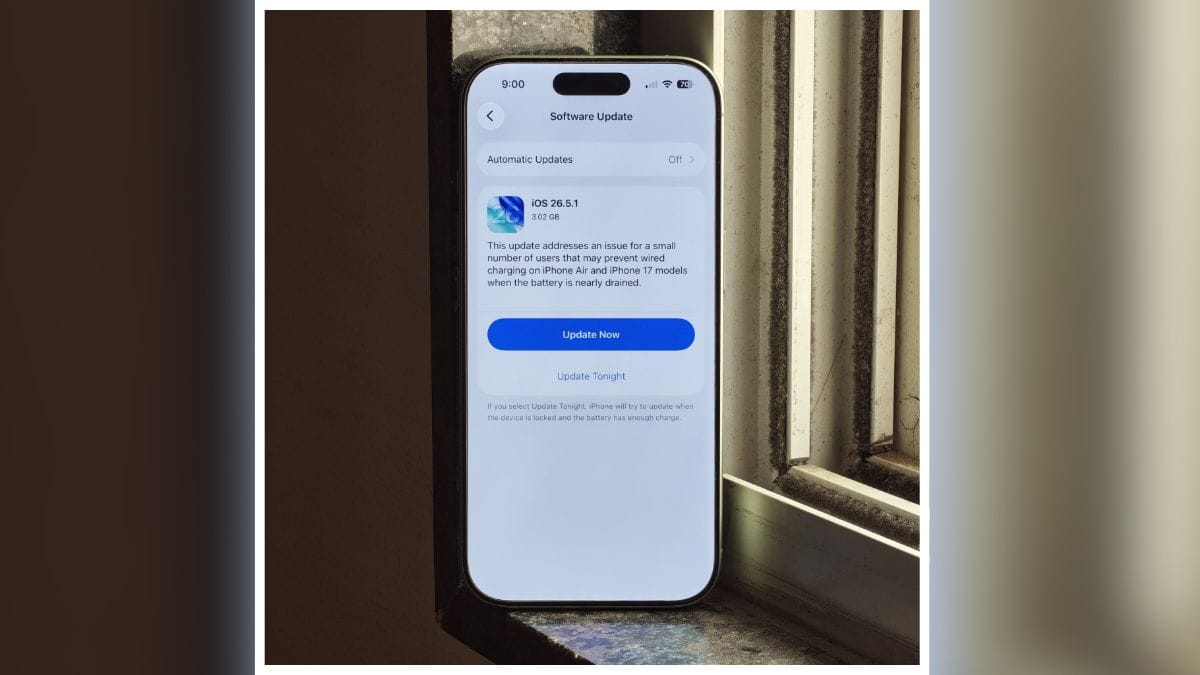
Apple has officially started rolling out iOS 26.5.1, a minor software update aimed at fixing a charging-related issue affecting some users of the iPhone Air and iPhone 17 series. The update arrives just a few weeks after the release of iOS 26.5 and focuses on improving reliability rather than introducing new features.
What’s New in iOS 26.5.1?
According to Apple’s release notes, the update addresses a bug that could prevent wired charging from working properly when the battery level becomes extremely low.
“This update addresses an issue for a small number of users that may prevent wired charging on iPhone Air and iPhone 17 models when the battery is nearly drained.”
The issue had been reported by some users over the past few weeks, with affected devices occasionally failing to begin charging after the battery had completely drained. Reports of the problem first surfaced in late April.
Which Devices Are Getting the Update?
The iOS 26.5.1 update is specifically available for:
- iPhone 17
- iPhone 17 Plus
- iPhone 17 Pro
- iPhone 17 Pro Max
- iPhone Air
Older iPhone models are not receiving this particular update because the bug appears to be limited to Apple’s latest generation devices.
How to Install iOS 26.5.1
To update your iPhone:
- Open Settings
- Go to General
- Tap Software Update
- Download and install iOS 26.5.1
Users can also enable automatic updates to receive future fixes automatically.
Should You Update?
If you own an iPhone Air or any iPhone 17 model, installing iOS 26.5.1 is highly recommended. While the update does not bring any new features, it resolves an important charging bug that could leave some devices unable to charge when the battery is critically low.
Bottom Line: iOS 26.5.1 is a small but important update focused on fixing a wired charging issue for a limited number of iPhone Air and iPhone 17 users. If you own one of these devices, updating as soon as possible is a good idea.
Stay updated with latest tech news
Follow TechiBoy on Google to get updates on smartphones, gadgets, software updates, and more.





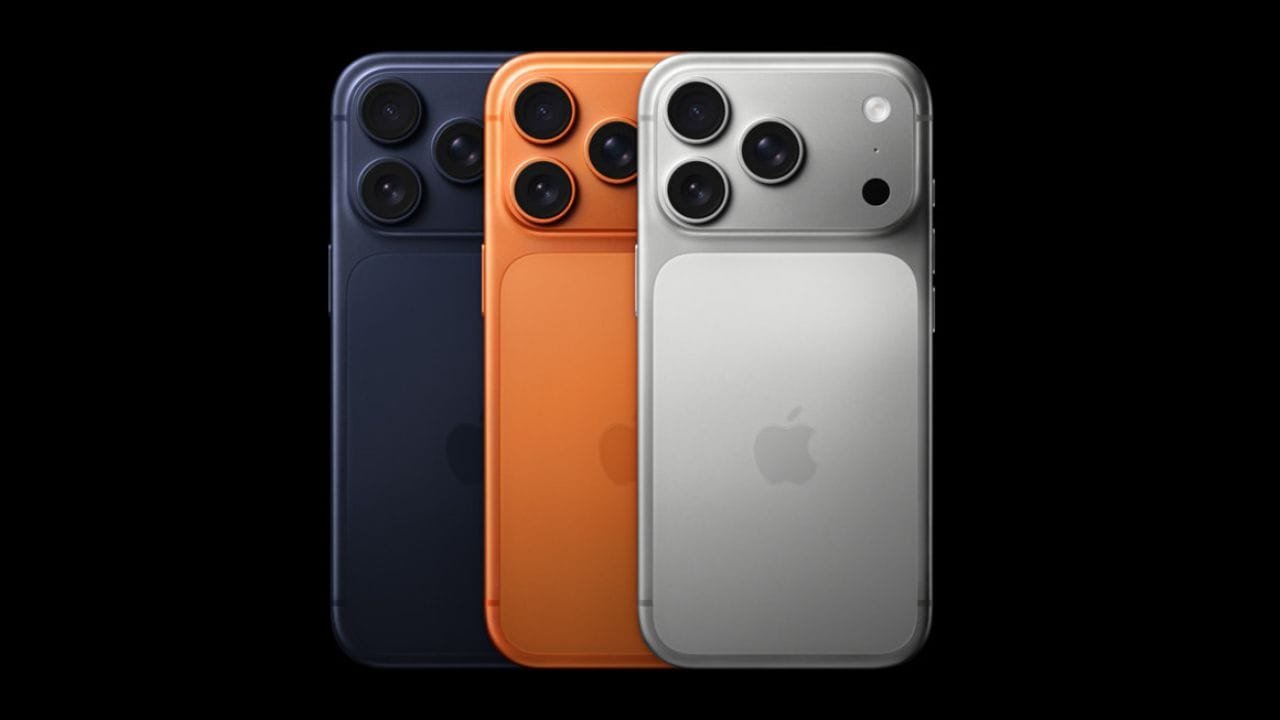
Reliance Digital has announced a promotional offer on the iPhone 17 Pro and iPhone 17 Pro Max, bringing their effective prices down to ₹56,990 and ₹71,990, respectively. The offer combines an in-store discount, exchange value, an additional exchange bonus and bank cashback.
The headline prices are available for the 256GB variants and are subject to exchange eligibility and applicable bank offers.

iPhone 17 Pro at ₹56,990
The iPhone 17 Pro 256GB carries an MRP of ₹1,34,900 at Reliance Digital. Under the promotional offer, the store lists an effective price of ₹56,990.
The calculation shown in the offer is:
| Offer | Amount |
|---|---|
| MRP | ₹1,34,900 |
| In-store discount | ₹9,910 |
| Price after store discount | ₹1,24,990 |
| Old device exchange value | ₹55,000* |
| Exchange bonus | ₹10,000* |
| Bank cashback | ₹3,000* |
| Effective price | ₹56,990* |
The ₹55,000 exchange value and other exchange-related benefits depend on the old device and its condition. The offer material specifically uses an eligible iPhone 15 Pro as the example for the exchange calculation.
iPhone 17 Pro Max at ₹71,990
The iPhone 17 Pro Max 256GB has an MRP of ₹1,49,900. With the same promotional structure, its effective price comes down to ₹71,990.
The offer includes a ₹9,910 in-store discount, up to ₹55,000 exchange value, a ₹10,000 exchange bonus and ₹3,000 cashback, subject to the applicable terms.
| Offer | Amount |
|---|---|
| MRP | ₹1,49,900 |
| In-store discount | ₹9,910 |
| Price after store discount | ₹1,39,990 |
| Old device exchange value | ₹55,000* |
| Exchange bonus | ₹10,000* |
| Bank cashback | ₹3,000* |
| Effective price | ₹71,990* |
Exchange Value Is the Key Factor
It is important to note that ₹56,990 and ₹71,990 are effective prices rather than direct price cuts to the iPhone 17 Pro series. The standard MRP remains ₹1,34,900 for the iPhone 17 Pro 256GB and ₹1,49,900 for the iPhone 17 Pro Max 256GB.
The final amount can vary depending on the model and condition of the phone being exchanged, as well as the eligible bank card used for cashback. Reliance Digital also states that its prices and offers are subject to change.
12-Month No-Cost EMI Available
Reliance Digital’s promotional material also lists 12-month no-cost EMI options. The displayed starting EMI is ₹4,999 for the iPhone 17 Pro and ₹6,249 for the iPhone 17 Pro Max, subject to the applicable terms.
The offer is available through Reliance Digital stores and its online platform, with the retailer currently listing the iPhone 17 Pro 256GB at ₹56,990* and the iPhone 17 Pro Max 256GB at ₹71,990*.
iPhone 17 Pro Series Offer Price
| Model | Storage | MRP | Effective Price* |
|---|---|---|---|
| iPhone 17 Pro | 256GB | ₹1,34,900 | ₹56,990 |
| iPhone 17 Pro Max | 256GB | ₹1,49,900 | ₹71,990 |
Note: Effective prices are based on the displayed exchange value, exchange bonus and bank cashback. Actual benefits may vary depending on exchange eligibility, device condition and payment method. Terms and conditions apply.
Stay updated with latest tech news
Follow TechiBoy on Google to get updates on smartphones, gadgets, software updates, and more.
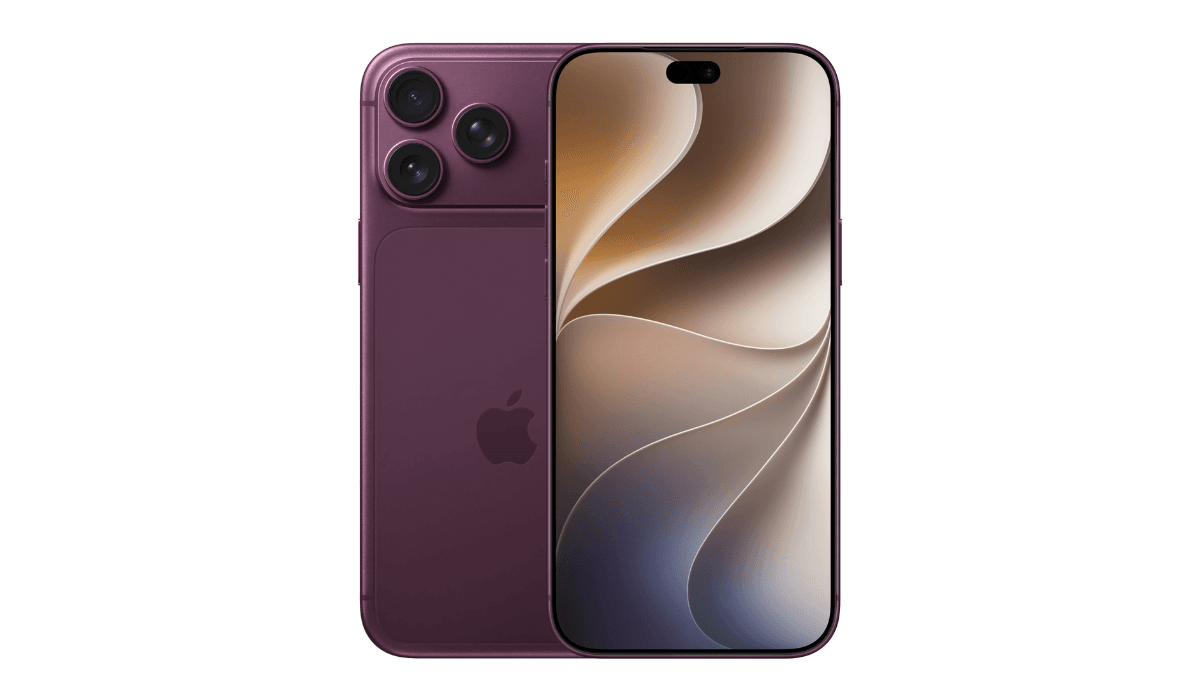
Apple could hold its next major launch event slightly earlier than previously expected. The company is expected to unveil the new iPhone 18 Pro lineup in September, including the iPhone 18 Pro, iPhone 18 Pro Max, and its first foldable iPhone.
Apple’s first foldable model is rumoured to be called the iPhone Ultra.
According to Bloomberg’s Mark Gurman, Apple could announce its new iPhones on Tuesday, September 8. Earlier reports had suggested that the event could take place on Wednesday, September 9.
Why Apple Could Choose September 8
In the latest edition of his Power On newsletter, Gurman discussed when Apple could announce its next iPhones and pointed to the company’s usual launch schedule.
Apple typically holds its iPhone launch events on the first Tuesday or Wednesday after Labor Day in the United States.
This schedule allows the company to start selling its new iPhones by mid-September. It also gives Apple a head start on fourth-quarter revenue and helps the company ensure that enough devices reach stores before the important holiday shopping season.
Based on this pattern, September 8 and September 9 are currently the most likely dates for Apple’s next iPhone event.
Why September 8 May Not Be the Final Date
However, September 8 may not be the most practical date for the event. It falls just one day after the Labor Day public holiday in the US.
Apple usually invites journalists, analysts, and media representatives from across the United States and other countries to attend its launch events.
Holding the keynote immediately after a long holiday weekend could create travel and logistical challenges for attendees. It could also make preparations more difficult for Apple employees involved in organising the event.
For this reason, Wednesday, September 9, is still seen as a more likely date for the keynote.
Could Apple Delay the iPhone 18 Event?
A report from Forbes suggests that Apple could delay the event until Monday, September 14, if the company faces unexpected production issues.
However, such a delay is currently considered highly unlikely.
Apple has not officially confirmed the date of its next iPhone launch event. For now, September 8 and September 9 remain the most likely dates for the unveiling of the iPhone 18 Pro lineup and Apple’s first foldable iPhone.
Stay updated with latest tech news
Follow TechiBoy on Google to get updates on smartphones, gadgets, software updates, and more.
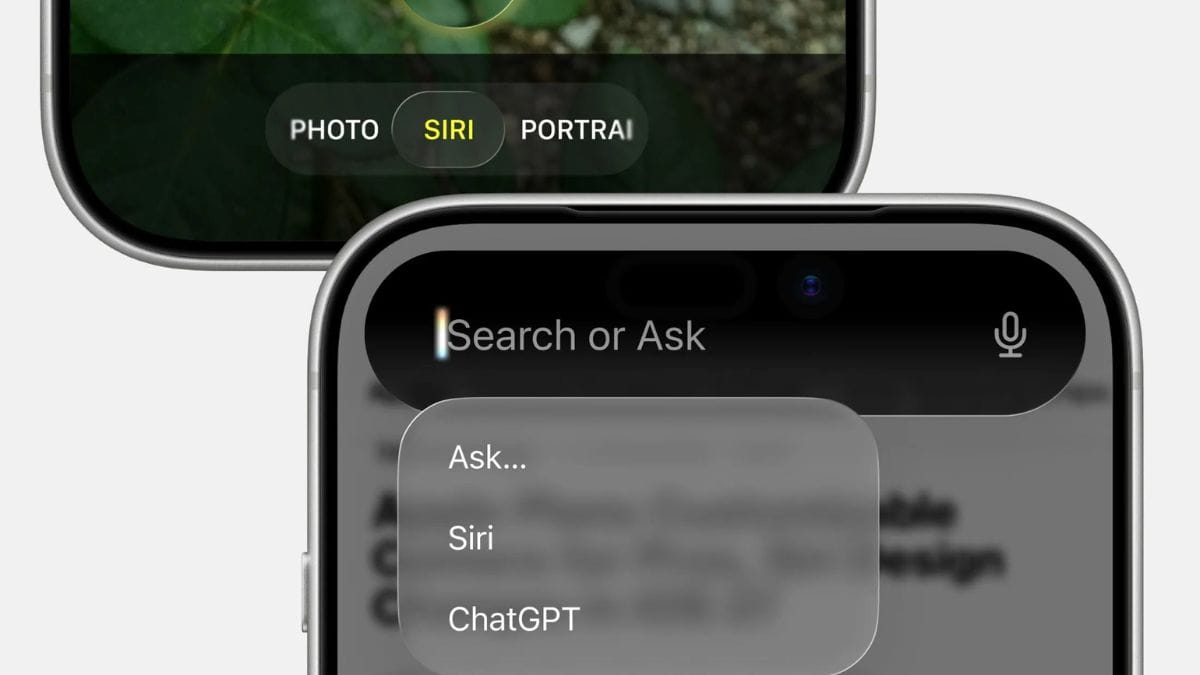
Apple is expected to announce its new AI-powered Siri during its WWDC event on June 8. The upgraded voice assistant has been rumored for a long time and could finally arrive with iOS 27.
According to a report from Bloomberg’s Mark Gurman, the new Siri may launch as a beta version first. Users who want to try it early might need to join a waitlist before getting access.
The new Siri is expected to be much smarter than the current version. Reports suggest it will work more like AI chatbots such as ChatGPT and Google Gemini. Users may be able to have more natural conversations and ask complex questions.
The upgraded assistant is also rumored to sync chats across Apple devices through iCloud. Apple may offer privacy options that allow users to automatically delete their Siri chat history every 30 days, every year, or keep it forever.
Apple first announced its plans for an advanced AI-powered Siri in 2024. However, the feature faced several delays and was not released as originally expected. Now, it appears that Apple is finally ready to bring its next-generation Siri experience to users.
It is currently unclear whether the waitlist will only be available during the beta testing period or continue after the public release of iOS 27 later this year.
More details are expected to be revealed during Apple’s WWDC keynote on June 8.
Stay updated with latest tech news
Follow TechiBoy on Google to get updates on smartphones, gadgets, software updates, and more.