
News
CMF Phone 2 Pro wins “Best Value Smartphone of 2025” — and here’s why

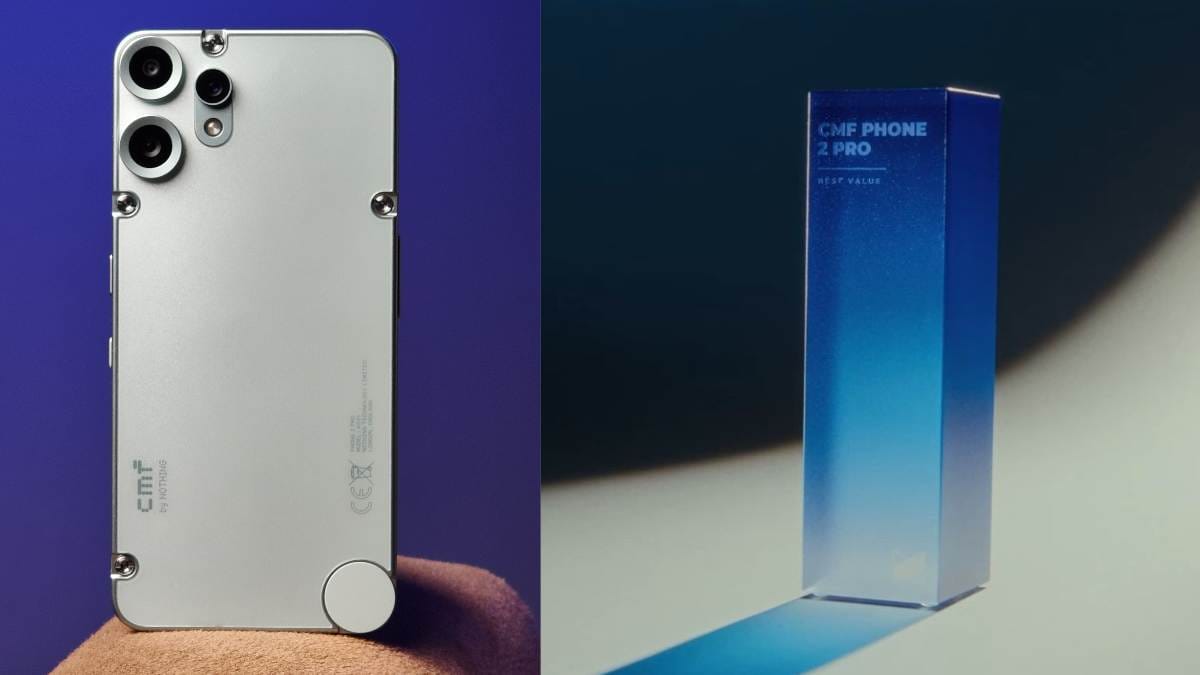
The budget smartphone from CMF by Nothing—the CMF Phone 2 Pro—has just been awarded “Best Value Smartphone of the Year (2025)” by Marques Brownlee (MKBHD). The award highlights how the Phone 2 Pro manages to deliver near-premium performance and features while staying affordable — a win for budget-minded users looking for maximum value.
What is CMF Phone 2 Pro
Released in May 2025, the CMF Phone 2 Pro is the second phone from CMF (the budget-focused sub-brand of Nothing), designed to bring strong specs and modular style without a steep price.
I also reviewed this phone earlier and published a detailed breakdown of its performance, camera quality, software experience, and overall value.
Key Specifications
- Display: 6.77-inch AMOLED, full HD+ (1080 × 2392 px), 120 Hz refresh rate, HDR support.
- Processor: MediaTek Dimensity 7300 Pro – octa-core CPU.
- RAM & Storage: 8 GB RAM; internal storage options 128 GB or 256 GB.
- Rear Cameras (Triple):
- 50 MP wide (main)
- 50 MP telephoto (2× optical zoom, up to 20× digital zoom)
- 8 MP ultra-wide
- Front Camera: 16 MP for selfies and video calls.
- Battery: 5,000 mAh capacity, with 33 W fast charging support.
- Software: Ships with Nothing OS 3.2, based on Android 15.
- Other: Dual SIM (Nano + Nano), 5G connectivity, modular design with optional accessories (like snap-on lenses and back covers) that add customisation possibilities — a nod to its modular spirit inherited from CMF’s previous devices.
In short — the Phone 2 Pro packs a large, high-quality display, a powerful modern chipset, multi-lens cameras including telephoto and ultra-wide, and a large battery — all wrapped in a design that keeps the phone relatively slim and attractive.

Why It Got “Best Value Smartphone of 2025”
- Premium-like performance at budget price: The combination of a 120 Hz AMOLED screen, a capable Dimensity 7300 Pro chip, and 5G puts it close to more expensive phones — but at a fraction of the cost.
- Versatile camera system: The triple rear cameras, including a telephoto lens with optical zoom, give users flexibility for wide, zoomed, and ultra-wide shots — rare at this price.
- Balanced battery + features: A 5,000 mAh battery with 33 W fast charging ensures long usage without sacrificing speed or performance.
- Modular, customisable design: Modular accessories (lens attachments, covers, stands) help it stand out from typical budget phones.
- Clean software + future-proofing: Nothing OS (Android 15), plus commitment to updates, means longer usable life compared to some entry-level phones. Promised 3 Major Android updates and 6 years of security patches, giving the CMF Phone 2 Pro long-term reliability.

All of this adds up to a phone that delivers features and quality far beyond what you’d expect at this price — making the award from MKBHD a reasonable nod.
Pricing (India & Other Markets)
In India, at launch (May 2025):
- 8 GB + 128 GB — ₹ 18,999
- 8 GB + 256 GB — ₹ 20,999
- With bank / exchange offers, some units were available for as low as ₹ 16,999.
In the other market, the CMF Phone 2 Pro retailed at around US$ 279 in the U.S. beta release, making it very competitive globally.
Final Word
With the CMF Phone 2 Pro, CMF by Nothing has shown that you don’t need to spend top-dollar to get a smartphone that feels premium, performs smoothly, and takes good photos. The MKBHD “Best Value Smartphone of 2025” award seems well-deserved — especially for users in markets like India, where balancing features and cost is often the priority.
Stay updated with latest tech news
Follow TechiBoy on Google to get updates on smartphones, gadgets, software updates, and more.





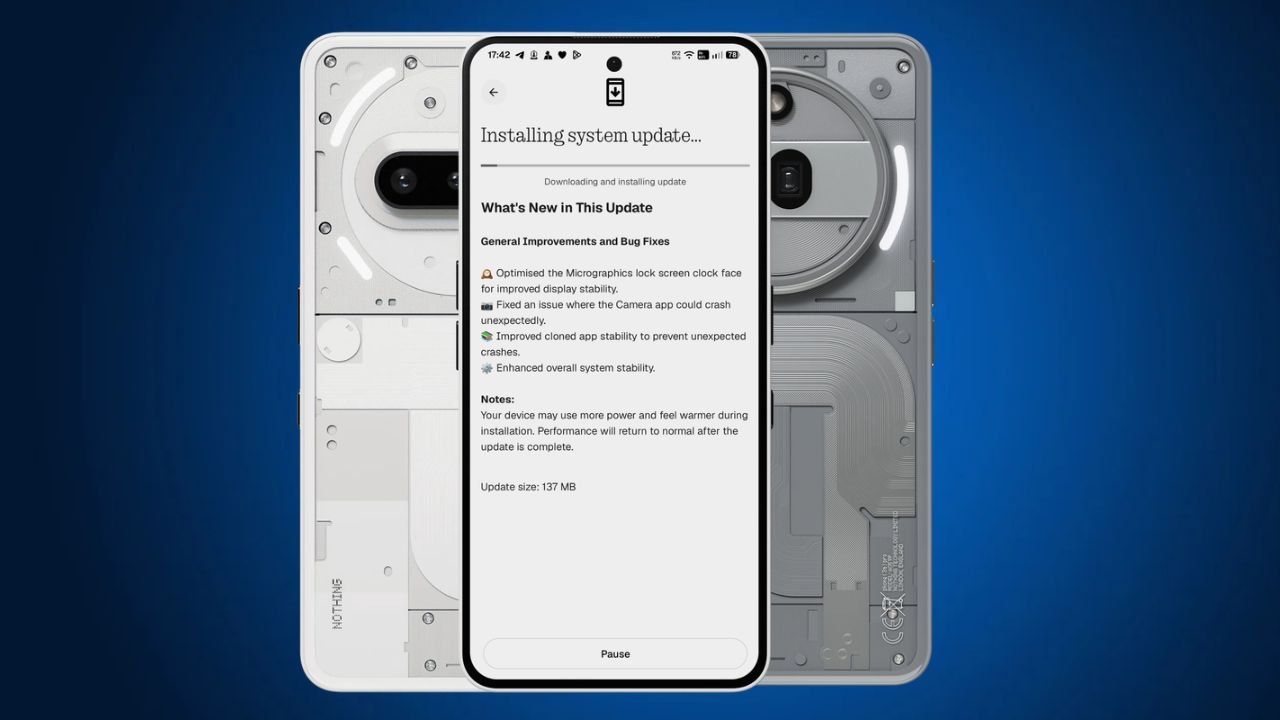
Nothing has started rolling out a new Nothing OS 5.0 Hotfix update for the Nothing Phone (3a) and Nothing Phone (3a) Pro. The latest update focuses on fixing a few issues and improving the overall system stability.
The update is around 137 MB in size and is rolling out to users in phases.
Nothing OS 5.0 Hotfix Update: What’s New?
One of the main changes in this Nothing OS 5.0 hotfix update is related to the Micrographics lock screen clock face. Nothing has optimised it to improve display stability.
Apart from this, the update also brings the following fixes:
- Micrographics Clock: Optimised the Micrographics lock screen clock face for better display stability.
- Camera Fix: Fixed an issue that could cause the Camera app to crash unexpectedly.
- Cloned Apps: Improved stability to prevent cloned apps from crashing unexpectedly.
- System Stability: Improved overall system stability for a smoother experience.
Nothing OS 5.0 Hotfix Update Details
Here are the update details for the Nothing Phone (3a) and Phone (3a) Pro:
| Details | Information |
|---|---|
| Devices | Nothing Phone (3a) and Phone (3a) Pro |
| Software | Nothing OS 5.0 |
| Build Number | C5.0-261106-1007 |
| Update Size | 137 MB |
| Update Type | Hotfix Update |
How to Download the Update?
Nothing Phone (3a) and Phone (3a) Pro users can check for the latest update by following these steps:
- Open Settings on your phone.
- Go to System.
- Select System Update.
- Tap Check for Update.
- Download and install the update if it is available.
The update is rolling out gradually, so it may take some time to reach all users.
Stay updated with latest tech news
Follow TechiBoy on Google to get updates on smartphones, gadgets, software updates, and more.
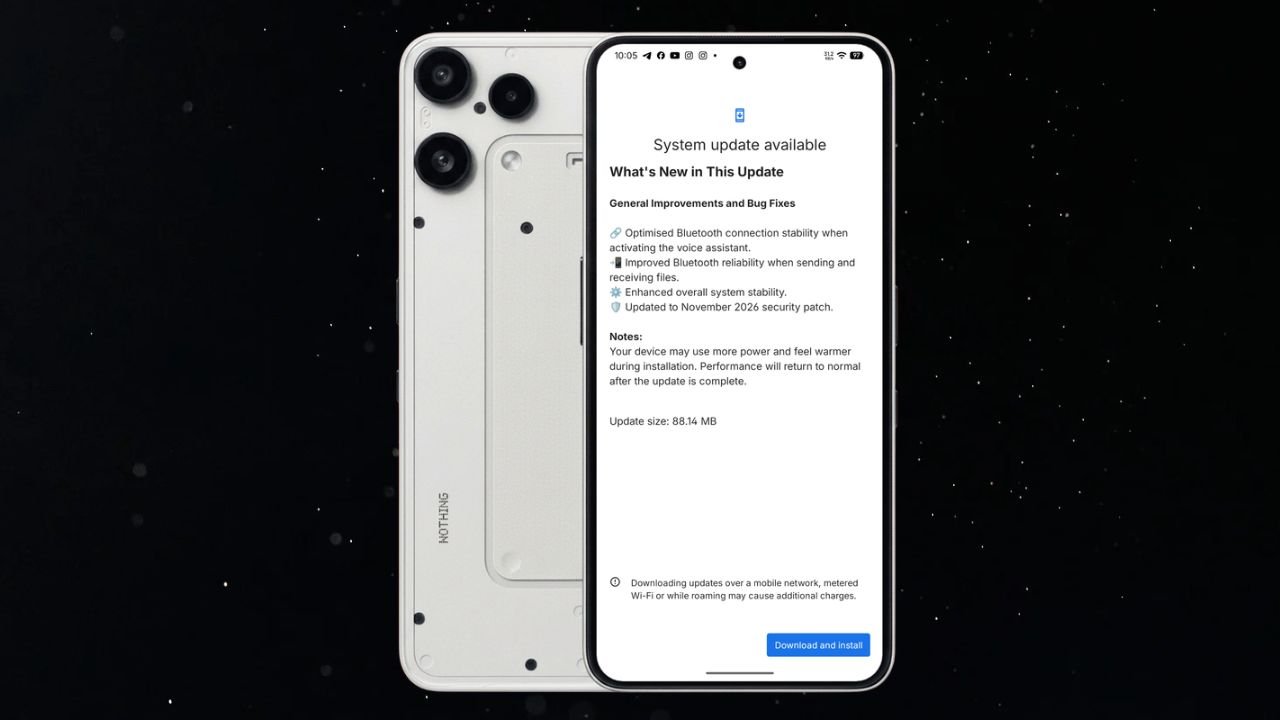
Nothing has started rolling out a new Nothing OS 4.1 November update for the Nothing Phone (3a) Lite. The latest update brings Bluetooth improvements, better system stability, and the November 2026 security patch.
The update is relatively small, with a download size of 88.14 MB. It mainly focuses on improving the overall user experience rather than introducing new features.
Nothing Phone (3a) Lite Nothing OS 4.1 November Update Details
The latest update comes with build number Nothing OS B4.1-261029-1756 for Phone (3a) Lite. It includes several improvements related to Bluetooth connectivity and general system performance.
Here are the update details:
- Device: Nothing Phone (3a) Lite
- Software Version: Nothing OS 4.1
- Build Number: B4.1-261029-1756
- Update Size: 88.14 MB
- Security Patch: November 2026
What’s New in the November Update?
According to the changelog, the update brings the following changes:
1. Improved Bluetooth Stability
Nothing has optimised Bluetooth connection stability when activating the voice assistant. This should make the Bluetooth connection more reliable when using a connected device to access the voice assistant.
2. Better Bluetooth File Sharing
The update also improves Bluetooth reliability when sending and receiving files. This should help provide a more stable experience during Bluetooth file transfers.
3. Enhanced System Stability
Nothing has made improvements to overall system stability. These changes aim to make the phone’s software experience more reliable.
4. November 2026 Security Patch
The update also includes the November 2026 Android security patch to keep the device up to date with the latest security improvements.
How to Download the Update?
Nothing Phone (3a) Lite users can check for the latest update by following these steps:
- Open Settings on your phone.
- Go to System.
- Select System Update.
- Check for the latest available update.
- Download and install latest Nothing OS 4.1.
If the update is not available on your device yet, you can check again later.
Stay updated with latest tech news
Follow TechiBoy on Google to get updates on smartphones, gadgets, software updates, and more.
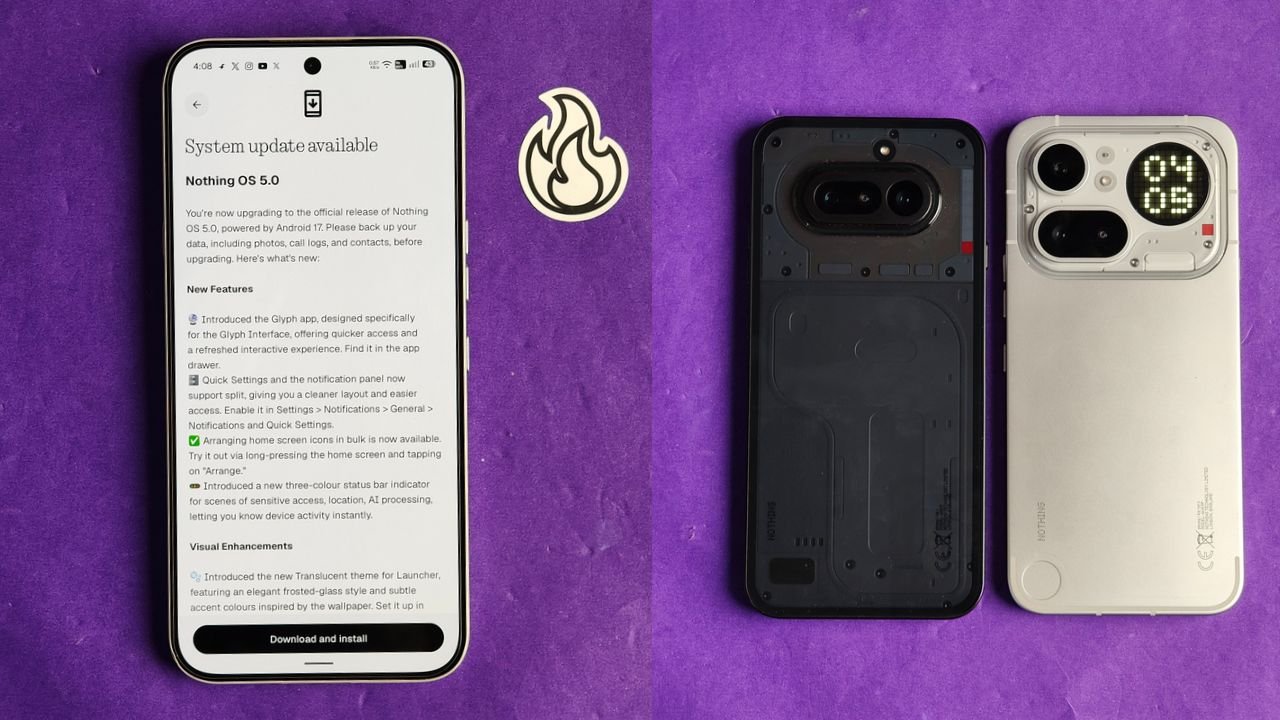
Nothing has started rolling out the stable Nothing OS 5.0 update for the Nothing Phone (4a) and Nothing Phone (4a) Pro. The new update is based on Android 17 and brings several new features, visual changes, camera improvements and other system enhancements.
The stable rollout has started ahead of Nothing’s previously announced early November schedule. However, the update is being released in stages, so it may take some time to reach all users.
Nothing OS 5.0 Update Size
The update is around 1.70 GB in size for beta users, and for non-beta users it is around 3 GB. Users can check for the latest update by going to Settings > System > System update.
What’s New in Nothing OS 5.0?
Nothing OS 5.0 brings quite a few changes to the overall user experience. Here are some of the important additions.
New Glyph App and Split Notifications
Nothing has introduced a dedicated Glyph app that makes it easier to access and manage Glyph Interface features.
The notification panel and Quick Settings can now be separated, giving users more control over how they access notifications and system shortcuts.
There is also a new three-colour status bar indicator that helps users identify sensitive activities such as location access and AI processing.
New Translucent Theme
One of the biggest visual changes is the new Translucent theme for the launcher.

It brings a frosted-glass look with subtle accent colours inspired by your wallpaper. You can enable it by going to Customisation > Theme & Style > Translucent.
Nothing has also added two new lock screen clock faces and the option to customise the clock colour.
New Widgets
The update introduces new widgets, including:
- Collector: Turns your photos into different decorative styles for your home screen.
- Away Time: Tracks how much time you spend away from your phone.
- Glyph Timer: Lets you access the Glyph Timer directly from the widget drawer.
Users can also arrange multiple home screen icons together instead of moving them one by one.
Camera Improvements
Nothing OS 5.0 brings several camera improvements to the Phone (4a) series.
The biggest addition is Dual-view Video, which allows users to record videos using the front and rear cameras simultaneously.
Nothing has also improved video recording, zoom, close-up photography, QR scanning, Google Lens and Motion Photo playback. The camera interface, controls and animations have also been refreshed.
Other Improvements
Apart from these changes, the update includes several smaller improvements:
- Expanded Dark Theme for more apps.
- Enhanced HDR brightness controls.
- Improved Depth wallpapers with pinch-to-resize support.
- Better Live Updates experience.
- Noto 3D Emoji support in Gboard.
- Faster Essential Voice transcriptions.
- Improved lock screen shortcuts.
- One-tap Bluetooth connection and disconnection.
- Refined system animations and a refreshed Settings interface.
How to Download Nothing OS 5.0
If you own a Nothing Phone (4a) or Phone (4a) Pro, follow these steps to check for the update:
- Open Settings on your phone.
- Go to System.
- Tap System update.
- Select Check for updates.
If the update is not available yet, don’t worry. Nothing is following a staged rollout, and it should reach more devices over the coming days.
Before installing, make sure to back up your important data and keep enough battery charge.
Stay updated with latest tech news
Follow TechiBoy on Google to get updates on smartphones, gadgets, software updates, and more.