
Nothing
Nothing Phone (3a) Community Edition Drop Event in Bangalore

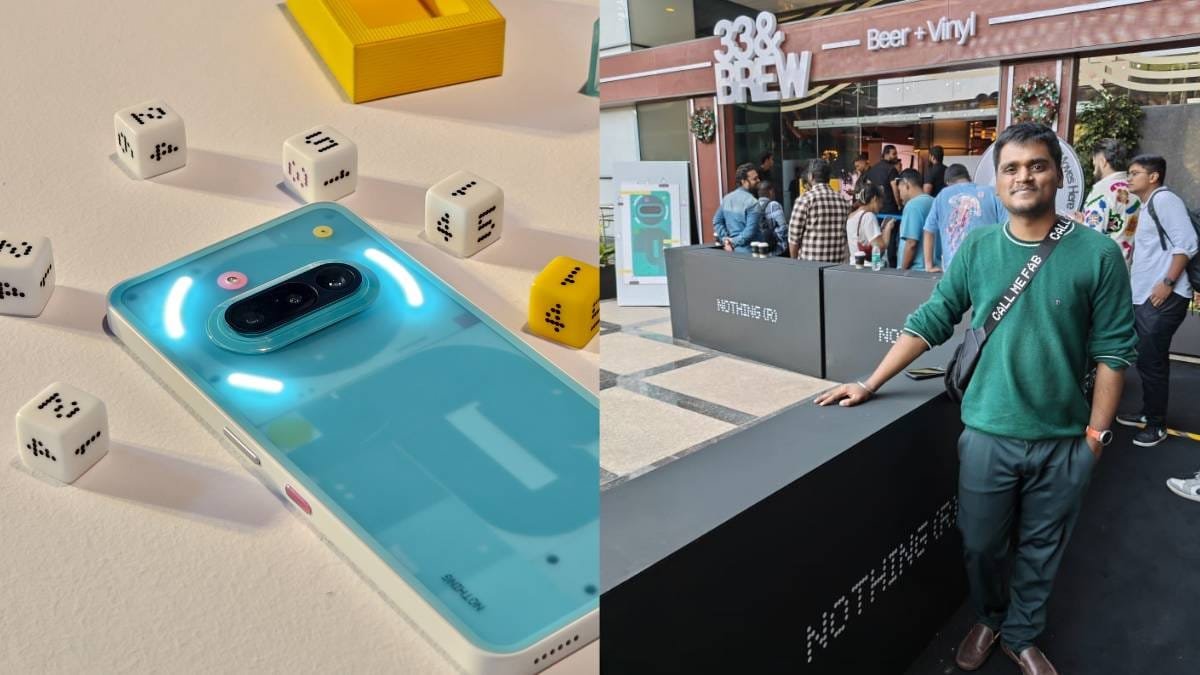
This blog is special for me because it talks about two first-time experiences — my first flight journey and my first Nothing Community Edition drop event. The event was for the Nothing Phone (3a) Community Edition, held in Bangalore.
Let me take you through the full experience.
Reaching the Airport Early
I reached the airport very early in the morning. My flight was scheduled for 10:00 AM, but I arrived around 5:00 AM so that I wouldn’t rush or miss anything. Since this was my first flight, I wanted to do everything calmly.
I was at Terminal 2, and I decided to use Digi Yatra for entry. The boarding pass was generated smoothly on my phone, but I also took a printed copy. Honestly, it felt like a memory worth keeping — first flight, first boarding pass.

I didn’t have any check-in luggage, just a backpack, so the process was simple.
Security Check & Waiting Time
After security checking, I reached the gate area. There was still plenty of time before boarding, so I sat there, had some coffee, and relaxed.

I was traveling with Abhishek Lakhani, the creator of the Glyph Toybox app. We talked about Nothing, the community, and the upcoming drop event. The excitement was real because this wasn’t a regular launch — it was a Community Edition drop, which is always special.

Boarding the Flight – First-Time Feelings
Finally, boarding started. My seat was towards the last rows of the plane. Even though it was the tail section, the experience was still amazing.

There was no fear, no nervousness — just excitement. Takeoff was smooth, and honestly, the first flight experience feels special no matter where you sit.
Landing in Bangalore
After a smooth journey, we landed in Bangalore. From the airport, it was about 37km of highway drive, followed by some city traffic. Since it was a Saturday, traffic was manageable.

We arrived at the 33&Brew event location after some time and joined the line for the Nothing Phone (3A) Community Edition Drop.
Inside the Nothing Community Edition Drop Event
The setup inside was clean and well-organized. The event took some time to start, but there were refreshments available — both veg and non-veg options.


Once inside, the main session began. The highlight was meeting Sushruta, whose marketing campaign idea was selected from 700+ entries. Hearing his journey and thoughts was inspiring, especially how he kept trying even after not being selected earlier.

Nothing Phone (3a) Community Edition – First Look
At the event, we finally got to see the Nothing Phone (3a) Community Edition up close.

Here’s what stood out:
- Pink Essential Key (exclusive to this edition)
- Silver power button
- Black volume buttons
- White frame with a translucent back
- Internal design elements with pink and yellow accents
- “Phone (3a)” branding with model details
- Slightly softer Glyph lighting due to the translucent design
This phone is limited to only 1000 units, making it truly special.

Exclusive Software Touches
The Community Edition also comes with:
- New animated lockscreen clock
- Four exclusive wallpapers
- A fresh overall visual identity matching the hardware
These small details really make the phone feel different from the regular version.
Event Goodies & Accessories
At the drop, we also received some Nothing merchandise and accessories, including stickers and a special dice accessory that comes with the phone. The packaging and quality felt premium and thoughtfully designed.
Wrapping Up & Heading Back
Due to time constraints and the event schedule, I couldn’t record everything in detail. But I did capture photos and a few clips, which I’ll be sharing separately.
After the event, we headed back to the airport. Bangalore airport looks modern and beautiful, especially at night.

Finally, I landed back in Mumbai and then traveled home. It was a long journey with almost no sleep, but completely worth it.
Final Thoughts
This trip wasn’t just about a phone or an event.
- First flight experience
- Nothing Community Edition Drop
- Meeting creators and community members

The Nothing Phone (3a) Community Edition truly feels like a special product, not just because it’s limited, but because it’s built with community involvement.
Stay updated with latest tech news
Follow TechiBoy on Google to get updates on smartphones, gadgets, software updates, and more.





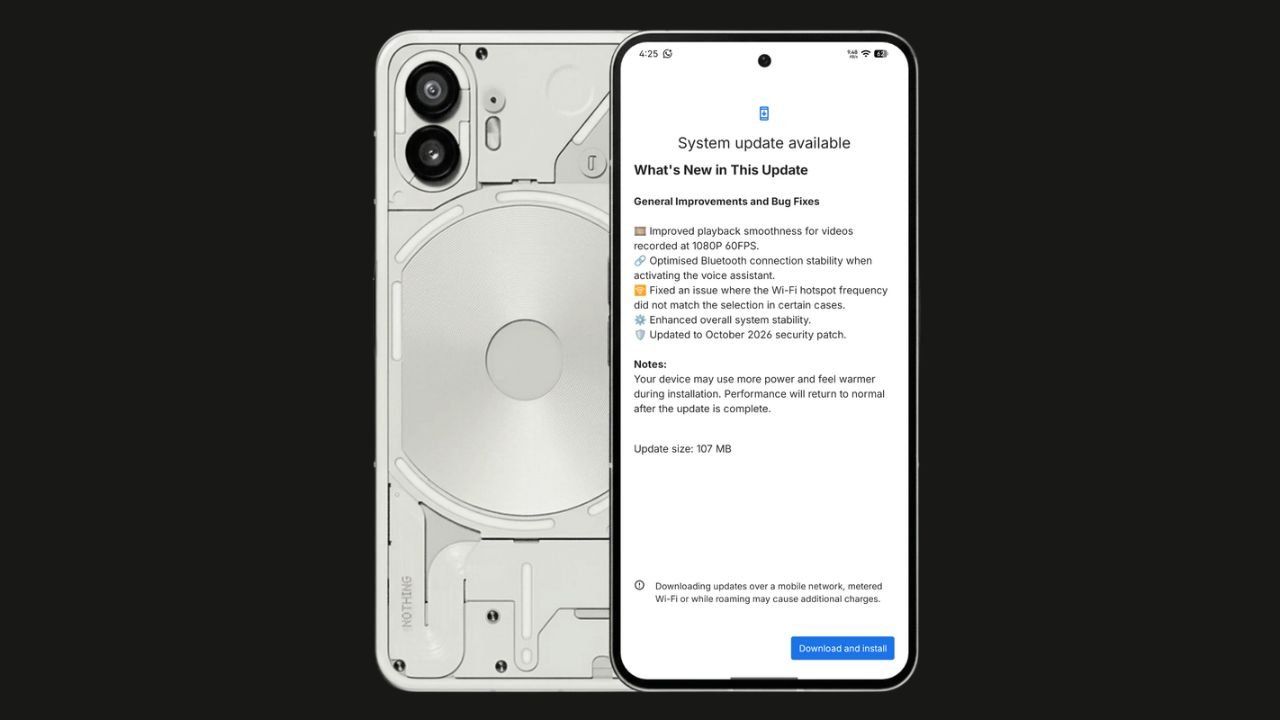
Nothing has started rolling out the Nothing OS 4.1 October 2026 update for the Nothing Phone (2). The update focuses on bug fixes, system stability improvements, and connectivity optimisations. It also brings the October 2026 security patch.
The update size is 107 MB, making it a relatively small maintenance update.
Nothing OS 4.1 October Update: What’s New?
According to the official changelog displayed on the device, the update includes the following improvements:
- Video playback: Improved smoothness for videos recorded at 1080p@ 60FPS.
- Bluetooth: Optimised connection stability when activating the voice assistant.
- Wi-Fi hotspot: Fixed an issue where the hotspot frequency did not match the selected option in certain cases.
- System stability: Enhanced overall system stability.
- Security: Updated to the October 2026 security patch.
How to Download the Update
Nothing Phone (2) users can check for the latest update by navigating to Settings > System > System Update. If the update is available, download and install it.
The rollout may happen in phases, so some users might have to wait before receiving the update.
If you don’t receive any OTA related to the update, you can manually update through our Nothing Firmware app.
Overall, the Nothing OS 4.1 October update is a minor maintenance release focused on improving the everyday user experience rather than introducing new features.
Stay updated with latest tech news
Follow TechiBoy on Google to get updates on smartphones, gadgets, software updates, and more.
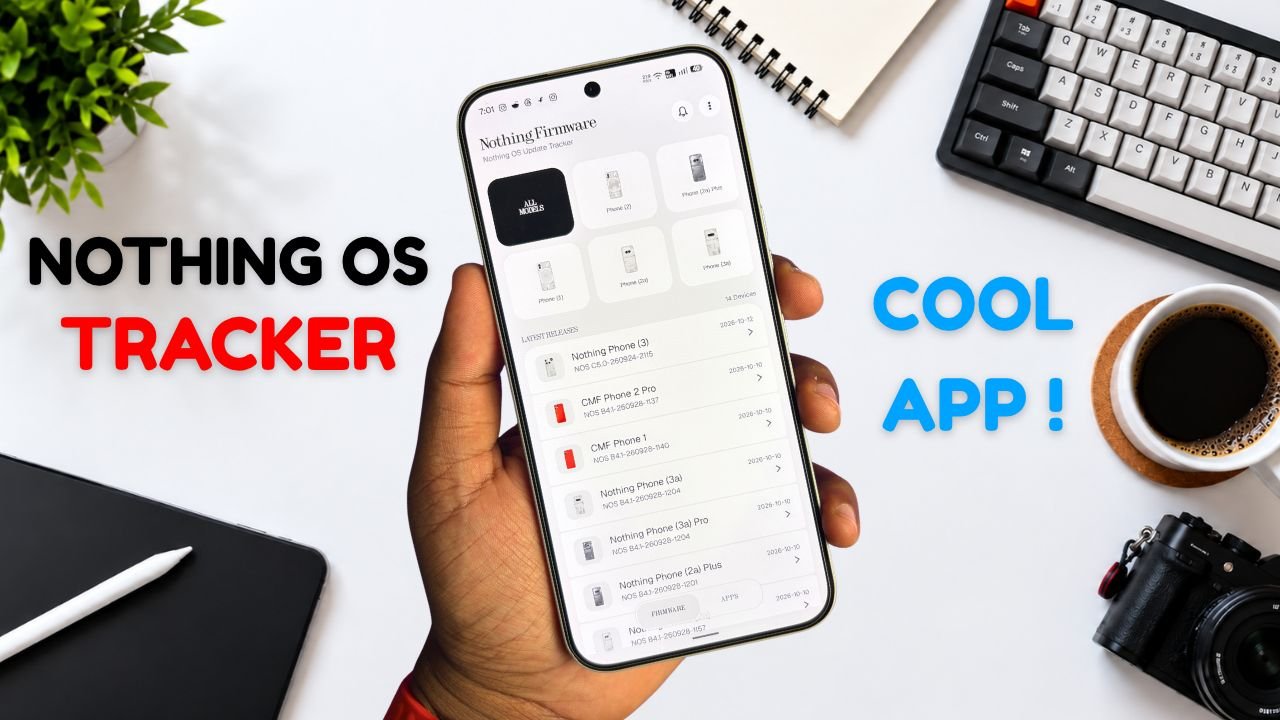
Nothing Phone and CMF users now have a new way to keep track of software updates. Nothing Firmware, an Android app developed by TechiBoy Studios, is now available on Google Play.
The app brings firmware update tracking, changelogs, Nothing OS OTA package downloads, and information on Nothing app updates into one place. It is designed for users who want to stay informed about the latest software releases for their devices.

What Is the Nothing Firmware App?
Nothing Firmware is an independent app built to help Nothing Phone and CMF users follow firmware releases without having to search across multiple sources.
Users can check available firmware updates, read changelogs to understand what’s changed, and download OTA packages through the app. It also tracks Nothing app updates and provides direct links to their Google Play listings.
Nothing Firmware App Features
The app includes several features designed to make software update tracking easier.
- Firmware tracking: Follow firmware releases for Nothing Phone and CMF devices.
- Detailed changelogs: Check update details and learn about new features, improvements, and bug fixes.
- OTA downloads: Download firmware packages with progress tracking.
- Update notifications: Receive alerts when new firmware releases are available.
- Nothing app updates: Track Nothing app releases and open their Google Play listings directly.
- Home screen widget: View the latest firmware information from the home screen.
- Custom alerts: Choose notification sounds and enable voice announcements for update alerts.
- Theme options: Switch between Auto, Light, and true-black Dark themes.
- Device information: Check device details, build numbers, and security patch information.
The app also includes a warning for firmware packages that do not match the detected device, helping users avoid selecting an incorrect package.
Is Nothing Firmware an Official Nothing App?
No. Nothing Firmware is an independent community project developed by TechiBoy Studios. It is not affiliated with, sponsored by, or endorsed by Nothing Technology Limited or CMF by Nothing.

How to Download Nothing Firmware
Nothing Firmware is available on Google Play. Users can download it to keep track of firmware updates, read changelogs, and follow Nothing app releases.
Download: Nothing Firmware on Google Play
If you’re already running an incremental build of Nothing OS 5.0 Open Beta, you can’t directly roll back to the stable version through a regular incremental OTA update. Nothing Firmware currently provides stable incremental updates only. Once Nothing releases the Nothing OS 5.0 stable update for your device, it will appear in the app when available. Until then, you may need to follow Nothing’s official rollback instructions if you want to return to a stable build.
Stay updated with latest tech news
Follow TechiBoy on Google to get updates on smartphones, gadgets, software updates, and more.
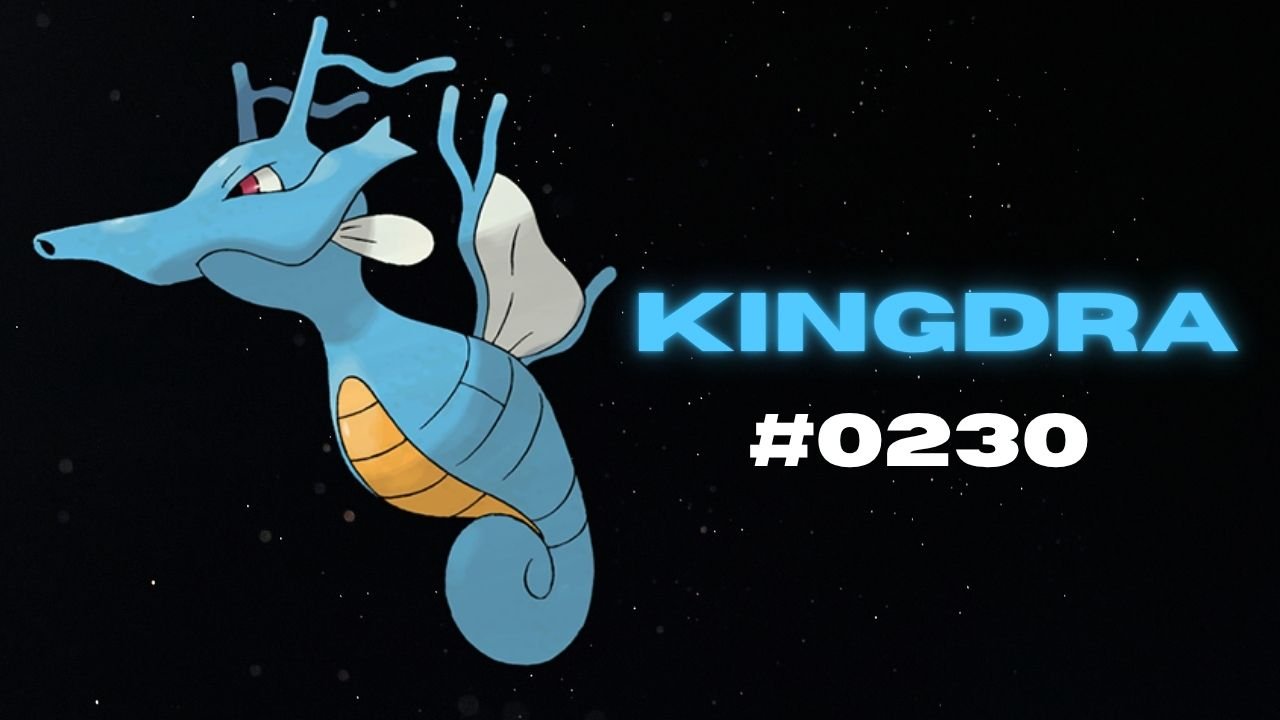
Nothing has teased another Pokémon on its official X account and Nothing Community, hinting that a new product could be on the way. This time, the company has shared Kingdra, Pokémon #230 in the National Pokédex.
Kingdra is a Water/Dragon-type Pokémon introduced in Generation II. The teaser features the Pokémon alongside a cryptic description about sleeping deep on the ocean floor to build energy and causing tornadoes when it wakes up.

What Could Nothing Be Launching Next?
Nothing has not revealed which product the new Pokémon teaser refers to. However, the company has previously used Pokémon-themed teasers to build anticipation for upcoming devices, making this latest post worth watching.
An audio product, such as new Nothing Ear earbuds or headphones, could be one possibility. A new smartphone or another product category cannot be ruled out either.
For now, the product name, specifications, pricing and launch date remain unknown. More details may emerge through future teasers from the company.
Stay updated with latest tech news
Follow TechiBoy on Google to get updates on smartphones, gadgets, software updates, and more.