
Google Pixel 9 Pro XL Teardown Shows Dual-Entry Design and Tricky Battery Removal

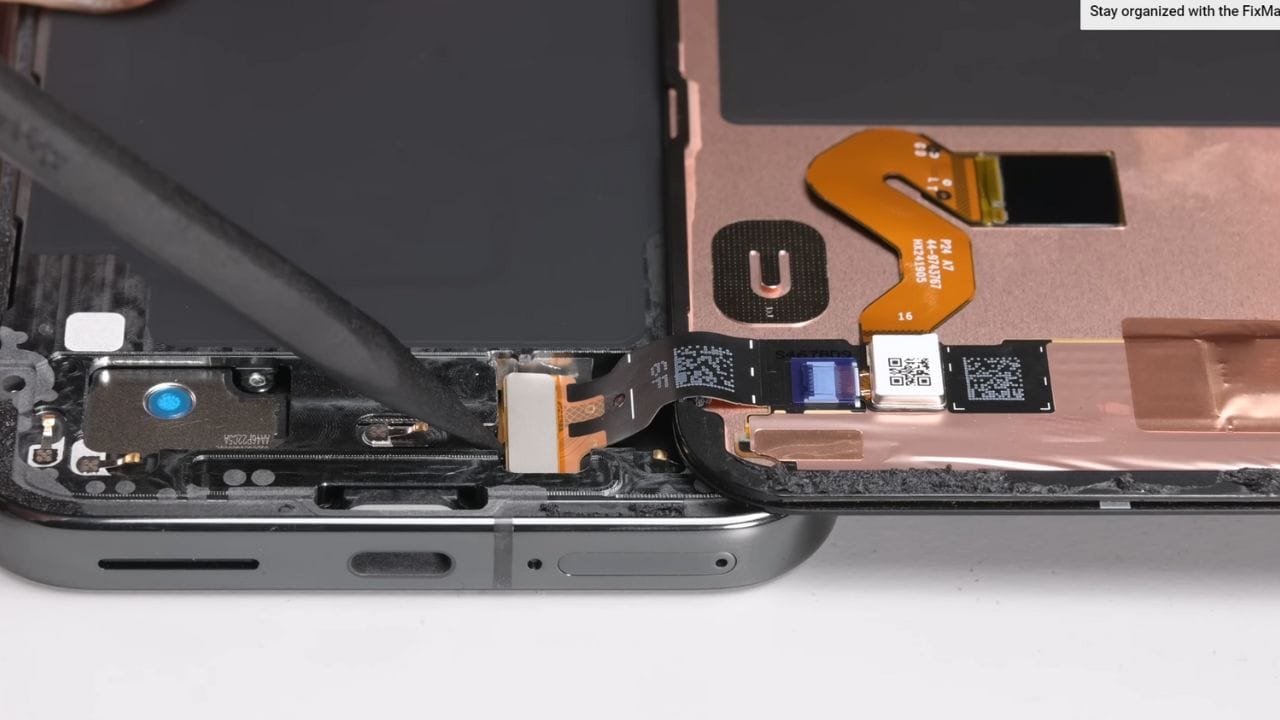
iFixit recently did a teardown of the Google Pixel 9 Pro XL. It has a dual-entry design that allows either front screen or back repairs to start off from the phone itself.
This is extremely useful in the case when the screen cracks. The screen is pretty much easier to pull off from this phone compared to phones that open from the back. However, according to a review of iFixit, one should very much be careful about its screen with Pixel. As one takes it off, its display layers might come apart, and that could decidedly shatter the screen beyond recovery.
But to replace the battery or other internal components, one has to work from the back. However, there is one gigantic problem in the Pixel 9 Pro XL where the battery is kept in place by some sliding pull tabs that are really fiddly to manipulate. Considering how easily the screen can be damaged, iFixit gave the Pixel 9 Pro XL a middle-of-the-road repairability score of 5 out of 10.
Stay updated with latest tech news
Follow TechiBoy on Google to get updates on smartphones, gadgets, software updates, and more.





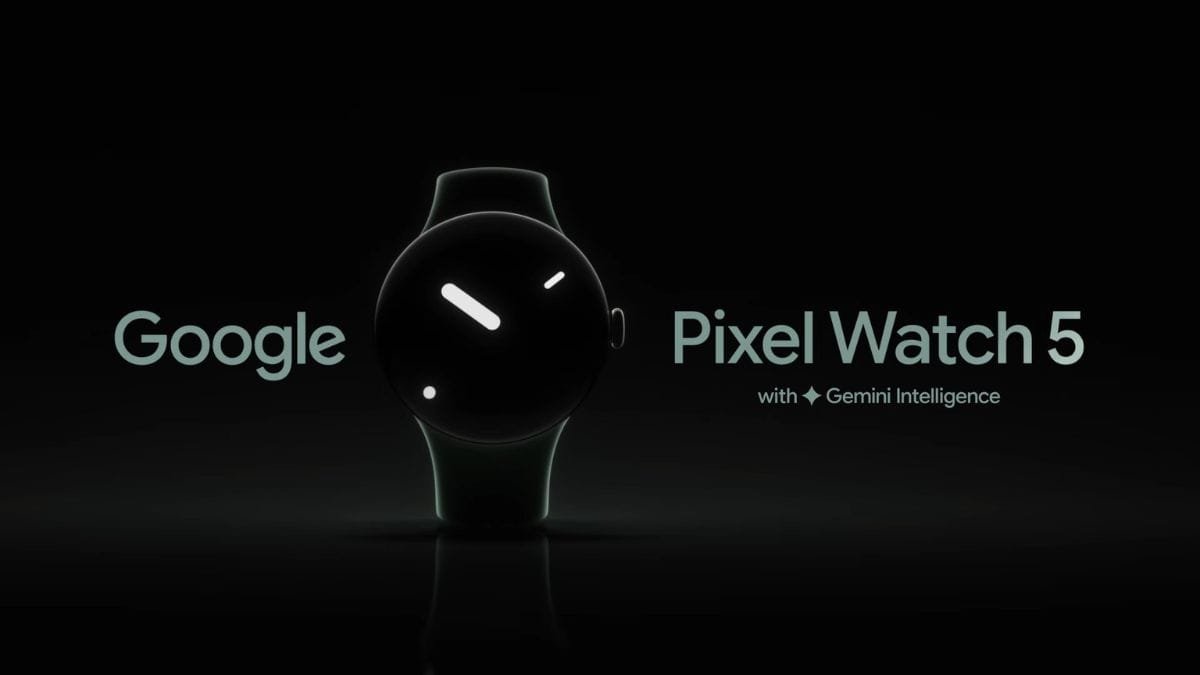
Google has released a new teaser for the upcoming Pixel Watch 5, taking a playful jab at competing smartwatches from Samsung and Apple ahead of its August 12 launch event.
The company is preparing to unveil the Pixel 11 series and Pixel Watch 5 on August 12. Ahead of the event, Google has shared a short promotional video on YouTube highlighting the design of its next-generation smartwatch.
Google Says Pixel Watch 5 “Looks Like a Watch”
The teaser focuses almost entirely on the Pixel Watch 5’s appearance. Google appears to be poking fun at smartwatches that have moved away from traditional watch designs.
In the video, Google highlights the Pixel Watch 5 as a smartwatch that “has the decency to look like a watch.”
The message appears to be aimed at competing smartwatch designs, particularly those from Samsung and Apple, which generally use more rectangular or square-shaped displays on several of their popular models.
Google’s Pixel Watch lineup, meanwhile, has continued to use a circular design since the original Pixel Watch.
Smartwatch Features With a Traditional Design
Google’s teaser also emphasizes that the Pixel Watch 5 isn’t sacrificing smartwatch functionality for its traditional appearance.
The company highlights features such as health, sleep and fitness tracking, suggesting that users can get the functionality expected from a modern smartwatch while retaining a more conventional watch-like appearance.
The teaser is primarily focused on design and does not reveal much about the watch’s hardware or specifications.
Pixel Watch 5 Battery Life Remains a Question
While Google is highlighting the Pixel Watch 5’s design and smart features, battery life could remain an important factor for buyers.
Traditional watches can run for months or even years without requiring frequent charging, while smartwatches typically need to be charged much more often. Google’s teaser naturally doesn’t focus on this comparison.
Battery life will therefore be one of the key details to watch for when Google officially announces the Pixel Watch 5.
Pixel 11 Series and Pixel Watch 5 Launching August 12
The Pixel Watch 5 will be unveiled alongside Google’s Pixel 11 lineup on August 12.
Google is expected to reveal the complete specifications, features, pricing and availability details during the launch event.
For now, the latest teaser makes Google’s strategy clear: the company wants the Pixel Watch 5 to stand out with a traditional circular watch design while retaining the features of a modern smartwatch.
More details about the Pixel Watch 5 should be revealed during Google’s August 12 event.
Stay updated with latest tech news
Follow TechiBoy on Google to get updates on smartphones, gadgets, software updates, and more.
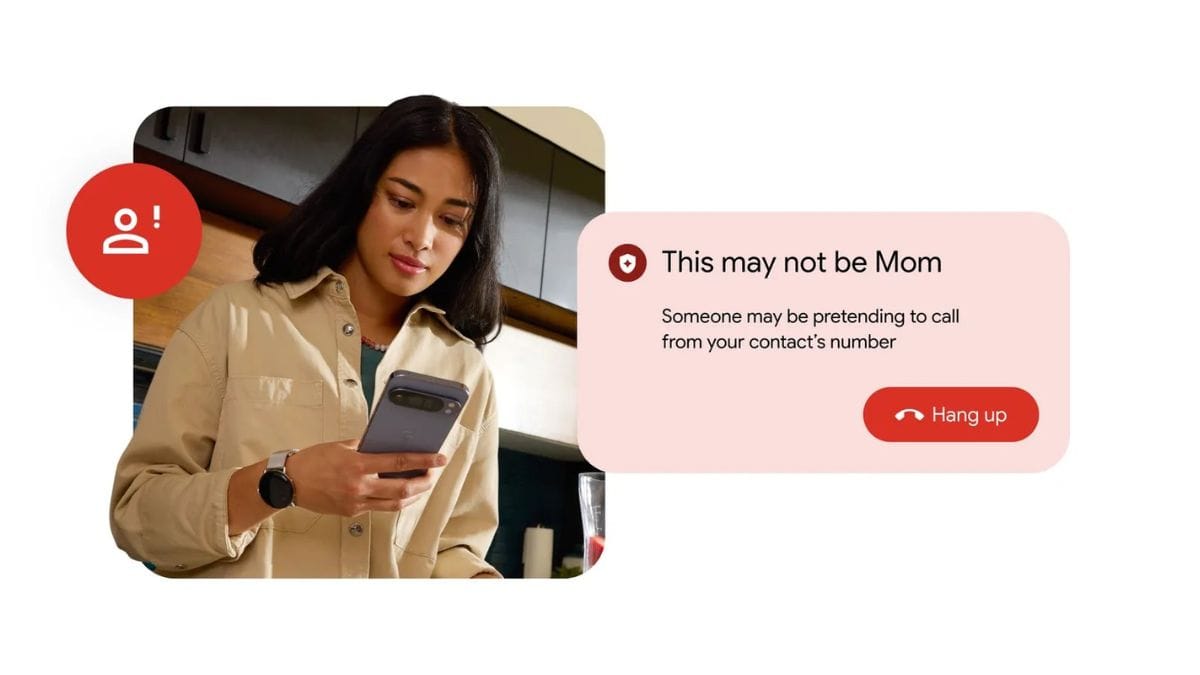
Google has announced a new security feature called Fake Call Detection for the Phone by Google app. The feature is designed to help users stay safe from scammers who use AI-generated voices and fake phone numbers to impersonate other people.
According to Google, scammers are increasingly using AI technology to sound like family members, friends, employers, or even government officials. In many cases, these fake voices are so realistic that it is difficult for people to tell the difference.

The new Fake Call Detection feature works when both people on a call are using the Phone by Google app. The app silently verifies that the caller and receiver are actually connected to each other. This verification happens through end-to-end encrypted RCS communication, helping keep the process private and secure.
If someone tries to impersonate one of your contacts using a fake number or AI-generated voice, the verification signal will be missing. In that case, the Phone app will show a warning to alert you that the caller may not be genuine.
Google says the feature will be enabled by default, but users can turn it off in the Phone app settings if they prefer.
Fake Call Detection will start rolling out globally this month for devices running Android 12 and newer. Google Pixel smartphones will be among the first to receive the feature. Users with other Android phones can also use it by installing the Phone by Google app from the Play Store and setting it as their default calling app.
As AI-powered scams continue to grow, Google’s new feature aims to provide an extra layer of protection and help users avoid becoming victims of fraud.
Stay updated with latest tech news
Follow TechiBoy on Google to get updates on smartphones, gadgets, software updates, and more.
Google has started rolling out a new feature that allows users to change the Gmail address linked to their Google Account. Earlier, this option was only available to users who used non-@gmail.com email addresses. Gmail users could not change their account email, but that is now changing.
The new feature is being released gradually, so it may not be available to everyone right away.
How the New Feature Works
With this update, users can replace their current Gmail address with a new one without losing any data. Here are the key details:
- Old address becomes an alias: Your previous Gmail address stays linked to your account as a secondary email and will continue to receive messages.
- No data loss: All emails, photos, messages, and other Google Account data remain safe.
- Sign in with both addresses: You can log in using either the old or the new Gmail address.
- Old address reuse: The old Gmail address stays tied to your account and cannot be used by anyone else. Creating a new account with that address is blocked for 12 months.
- Change limits: You can change your Gmail address up to three times per Google Account and link up to three new Gmail addresses.
How to Change Your Gmail Address
On Computer
- Visit myaccount.google.com/google-account-email and sign in.
- Go to Personal Info → Google Account Email.
- Click Change your Google Account email address (if available).
- Enter the new Gmail address and follow the instructions.
On Android
- Open Google Account settings on your phone.
- Tap Personal Info → Email → Google Account Email.
- Tap Change Google Account email address, enter the new address, and confirm.
On iPhone or iPad
- Open Google Account settings using a browser or the Google app.
- Tap Personal Info → Email → Google Account Email.
- Tap Change Google Account email address and follow the steps.
Limitations and Things to Know
Before changing your Gmail address, users should keep a few points in mind:
- Some services and apps that use “Sign in with Google” may require you to log in again.
- Certain settings, such as remote connections, may need to be set up again.
- The old Gmail address cannot be deleted and will always remain linked to your account.
- Username punctuation, like dots in the email address, cannot be changed.
- Both the old and new Gmail addresses can send and receive emails.
What This Means for Users
This update gives Gmail users more flexibility to update their email address without starting over or losing important data. While a few services may need minor adjustments after the change, users can continue using both email addresses smoothly.
Since the feature is rolling out slowly, users should regularly check their Google Account settings to see when it becomes available for them.
Stay updated with latest tech news
Follow TechiBoy on Google to get updates on smartphones, gadgets, software updates, and more.