
News
Nothing OS 3.0 Open Beta 1 (Android 15) Now Available for Nothing Phone (2a) Plus

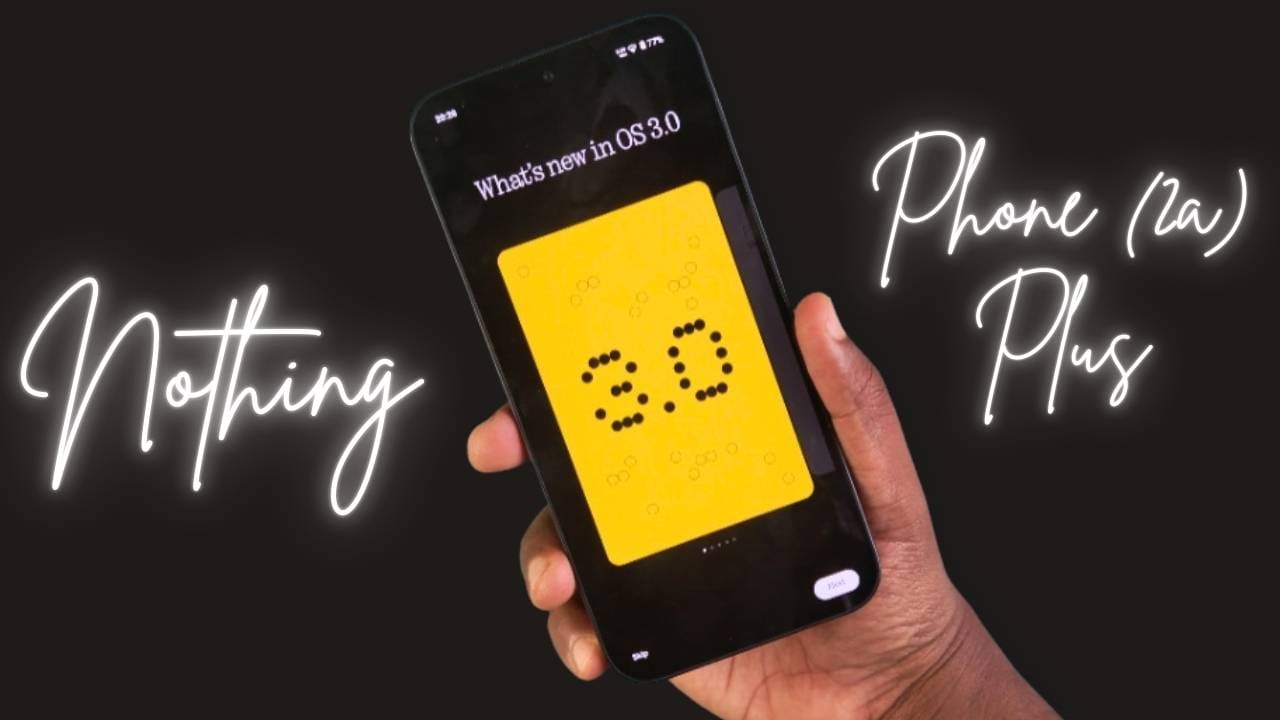
Nothing has announced the release of Nothing OS 3.0 Open Beta 1 for its Nothing Phone (2a) Plus, marking the next step in their innovative software journey. Based on Android 15, this beta update is now available for download and promises a host of new features and improvements. The update size is 1.7 GB, and the build number is PacmanPro-V3.0-241126-1448-IND.
Release Overview
Nothing OS 3.0 Open Beta 1 is designed to provide users with early access to the latest features while also collecting valuable feedback to fine-tune the software. However, as this is a beta version, users should be prepared for potential bugs and are encouraged to share their suggestions.
Key Features in Nothing OS 3.0
1. Shared Widgets
- Stay Connected: Share widgets with friends and family directly on your home screen. Interact with them through reactions for a more personalized experience. (Currently limited to Photo Widgets.)
2. Lock Screen Upgrades
- Customisation Page: Access by long-pressing the lock screen or through the Customisation menu.
- Enhanced Clock Faces: Choose from a variety of styles.
- Expanded Widget Space: Add more widgets to your lock screen for improved functionality.
3. AI-Powered Smart Drawer
- Automated Organisation: Automatically sorts apps into categories for better accessibility.
- Pinned Apps: Keep your favorite apps at the top of your app drawer for quick access.
4. Revamped Quick Settings
- Redesigned interface for easier customisation.
- Improved visuals in Network & Internet and Bluetooth settings.
5. Camera Enhancements
- Faster Launch: Quicker access via the Camera Widget.
- Improved HDR: Reduced scene processing time.
- UI Refinements: Smoother countdown photo interface and better zoom slider display.
6. Multi-Tasking with Pop-Up View
- Resizable: Drag to resize or pin pop-up windows for efficiency.
- Quick Notifications: Swipe down on incoming notifications to access the pop-up view.
7. General Improvements
- AI App Prioritisation: Frequently used apps are now easier to access.
- Auto-Archive: Frees up space by automatically managing unused data.
- Partial Screen Sharing: Share only specific app windows for enhanced privacy during screen recording.
- Updated Setup Wizard: A smoother onboarding experience for new users.
- Predictive Back Animation: Available for apps that support this feature.
- New Animations: Enjoy refreshed fingerprint and charging animations with Nothing’s signature dot-matrix design.
Important Notes
- Shared Widgets: Currently, this feature is supported only between Nothing devices. Expect further widget compatibility in future updates.
- As this is a beta release, some features may not work as expected. User feedback will help resolve these issues.
How to Update Nothing Phone (2a) Plus to Nothing OS 3.0 Open Beta
To participate, ensure your Phone (2a) Plus is running Nothing OS version 2.6 (build number PacmanPro-U2.6-240924-2223 or PacmanPro-U2.6-241125-2243). Then, follow these steps:
- Download the APK provided by Nothing and install it.
- Go to Settings > System > Update to Beta Version.
- Tap Check for New Version and follow the instructions.
It will take 20-25 minutes for the installation. So have patience while updating.
Final Thoughts
The Nothing OS 3.0 Open Beta 1 demonstrates Nothing’s commitment to innovation and user feedback. By introducing features like Shared Widgets, enhanced Lock Screen options, and AI-driven app organisation, Nothing is setting a high bar for Android customisation. While this beta provides a glimpse into the future of Nothing OS, users are encouraged to report any issues to help refine the final version.
Are you ready to explore Android 15 on the Nothing Phone (2a) Plus? Share your thoughts on the update!
Stay updated with latest tech news
Follow TechiBoy on Google to get updates on smartphones, gadgets, software updates, and more.





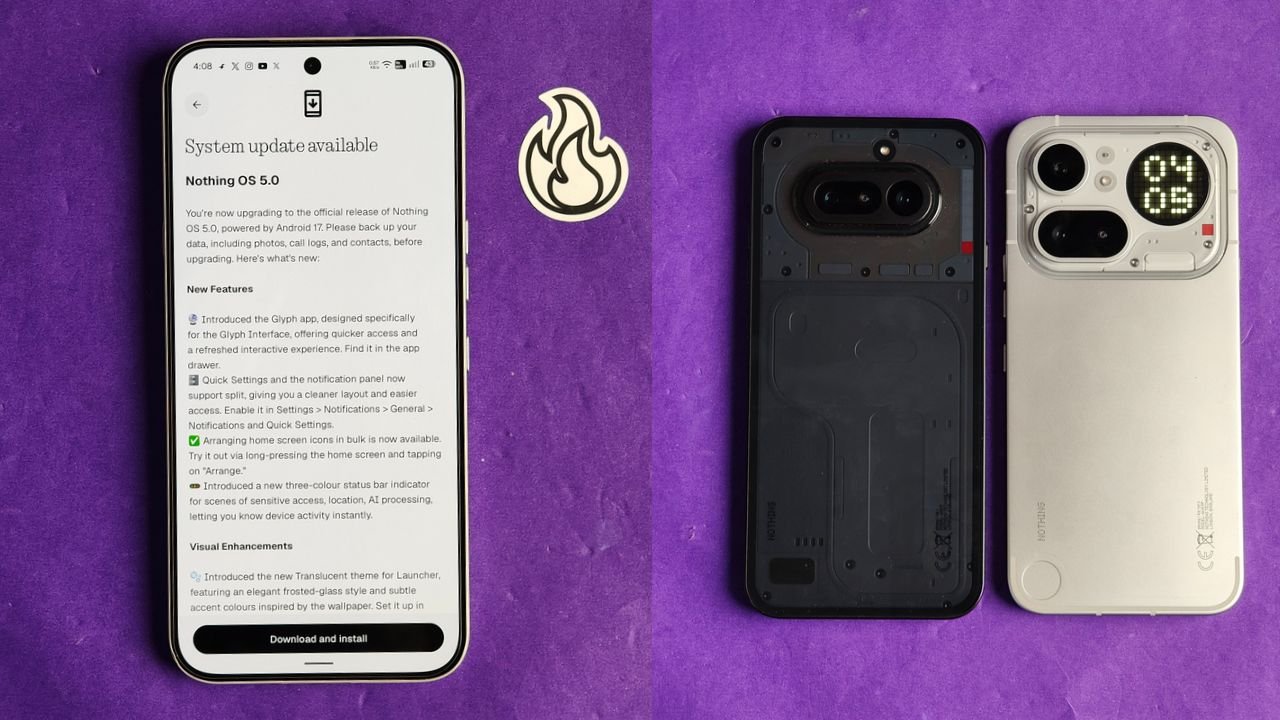
Nothing has started rolling out the stable Nothing OS 5.0 update for the Nothing Phone (4a) and Nothing Phone (4a) Pro. The new update is based on Android 17 and brings several new features, visual changes, camera improvements and other system enhancements.
The stable rollout has started ahead of Nothing’s previously announced early November schedule. However, the update is being released in stages, so it may take some time to reach all users.
Nothing OS 5.0 Update Size
The update is around 1.70 GB in size for beta users, and for non-beta users it is around 3 GB. Users can check for the latest update by going to Settings > System > System update.
What’s New in Nothing OS 5.0?
Nothing OS 5.0 brings quite a few changes to the overall user experience. Here are some of the important additions.
New Glyph App and Split Notifications
Nothing has introduced a dedicated Glyph app that makes it easier to access and manage Glyph Interface features.
The notification panel and Quick Settings can now be separated, giving users more control over how they access notifications and system shortcuts.
There is also a new three-colour status bar indicator that helps users identify sensitive activities such as location access and AI processing.
New Translucent Theme
One of the biggest visual changes is the new Translucent theme for the launcher.

It brings a frosted-glass look with subtle accent colours inspired by your wallpaper. You can enable it by going to Customisation > Theme & Style > Translucent.
Nothing has also added two new lock screen clock faces and the option to customise the clock colour.
New Widgets
The update introduces new widgets, including:
- Collector: Turns your photos into different decorative styles for your home screen.
- Away Time: Tracks how much time you spend away from your phone.
- Glyph Timer: Lets you access the Glyph Timer directly from the widget drawer.
Users can also arrange multiple home screen icons together instead of moving them one by one.
Camera Improvements
Nothing OS 5.0 brings several camera improvements to the Phone (4a) series.
The biggest addition is Dual-view Video, which allows users to record videos using the front and rear cameras simultaneously.
Nothing has also improved video recording, zoom, close-up photography, QR scanning, Google Lens and Motion Photo playback. The camera interface, controls and animations have also been refreshed.
Other Improvements
Apart from these changes, the update includes several smaller improvements:
- Expanded Dark Theme for more apps.
- Enhanced HDR brightness controls.
- Improved Depth wallpapers with pinch-to-resize support.
- Better Live Updates experience.
- Noto 3D Emoji support in Gboard.
- Faster Essential Voice transcriptions.
- Improved lock screen shortcuts.
- One-tap Bluetooth connection and disconnection.
- Refined system animations and a refreshed Settings interface.
How to Download Nothing OS 5.0
If you own a Nothing Phone (4a) or Phone (4a) Pro, follow these steps to check for the update:
- Open Settings on your phone.
- Go to System.
- Tap System update.
- Select Check for updates.
If the update is not available yet, don’t worry. Nothing is following a staged rollout, and it should reach more devices over the coming days.
Before installing, make sure to back up your important data and keep enough battery charge.
Stay updated with latest tech news
Follow TechiBoy on Google to get updates on smartphones, gadgets, software updates, and more.
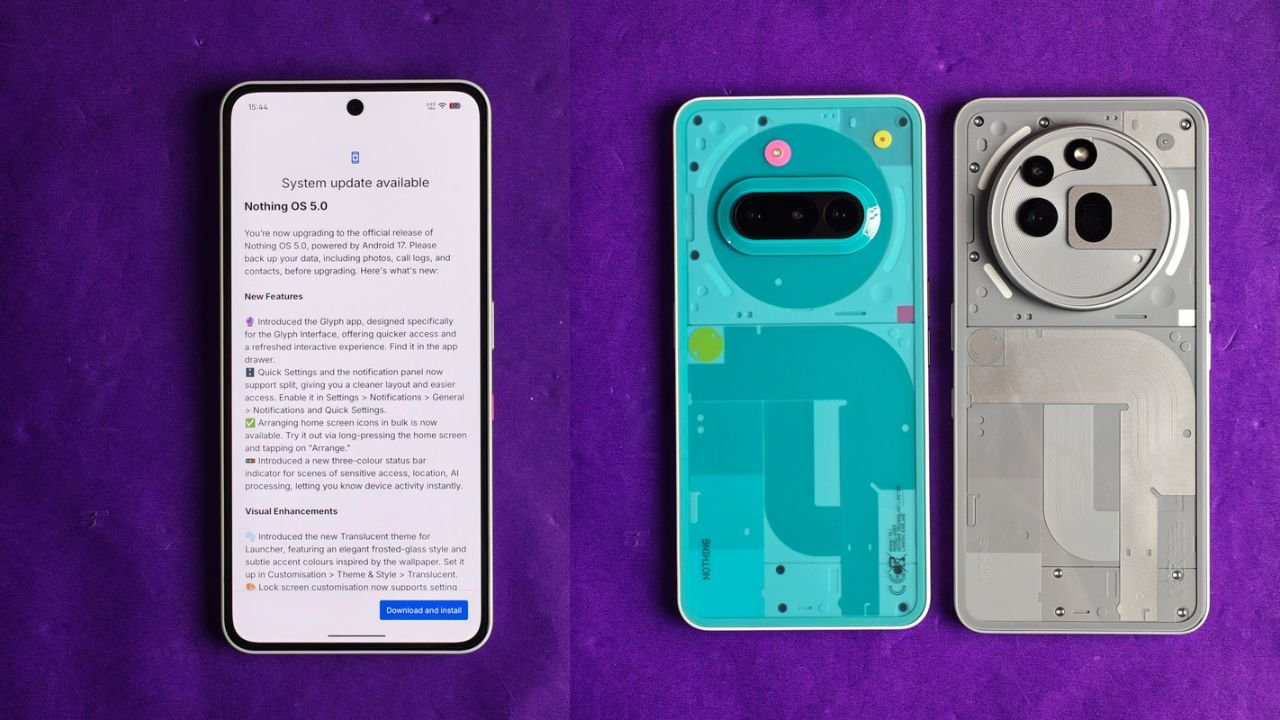
Nothing has started rolling out the Nothing OS 5.0 Stable Update based on Android 17 for the Nothing Phone (3a) and Nothing Phone (3a) Pro. The update brings several new features, UI changes, camera improvements and customisation options to both smartphones.
The new update is around 3.09GB in size and introduces a fresh Translucent Theme, redesigned Quick Settings, new widgets, lock screen customisation and more.
Nothing OS 5.0 Stable Update: What’s New?
One of the biggest changes is the new Translucent Theme. It brings a frosted-glass look to the home screen, with subtle colours that match the selected wallpaper. Users can enable it by going to Customisation > Theme & Style > Translucent.
Nothing has also introduced a new Glyph app, which provides quicker access to Glyph Interface settings. The Quick Settings and Notification Panel can now be separated, giving users a cleaner layout.
Here are some of the major changes included in the update:
1. New Features and UI Changes
- New Glyph App: A dedicated app for accessing Glyph Interface features.
- Separate Quick Settings: Users can now separate Quick Settings and Notifications.
- Bulk App Arrangement: Arrange multiple home screen icons together.
- New Status Bar Indicators: Three-colour indicators show sensitive access, location and AI processing activity.
- Translucent Theme: A new frosted-glass style for the launcher.
- New Clock Faces: Two new lock screen clock styles.
- Lock Screen Customisation: Users can now change the colour of the clock face.
- New Geist Typeface: Updated typography across the system.
2. New Widgets
Nothing OS 5.0 also brings some new widgets to the home screen.
- Collector Widget: Turn favourite photos into decorative home screen elements.
- Away Time Widget: Track how much time you spend away from your phone.
- Glyph Timer Widget: Start and access timers directly from the home screen.
3. Camera Improvements
The camera app has received several improvements with this update.
- Seven adjustable camera tuning effects with a reset option.
- Improved camera presets with easier editing.
- New 2×2 camera preset widget.
- Support for Filters and Tuning in video recording.
- Dual-view Video support.
- Improved zoom and close-up photography.
- Better QR scanning and Google Lens integration.
- Improved Motion Photo playback.
- Refreshed camera interface, controls and animations.
4. Other Improvements
Apart from the major features, Nothing has also added several useful improvements.
- Expanded Dark Theme support for more third-party apps.
- Enhanced HDR Brightness control.
- Depth Wallpapers now support pinch-to-shrink.
- Improved Live Updates experience.
- Noto 3D Emoji support in Gboard.
- Improved lock screen shortcuts.
- Bluetooth devices can now be connected or disconnected with a single tap from Quick Settings.
- Improved system animations and transitions.
Nothing OS 5.0 Update Size and Availability
The update size for this one is 3.09 GB, and the build number is Nothing OS C5.0-261023-2146.
The update is rolling out in phases, which means it may not be available to everyone at the same time. If you haven’t received it yet, you can check for it manually by going to Settings > System > System Update.
Nothing recommends backing up important data before installing the update.
Stay updated with latest tech news
Follow TechiBoy on Google to get updates on smartphones, gadgets, software updates, and more.
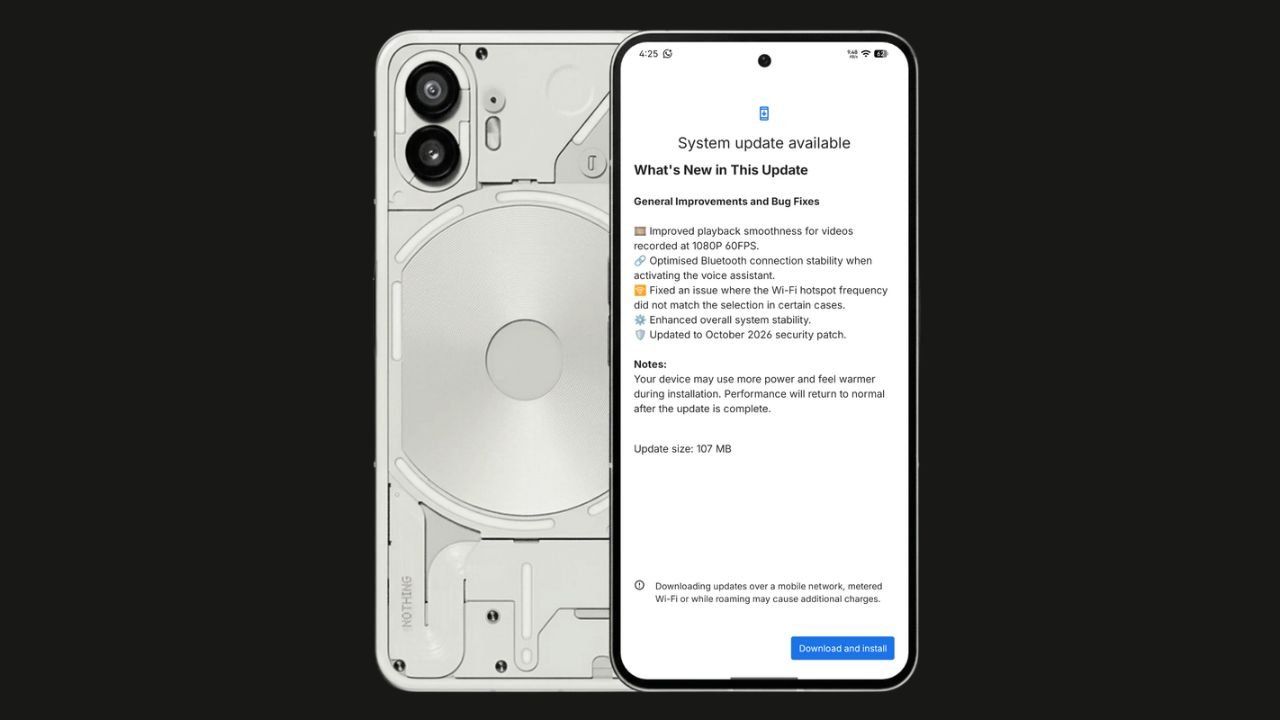
Nothing has started rolling out the Nothing OS 4.1 October 2026 update for the Nothing Phone (2). The update focuses on bug fixes, system stability improvements, and connectivity optimisations. It also brings the October 2026 security patch.
The update size is 107 MB, making it a relatively small maintenance update.
Nothing OS 4.1 October Update: What’s New?
According to the official changelog displayed on the device, the update includes the following improvements:
- Video playback: Improved smoothness for videos recorded at 1080p@ 60FPS.
- Bluetooth: Optimised connection stability when activating the voice assistant.
- Wi-Fi hotspot: Fixed an issue where the hotspot frequency did not match the selected option in certain cases.
- System stability: Enhanced overall system stability.
- Security: Updated to the October 2026 security patch.
How to Download the Update
Nothing Phone (2) users can check for the latest update by navigating to Settings > System > System Update. If the update is available, download and install it.
The rollout may happen in phases, so some users might have to wait before receiving the update.
If you don’t receive any OTA related to the update, you can manually update through our Nothing Firmware app.
Overall, the Nothing OS 4.1 October update is a minor maintenance release focused on improving the everyday user experience rather than introducing new features.
Stay updated with latest tech news
Follow TechiBoy on Google to get updates on smartphones, gadgets, software updates, and more.