
Nothing
Nothing OS 5.0 Launch Date Revealed: Here’s What to Expect

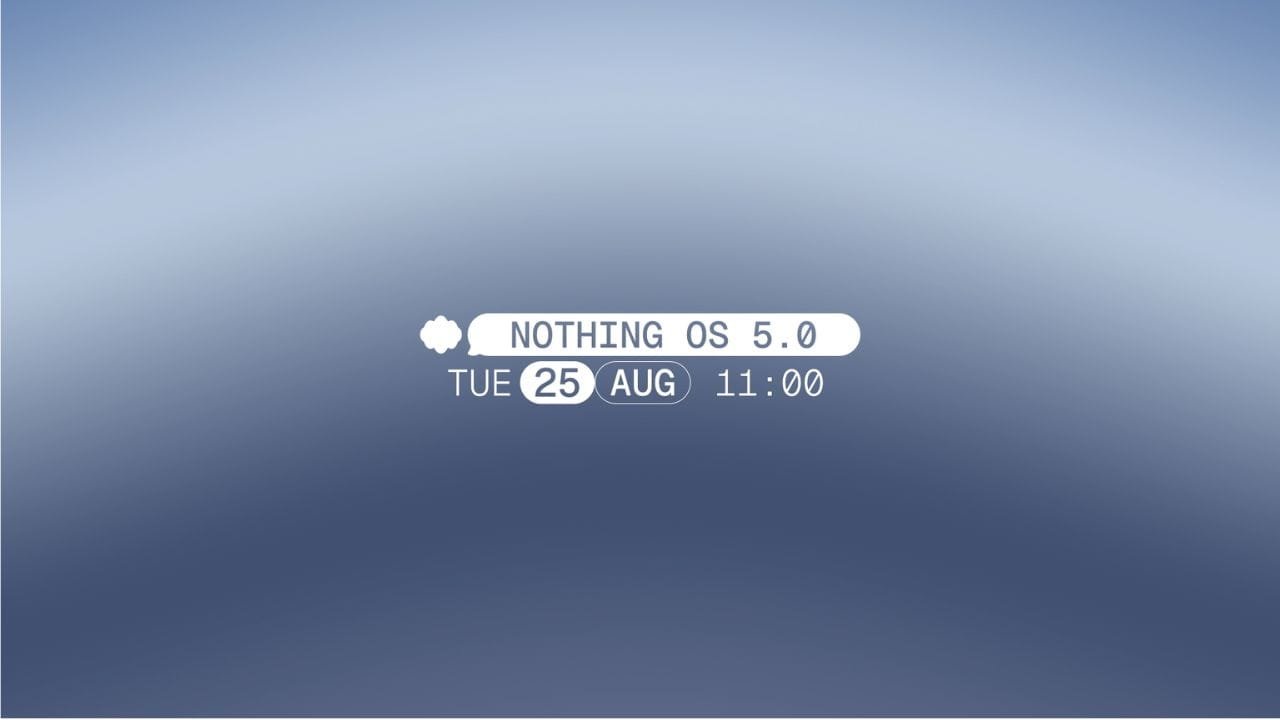
Nothing has officially announced the date for Nothing OS 5.0, the company’s next major software update. The new version is expected to be based on Android 17 and will bring new features and changes to Nothing smartphones.
Nothing OS 5.0 Announcement Date
Nothing OS 5.0 will be officially unveiled on August 25 at 11:00 AM BST, which is 3:30 PM IST in India.
Nothing shared the announcement on X with the caption “More joy, every day.” The company is expected to showcase the new software during an online launch event.
The announcement should also reveal more details about the update, including its new features, supported devices, and beta testing plans.
Nothing OS 5.0 Could Bring More Customisation
Nothing has not yet confirmed the features coming with Nothing OS 5.0. However, the teaser gives us a few possible hints.
The phrase “More joy, every day” could point towards more personalisation options. Nothing may introduce new widgets, icon styles, lock screen clock options, and other customisation features.
The teaser video also shows animated gradients in different colours. This could suggest that Nothing OS 5.0 may bring more colourful and dynamic elements to the user interface.
These features are not confirmed yet, so we will have to wait for the official announcement.
Which Nothing Phones Could Get Nothing OS 5.0?
Based on Nothing’s software update policy and previous major Android updates, the following devices are expected to receive Nothing OS 5.0:
- Nothing Phone (4a)
- Nothing Phone (4a) Pro
- Nothing Phone (4b)
- Nothing Phone (3)
- Nothing Phone (3a)
- Nothing Phone (3a) Lite
- Nothing Phone (3a) Pro
- Nothing Phone (2a)
- Nothing Phone (2a) Plus
- CMF Phone 2 Pro
The Nothing Phone (1), Nothing Phone (2) and CMF Phone 1 are unlikely to receive Nothing OS 5.0 as they have reached the end of their major software update support.
Nothing OS 5.0 Beta Could Arrive First
Nothing is expected to start a beta programme before the stable rollout. The newest devices, including the Phone (4a) series and Phone (3), could be among the first devices to receive the beta.
After testing and fixing any major issues, Nothing is expected to roll out Nothing OS 5.0 to eligible devices through a stable update.
More information about the beta programme, supported devices, and new features is expected to be announced on August 25 at 3:30 PM IST.
Nothing OS 5.0 is just around the corner, and Nothing users can soon find out what the company has planned for Android 17.
Stay updated with latest tech news
Follow TechiBoy on Google to get updates on smartphones, gadgets, software updates, and more.





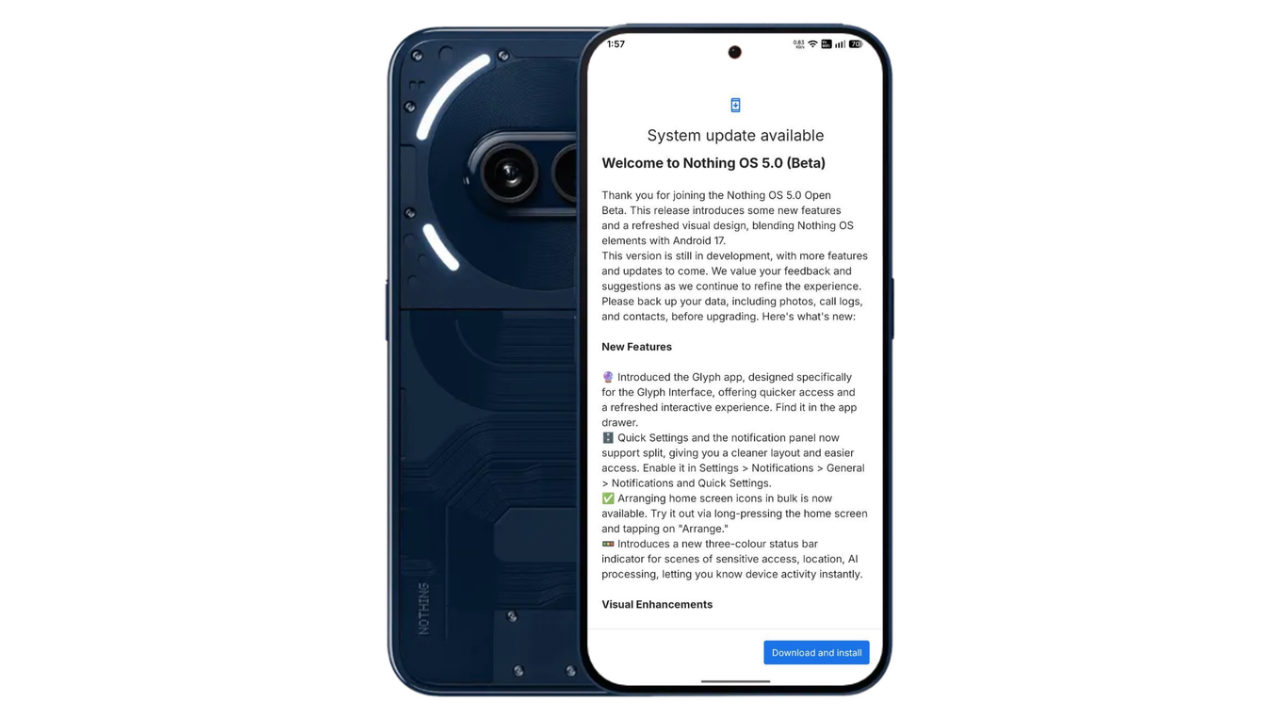
Nothing has started rolling out the Nothing OS 5.0 Open Beta update for the Nothing Phone (2a) and Phone (2a) Plus, bringing Android 17 along with a refreshed user interface, new customisation options, camera improvements and several other features. The update started rolling out on October 21, 2026, with a reported download size of 3.14GB.
One of the biggest surprises in this update is the addition of the translucent theme and Micrographics clock face, giving users more ways to personalise their devices.
Nothing OS 5.0 Brings Translucent Theme and Micrographics Clock
The Nothing Phone (2a) and Phone (2a) Plus receives the new translucent theme as part of the Nothing OS 5.0 Open Beta. The updated design introduces translucent elements and wallpaper-inspired accent colours, offering a refreshed look across the interface.

The update also brings the Micrographics clock face, along with additional lock screen customisation options, including the ability to change the clock colour and choose a new clock design.
Other New Features in Nothing OS 5.0
Apart from the visual changes, the update introduces several new features and improvements:
- Separate Quick Settings and Notifications: Users can enable a split layout for easier access to notifications and system controls.
- New Glyph app: A dedicated app provides quicker access to Glyph Interface features.
- Home screen improvements: Users can arrange multiple app icons at once.
- New status indicators: Three-colour indicators show sensitive access, location and AI processing activity.
- New widgets: Collector, Away Time and Glyph Timer widgets expand home screen functionality.
- Updated system design: The Geist typeface, refreshed Settings interface and redesigned status bar icons improve the overall appearance.
- Smoother animations: Updated transitions improve the experience across widgets and recent tasks.
Camera Improvements
Nothing OS 5.0 brings several camera enhancements to the Nothing Phone (2a). These include Tuning with seven adjustable effects and a reset option, improved Presets editing, richer preset cards and Playground integration.
The update also introduces a new 2×2 camera widget and support for Filters and Tuning during video creation. Other improvements include video recording, zoom, close-up shooting, QR scanning, Google Lens and Motion Photo playback, alongside refinements to the camera interface, controls and animations.
Dark Theme, HDR and Other Improvements
The update expands Dark Theme support to many apps that do not offer a native dark mode. Users can also customise Enhanced HDR Brightness to adjust the intensity of HDR content.
Depth wallpapers now support pinch-to-shrink, while Live Updates receive an improved status bar experience. The update also adds Noto 3D Emoji support in Gboard, improves lock screen shortcut interactions and enables one-tap Bluetooth connection or disconnection through Quick Settings.
Nothing OS 5.0 Open Beta: How to Update
Nothing Phone (2a) and Phoen (2a) Plus users can check for the update through the software update section in Settings. The rollout is happening in stages, so it may take some time to appear on all eligible devices.
As this is a beta release, users should back up their important data before installing it. Beta software may contain bugs and could temporarily cause increased battery consumption or heating.
What do you think of the new Nothing OS 5.0 design? Let us know in the comments.
Stay updated with latest tech news
Follow TechiBoy on Google to get updates on smartphones, gadgets, software updates, and more.
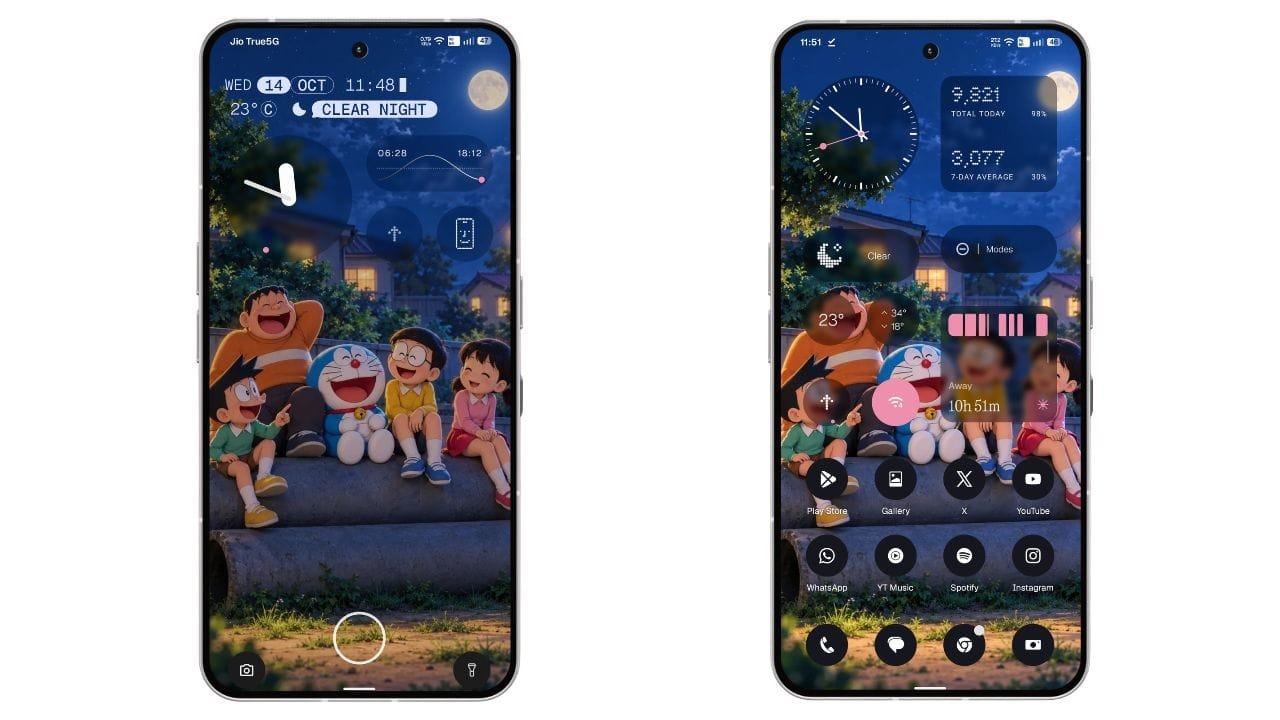
Nothing has started rolling out the stable Nothing OS 5.0 update for the Nothing Phone (3). The new update is based on Android 17 and brings a refreshed user interface, new customisation options, improved widgets, camera enhancements, and several system improvements.
The stable update is now rolling out to Phone (3) users who participated in the Open Beta programme. For beta users, the update size is 1.68 GB. The rollout is happening in phases, so it may take some time to reach every device.
Nothing OS 5.0 Update Details
- Device: Nothing Phone (3)
- Software version: Nothing OS 5.0
- Android version: Android 17
- Update size: 1.68 GB for beta users
- Update type: Stable update
New Translucent Theme Brings a Fresh Look
One of the biggest highlights of Nothing OS 5.0 is the new Translucent Theme. It brings a frosted-glass look to the Launcher, giving the interface a fresh and modern appearance.
The theme also uses subtle accent colours inspired by the current wallpaper. Users can enable it by going to Settings > Customisation > Theme & Style > Translucent.

Nothing has also refined the status bar icons, updated the Settings interface, and introduced the new Geist typeface. These changes make the overall interface look more consistent.
Two New Lock Screen Clock Styles
Nothing OS 5.0 brings two new clock faces to the lock screen: Gooey and Micrographics. While Gooey was already available in the Open Beta, the stable update introduces Micrographics as another option for users.

Gooey offers a bold and playful look with fluid shapes, giving the lock screen a unique appearance.
Micrographics takes inspiration from the graphic design of Nothing’s hardware. It brings the date, time, weather, and upcoming meetings together in one glanceable view, making it easier to check important information directly from the lock screen.

Users can also customise the clock colour to match their preferred style. Along with these new clock faces, Nothing OS 5.0 updates the wallpaper gallery and improves the overall customisation experience.
New Glyph App and Separate Quick Settings
The update introduces a dedicated Glyph app that makes it easier to access and manage Glyph Interface settings.
Another major change is the option to separate Quick Settings and Notifications into different panels. Users can enable this option through the system settings.
Nothing OS 5.0 also allows users to arrange multiple home screen app icons in bulk, making it easier to organise the home screen without moving every icon individually. A new three-colour status bar indicator also helps users identify sensitive access, location, and AI processing activity.
New Widgets and Camera Improvements
Nothing OS 5.0 brings several new widgets, including Collector widgets that let users decorate their home screens with photos. The Away Time widget helps users track time spent away from their phones, while Glyph Timer adds another useful option to the widget drawer.
The Camera app also receives multiple improvements. Users get a new Tuning feature with seven adjustable effects, improved Presets editing, and a new 2×2 Presets widget.
Video recording has also been enhanced with Filters and Tuning support, Dual-view Video, and H.265 encoding. Nothing has also improved several camera functions, including zoom, close-up shooting, QR scanning, Google Lens, and Motion Photo playback.
Other Improvements in Nothing OS 5.0
Apart from the visual changes, the update includes several useful system improvements:
- Expanded Dark Theme support for more apps.
- Adjustable HDR brightness intensity.
- Faster Essential Voice transcription.
- Improved lock screen shortcut interactions.
- One-tap Bluetooth connection and disconnection from Quick Settings.
- Improved Live Updates.
- Noto 3D Emoji support in Gboard.
- Better transition animations and interface refinements.
These additions aim to improve the everyday experience of using the Nothing Phone (3).
How to Download Nothing OS 5.0 Stable Update
Nothing Phone (3) users can manually check for the update by following these steps:
- Open Settings on your phone.
- Go to System.
- Tap System Update.
- Check for the latest update and download it if available.
- Install the update and restart your phone if required.
Since the update is rolling out in phases, it may not be available to everyone immediately. .
Final Words
Nothing OS 5.0 is a major update for the Nothing Phone (3), bringing Android 17 along with a new Translucent Theme, fresh lock screen clocks, new widgets, Glyph improvements, and camera enhancements.
The new design and clock styles are among the most noticeable changes, while the additional system features make the update more useful for everyday users. If you own a Nothing Phone (3), check your phone’s system settings to see whether the stable update is available.
What do you think about the new Translucent Theme in Nothing OS 5.0? Let us know in the comments.
Stay updated with latest tech news
Follow TechiBoy on Google to get updates on smartphones, gadgets, software updates, and more.
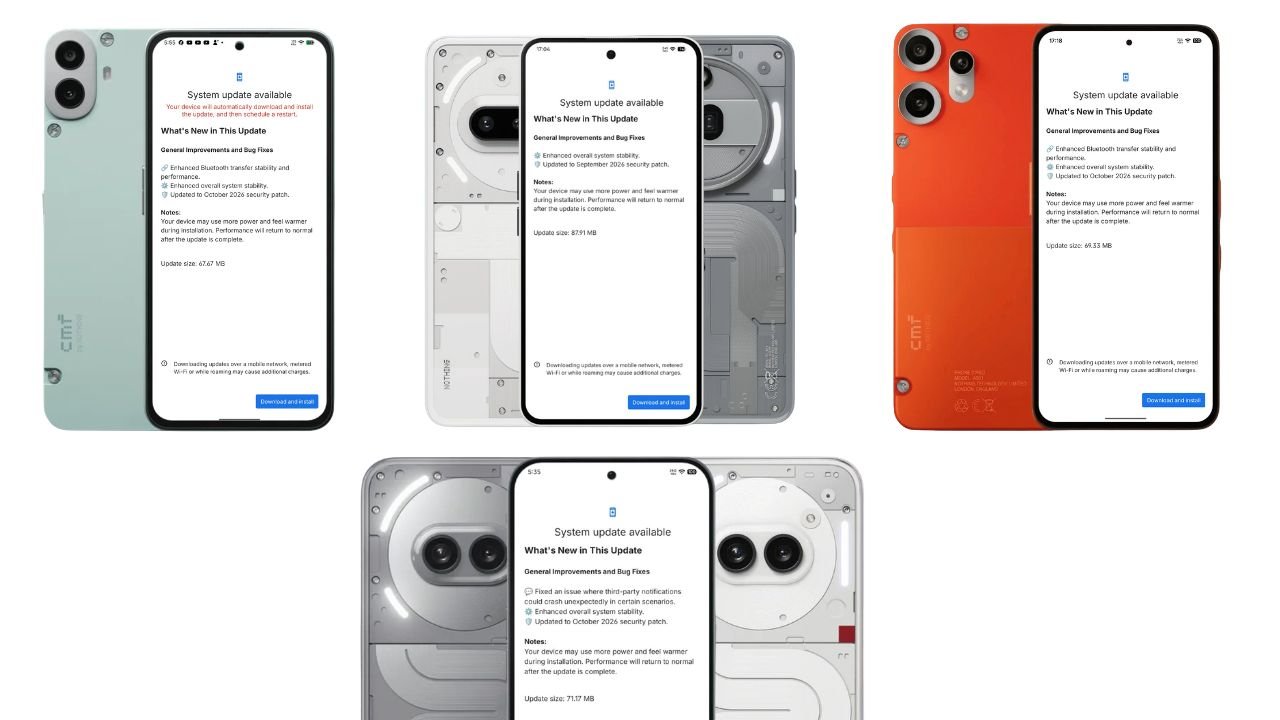
Nothing has started rolling out new Nothing OS 4.1 software updates for six smartphones across its Nothing and CMF lineups. The updates focus on system stability, bug fixes, Bluetooth transfer improvements, and the latest security patches.
The rollout covers the Nothing Phone (3a), Phone (3a) Pro, Phone (2a), Phone (2a) Plus, CMF Phone 2 Pro, and CMF Phone 1. While some devices are receiving improvements to Bluetooth connectivity, others are getting fixes for notification-related crashes.
Nothing OS 4.1 Update: Supported Devices and Update Sizes
Here is the complete list of devices receiving the updates, along with their respective download sizes.
| Smartphone | Update size | Security patch |
|---|---|---|
| Nothing Phone (3a) | 87.91 MB | September 2026 |
| Nothing Phone (3a) Pro | 87.91 MB | September 2026 |
| Nothing Phone (2a) | 71.17 MB | October 2026 |
| Nothing Phone (2a) Plus | 71.17 MB | October 2026 |
| CMF Phone 2 Pro | 69.33 MB | October 2026 |
| CMF Phone 1 | 67.67 MB | October 2026 |
Nothing Phone (3a) and Phone (3a) Pro Get Nothing OS 4.1 Update
The Nothing Phone (3a) and Phone (3a) Pro are receiving a new Nothing OS 4.1 update weighing 87.91 MB.
According to the update changelog, the latest firmware focuses on improving overall system stability and includes the September 2026 Android security patch.
Changelog:
- Enhanced overall system stability.
- Updated to the September 2026 security patch.
Nothing Phone (2a) and Phone (2a) Plus Receive October Update
The Nothing Phone (2a) and Phone (2a) Plus are receiving a 71.17 MB Nothing OS 4.1 update with bug fixes and security improvements.
One of the key changes addresses an issue where notifications from third-party applications could unexpectedly crash in certain scenarios. The update also enhances overall system stability and includes the October 2026 security patch.
Changelog:
- Fixed an issue where third-party notifications could crash unexpectedly in certain scenarios.
- Enhanced overall system stability.
- Updated to the October 2026 security patch.
CMF Phone 2 Pro Gets Nothing OS 4.1 Update
The CMF Phone 2 Pro is receiving a 69.33 MB software update. The latest firmware brings improvements to Bluetooth transfer reliability and overall system stability.
The update also includes the October 2026 security patch.
Changelog:
- Enhanced Bluetooth transfer stability and performance.
- Enhanced overall system stability.
- Updated to the October 2026 security patch.
CMF Phone 1 Receives Nothing OS 4.1 October Update
The CMF Phone 1 is also receiving a new Nothing OS 4.1 update, with a download size of 67.67 MB.
Similar to the CMF Phone 2 Pro update, this release improves Bluetooth transfer stability and performance, alongside general system stability improvements and the October 2026 security patch.
Changelog:
- Enhanced Bluetooth transfer stability and performance.
- Enhanced overall system stability.
- Updated to the October 2026 security patch.
How to Download the Latest Nothing OS 4.1 Update
Users can manually check for the latest software update on their smartphones by following these steps:
- Open Settings on your Nothing or CMF phone.
- Navigate to System and open System Update. The exact menu path may vary by software version.
- Check for available updates.
- If the update is available, tap Download and install.
- Follow the on-screen instructions to complete the installation.
As with other OTA software releases, availability may vary by device and rollout region. If the update has not appeared on your phone yet, check again later.
Final Thoughts
The latest Nothing OS 4.1 updates bring incremental but useful improvements across six Nothing and CMF smartphones. The Phone (2a) series receives a fix for third-party notification crashes, while the CMF Phone 1 and CMF Phone 2 Pro benefit from improved Bluetooth transfer stability.
It is worth noting that the Phone (3a) and Phone (3a) Pro update screens list the September 2026 security patch, whereas the other four devices list the October 2026 patch. Users should check their individual device’s update changelog to confirm which security patch is included.
Stay updated with latest tech news
Follow TechiBoy on Google to get updates on smartphones, gadgets, software updates, and more.