
Nothing
Stable Nothing OS 4.0 Update for Phone (3) With 25+ New Features

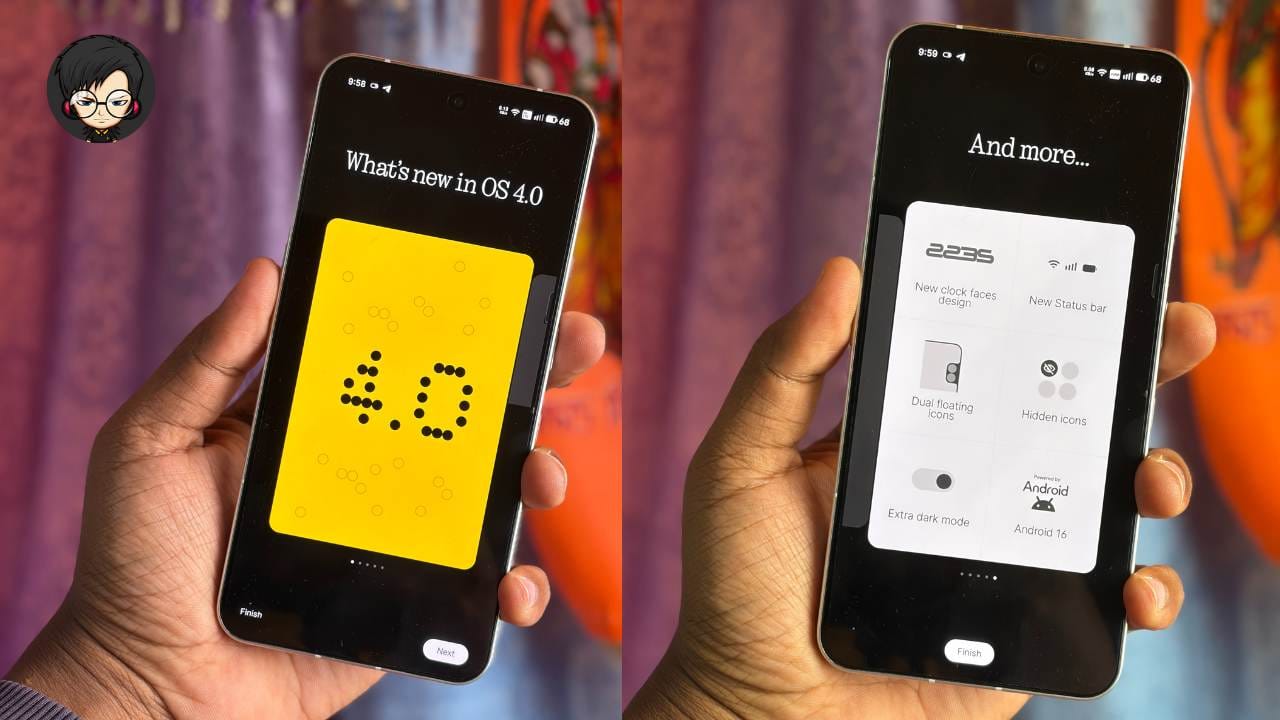
Nothing has officially started rolling out the stable Nothing OS 4.0 update for the Nothing Phone (3). The update, based on Android 16, brings more than 25 new features, improvements, and UI changes. The rollout is currently limited to Phone (3), but other Nothing phones will receive it in the coming days.
New Status Bar Icons
The biggest visual change in Nothing OS 4.0 is the redesigned status bar icons. The Wi-Fi, mobile network, and battery icons now have a cleaner, modern look. These new icons also appear inside the quick settings panel and on the lock screen.
Nothing has also updated its app icon pack. Icons are now available in color instead of only black-and-white, giving the home screen a more lively appearance.
Improved Animations and Haptics
The update brings smoother app opening and closing animations and better app switching.
Haptic feedback has also been improved. Users now feel vibrations at 0% and 100% volume, and even when clearing notifications.
New Widgets
Nothing OS 4.0 adds several new widgets, including:
- Updated weather widget with one-by-one size options
- New pedometer widgets with step count and progress animations
- New screen time widgets in multiple sizes
These widgets give users more customization options on the home screen.
Lock Screen and Notification Improvements
The lock screen now shows a blurred wallpaper behind the PIN screen for a cleaner look.
Notifications also feel more responsive thanks to added haptic feedback and smoother swipe animations.
Hidden App Icons
A much-requested feature, Hidden Apps, is finally back. Users can hide any app icon directly from the app drawer and access the hidden folder after authentication.
Universal Search Upgrade
Universal Search now allows users to customize search results. They can choose whether search should show results from apps, contacts, gallery, messages, and more.
Major Glyph Interface Upgrades
Several improvements have been made to the signature Glyph system:
- Glyph Progress: Shows live progress for supported apps like Uber, Zomato, and Google Calendar
- Glyph Timer: Now available on Phone (3) with new controls
- Glyph Mirror: Saves a dotted “Glyph-style” photo along with the normal photo
- Always-on Glyph Toys: Adds a new “Moon Phase” toy and improves existing ones
- Glyph Matrix Pocket Mode: Prevents Glyph from turning on inside pockets
- Flip to Glyph Enhancements: Automatically enables silent mode or essential notifications
A shortcut button also now opens the Nothing Playground website to download new Glyph toys.
Extra Dark Mode
Extra Dark Mode is now better implemented across the system — in quick settings, app drawer, settings pages, and more — showing pure black backgrounds for improved battery life.
Intelligence Toolkit and AI Tracking
The update includes a new Intelligence Toolkit, which shows:
- AI usage details
- Models used (like Gemini or ChatGPT)
- Activity data for features like Essential Space and ChatGPT shortcuts
Better Quick Settings Panel
Changes include:
- Redesigned Bluetooth tile
- Now every quick settings tile large layout option
- New animations when toggling flashlight and other quick settings, which show text whether it’s turned off or on.
Pop-Up View Enhancements
Users can now open two apps simultaneously in pop-up view and switch between them quickly.
Essential Apps Support
Nothing has added support for Essential Apps, which can be downloaded from the Nothing Playground. Phone (3) supports up to five Essential Apps on the home screen, while other Nothing phones support up to two.
New Recorder App
You also get a new Recorder app with an updated UI, smoother animations, and support for Light Mode. Previously, it only supported Dark Mode.
Stay updated with latest tech news
Follow TechiBoy on Google to get updates on smartphones, gadgets, software updates, and more.





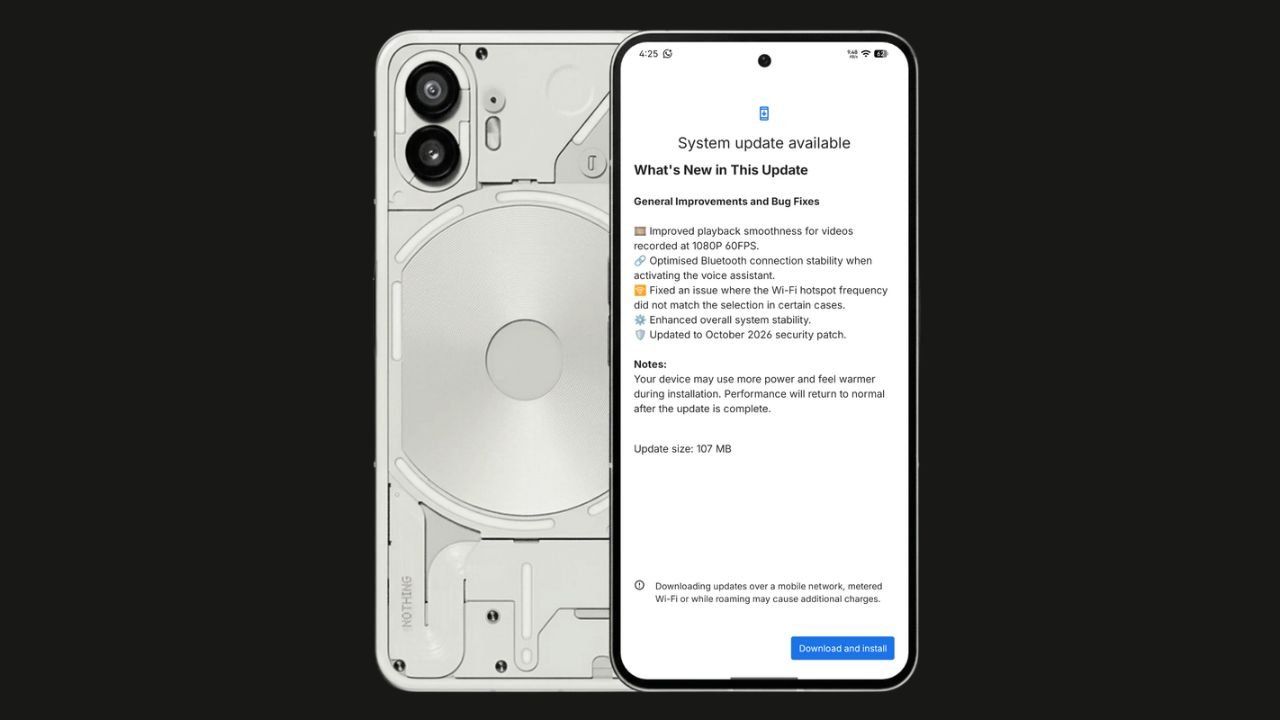
Nothing has started rolling out the Nothing OS 4.1 October 2026 update for the Nothing Phone (2). The update focuses on bug fixes, system stability improvements, and connectivity optimisations. It also brings the October 2026 security patch.
The update size is 107 MB, making it a relatively small maintenance update.
Nothing OS 4.1 October Update: What’s New?
According to the official changelog displayed on the device, the update includes the following improvements:
- Video playback: Improved smoothness for videos recorded at 1080p@ 60FPS.
- Bluetooth: Optimised connection stability when activating the voice assistant.
- Wi-Fi hotspot: Fixed an issue where the hotspot frequency did not match the selected option in certain cases.
- System stability: Enhanced overall system stability.
- Security: Updated to the October 2026 security patch.
How to Download the Update
Nothing Phone (2) users can check for the latest update by navigating to Settings > System > System Update. If the update is available, download and install it.
The rollout may happen in phases, so some users might have to wait before receiving the update.
If you don’t receive any OTA related to the update, you can manually update through our Nothing Firmware app.
Overall, the Nothing OS 4.1 October update is a minor maintenance release focused on improving the everyday user experience rather than introducing new features.
Stay updated with latest tech news
Follow TechiBoy on Google to get updates on smartphones, gadgets, software updates, and more.
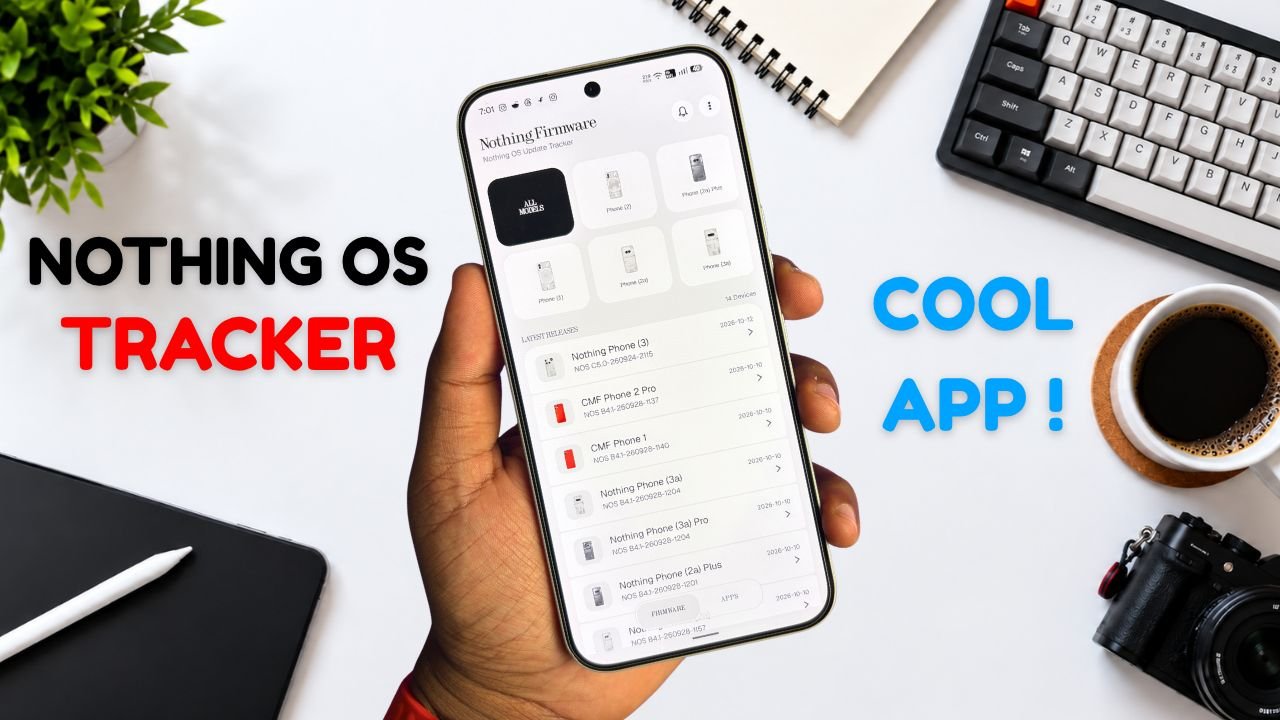
Nothing Phone and CMF users now have a new way to keep track of software updates. Nothing Firmware, an Android app developed by TechiBoy Studios, is now available on Google Play.
The app brings firmware update tracking, changelogs, Nothing OS OTA package downloads, and information on Nothing app updates into one place. It is designed for users who want to stay informed about the latest software releases for their devices.

What Is the Nothing Firmware App?
Nothing Firmware is an independent app built to help Nothing Phone and CMF users follow firmware releases without having to search across multiple sources.
Users can check available firmware updates, read changelogs to understand what’s changed, and download OTA packages through the app. It also tracks Nothing app updates and provides direct links to their Google Play listings.
Nothing Firmware App Features
The app includes several features designed to make software update tracking easier.
- Firmware tracking: Follow firmware releases for Nothing Phone and CMF devices.
- Detailed changelogs: Check update details and learn about new features, improvements, and bug fixes.
- OTA downloads: Download firmware packages with progress tracking.
- Update notifications: Receive alerts when new firmware releases are available.
- Nothing app updates: Track Nothing app releases and open their Google Play listings directly.
- Home screen widget: View the latest firmware information from the home screen.
- Custom alerts: Choose notification sounds and enable voice announcements for update alerts.
- Theme options: Switch between Auto, Light, and true-black Dark themes.
- Device information: Check device details, build numbers, and security patch information.
The app also includes a warning for firmware packages that do not match the detected device, helping users avoid selecting an incorrect package.
Is Nothing Firmware an Official Nothing App?
No. Nothing Firmware is an independent community project developed by TechiBoy Studios. It is not affiliated with, sponsored by, or endorsed by Nothing Technology Limited or CMF by Nothing.

How to Download Nothing Firmware
Nothing Firmware is available on Google Play. Users can download it to keep track of firmware updates, read changelogs, and follow Nothing app releases.
Download: Nothing Firmware on Google Play
If you’re already running an incremental build of Nothing OS 5.0 Open Beta, you can’t directly roll back to the stable version through a regular incremental OTA update. Nothing Firmware currently provides stable incremental updates only. Once Nothing releases the Nothing OS 5.0 stable update for your device, it will appear in the app when available. Until then, you may need to follow Nothing’s official rollback instructions if you want to return to a stable build.
Stay updated with latest tech news
Follow TechiBoy on Google to get updates on smartphones, gadgets, software updates, and more.
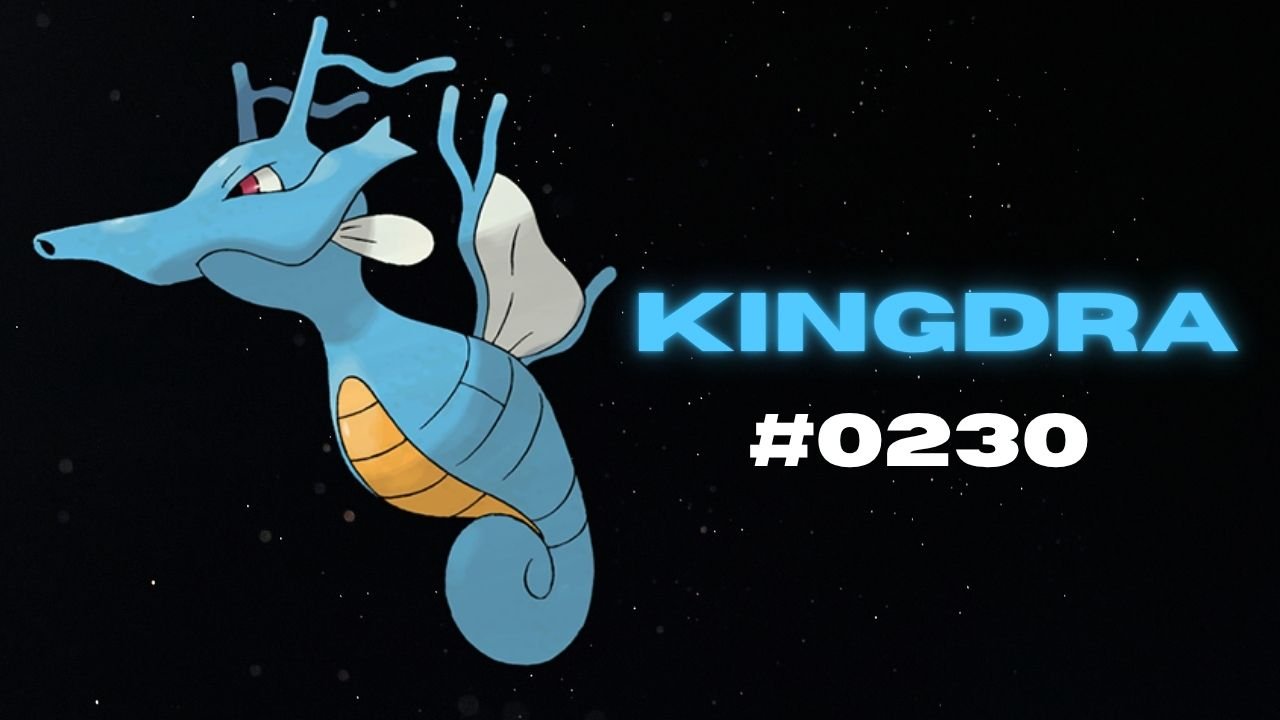
Nothing has teased another Pokémon on its official X account and Nothing Community, hinting that a new product could be on the way. This time, the company has shared Kingdra, Pokémon #230 in the National Pokédex.
Kingdra is a Water/Dragon-type Pokémon introduced in Generation II. The teaser features the Pokémon alongside a cryptic description about sleeping deep on the ocean floor to build energy and causing tornadoes when it wakes up.

What Could Nothing Be Launching Next?
Nothing has not revealed which product the new Pokémon teaser refers to. However, the company has previously used Pokémon-themed teasers to build anticipation for upcoming devices, making this latest post worth watching.
An audio product, such as new Nothing Ear earbuds or headphones, could be one possibility. A new smartphone or another product category cannot be ruled out either.
For now, the product name, specifications, pricing and launch date remain unknown. More details may emerge through future teasers from the company.
Stay updated with latest tech news
Follow TechiBoy on Google to get updates on smartphones, gadgets, software updates, and more.