
Nothing
Nothing Phone (2a) Plus Gets April 2025 Update with Useful New Features


Stay updated with latest tech news
Follow TechiBoy on Google to get updates on smartphones, gadgets, software updates, and more.

Nothing has released a new software update for the Nothing Phone (2a) Plus. This update is part of the Nothing OS 3.0 (April version). It brings new features, security improvements, and important fixes that make the phone more secure and stable.
How to Get the Update
The company has not sent any notification for this update. So, users must check for it manually.
To do this, go to:
Settings > System > System Update > Check for Update.
The update size is about 211 MB. It includes the April 1, 2025 Android security patch, and the Google Play system update is dated March 1, 2025.
Power Off Verification Added
One of the biggest changes in this update is the Power Off Verification feature.
When this setting is turned on, your phone will ask for a PIN before someone can turn it off while it is locked. This is a useful feature to help protect your phone if it is lost or stolen.
To enable it, go to:
Settings > Security & Privacy > More Security Settings, and search for “Power Off Verify”.
Unlock Vibration Now Works Properly
Before this update, the phone still gave a vibration while unlocking, even if the Touch Feedback setting was turned off.
Now, this has been fixed. If touch feedback is off, the phone will not vibrate during unlock. This makes the experience more consistent and as per your settings.
Small Changes in Pop-Up View Design
The Pop-Up View has received some small visual improvements.
The minimize and close buttons look better, and you can now reposition the pop-up window more easily.
There is also a navigation bar added for better control, which was already seen in other recent updates.
Nothing Gallery Mentioned (But No Big Changes)
The changelog mentions “Introducing Nothing Gallery,” but users have reported that the app has not changed much.
There is a small update in the video seek bar, but the Nothing Gallery still doesn’t become the default app when Google Photos is disabled. So, this may not be a completely new feature for now.
Long Press to Clear All Apps
Now, in the recent apps menu, you can long press and swipe up to quickly clear all apps.
This feature was actually available earlier through a launcher update, but it has now been officially mentioned in the system update notes.
Emergency Dialing Issue Fixed
In rare cases, some users had trouble using the emergency dialer in certain areas. The April update fixes this issue to make sure the emergency call function works properly at all times.
System Stability and Performance Improved
Nothing also claims that this update improves the overall system stability and performance of the phone. So far, users report that the phone is running smoothly after the update, with no major bugs or issues.
Final Thoughts
The April 2025 update for the Nothing Phone (2a) Plus may not look big from the outside, but it brings important security and usability upgrades.
The Power Off PIN protection, unlock vibration fix, and system stability improvements make it a helpful update.
If you own this phone, it’s a good idea to install the update and enjoy the smoother and more secure experience.




Stay updated with latest tech news
Follow TechiBoy on Google to get updates on smartphones, gadgets, software updates, and more.
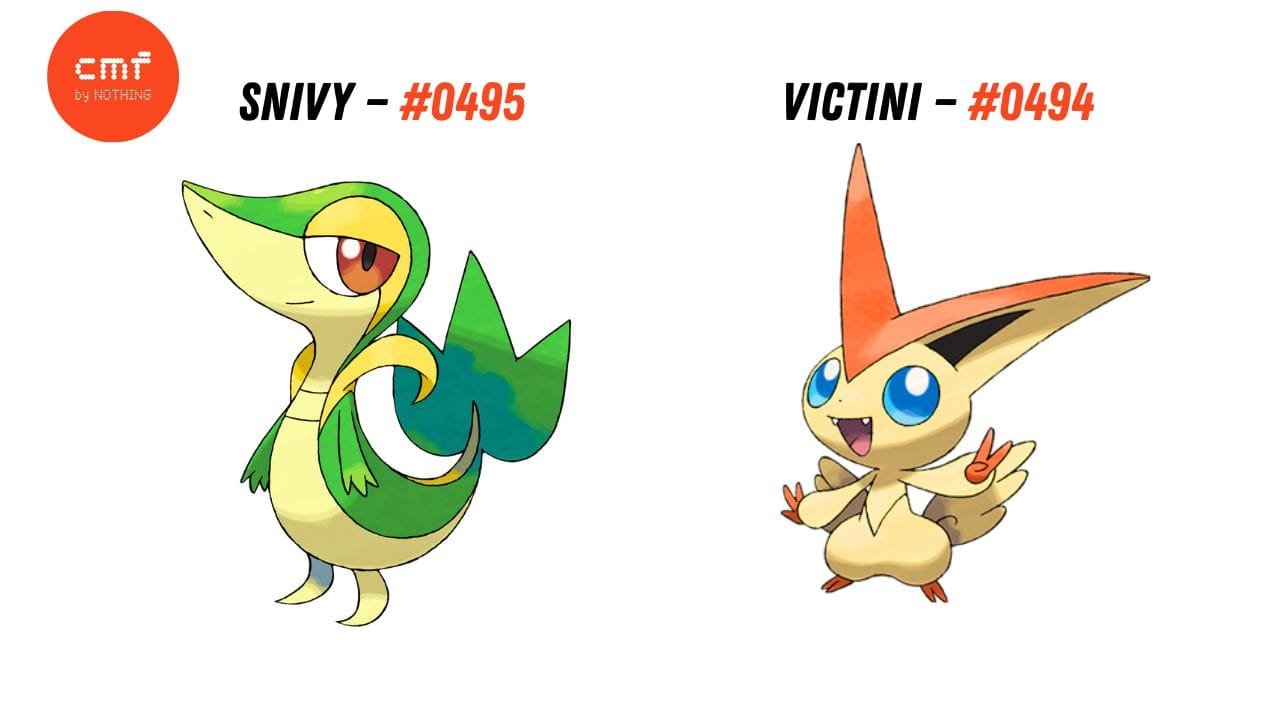
CMF by Nothing appears to be teasing two new products, and its latest social media post has given fans another clue to speculate about what could be coming.
Yesterday, CMF shared an image featuring two Pokémon — Snivy (#0495) and Victini (#0494). At first, it could simply look like a fun Pokémon reference, but the Pokédex numbers may be the more interesting part of the teaser.
CMF has already confirmed that it is preparing to launch two new products, and the latest teaser features exactly two Pokémon with the numbers 0495 and 0494.
Nothing/CMF typically has specific model numbers associated with its products, so it raises the question: could 495 and 494 be a clue toward the model numbers of the upcoming products?
Of course, this is only speculation for now. The numbers could simply be the official Pokédex numbers of Snivy and Victini, with no connection to the products.
But considering CMF is currently teasing two new products, the timing makes the reference interesting.
CMF has already entered several categories, including smartphones, smartwatches, neckband, TWS earbuds and headphones. This also raises the possibility that at least one of the upcoming products could belong to a new category, potentially something like a portable speaker.
Interestingly, CMF also recently announced a Community review program, which could potentially be related to these upcoming products. However, Indian users are once again not eligible for the program.
For now, CMF hasn’t revealed what the two products are, but this Pokémon teaser may have given us another small clue.

Stay updated with latest tech news
Follow TechiBoy on Google to get updates on smartphones, gadgets, software updates, and more.
Nothing has announced special pricing and promotional offers for the Nothing Phone (4a), Phone (4a) Pro and Phone (4b) as part of the Flipkart Big Billion Days sale. The offers include price drops, bank discounts, coupons and exchange bonuses on selected variants.

Here’s a complete breakdown of the offers.
Nothing Phone (4a) Offers
The Nothing Phone (4a) gets a ₹3,000 price drop on the 6GB + 128GB variant. With the applicable bank offer, coupon and exchange benefits, the effective price comes down to ₹32,999.
| Variant | Offer Price |
|---|---|
| 6GB + 128GB | ₹32,999* |
| 8GB + 128GB | ₹40,999 |
| 8GB + 256GB | ₹45,999 |
| 12GB + 256GB | ₹46,999 |
The 8GB + 128GB variant gets a ₹4,000 bank offer, while the higher-storage variants are also eligible for a ₹4,000 bank offer.
Nothing Phone (4a) Pro Offers
The Nothing Phone (4a) Pro is available with a ₹4,500 bank offer along with a ₹500 exchange bonus on the listed variants.
| Variant | Effective Price |
|---|---|
| 8GB + 128GB | ₹49,999 |
| 8GB + 256GB | ₹52,999 |
| 12GB + 256GB | ₹54,999 |
The 8GB + 128GB model brings the effective price down to ₹49,999 after the applicable offers.
Nothing Phone (4b) Offers

The Nothing Phone (4b) gets a ₹4,000 price drop on the 6GB + 128GB variant. With the applicable bank offer, coupon and exchange benefits, the effective price is listed at ₹27,999.
| Variant | Effective Price |
|---|---|
| 6GB + 128GB | ₹27,999* |
| 8GB + 128GB | ₹35,999 |
| 8GB + 256GB | ₹36,999 |
The 8GB variants receive a ₹3,500 bank offer along with a ₹500 exchange bonus.
Nothing BBD Offers at a Glance
The headline effective prices for the three phones are:
- Nothing Phone (4b): ₹27,999
- Nothing Phone (4a): ₹32,999
- Nothing Phone (4a) Pro: ₹49,999
The final price for the base variants depends on the applicable combination of bank offers, coupons and exchange bonuses. Buyers should check the offer terms on Flipkart before placing an order.
Nothing Phone BBD Pricing Table
| Model | Base Variant | Effective Price* |
|---|---|---|
| Phone (4b) | 6GB + 128GB | ₹27,999 |
| Phone (4a) | 6GB + 128GB | ₹32,999 |
| Phone (4a) Pro | 8GB + 128GB | ₹49,999 |
*Effective prices for the base variants reflect the combined applicable bank offers, coupons and exchange bonuses.
These offers make the upcoming Flipkart Big Billion Days sale particularly relevant for buyers looking at Nothing’s latest smartphone lineup.
Stay updated with latest tech news
Follow TechiBoy on Google to get updates on smartphones, gadgets, software updates, and more.
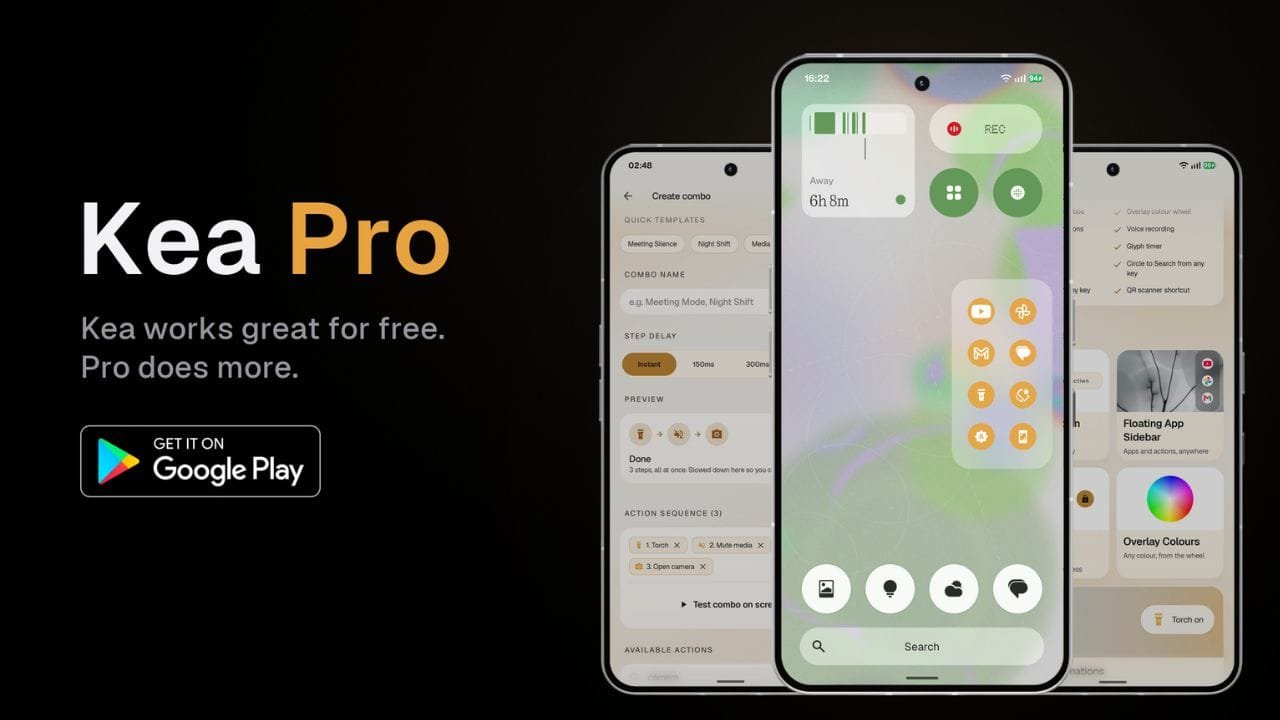
Kea: Button Remapper has received a major update that brings a new Floating App Sidebar, Action Combos, more customization options and several new features for Android users.
The update also brings a redesigned user interface with improved animations, blur effects and a cleaner overall look. While Kea remains available as a free app, some of the new features are available through the paid Kea Pro version.
Floating App Sidebar
One of the main additions in the update is the new Floating App Sidebar. It allows users to pin their favorite apps and actions and quickly access them from anywhere on the phone.

Users can add apps such as YouTube, Instagram, Gmail, games, and more, as well as actions, to the sidebar. The sidebar also supports customization for its position, number of rows and columns, background, icon style, and accent color.

The background can be changed between transparent, translucent and solid styles. Users can also choose different icon styles and customize the sidebar’s color using the available color options and color wheel.
Action Lab Combos
Another new feature is Action Lab Combos. It allows users to perform multiple actions with a single button press.
For example, users can create a shortcut that mutes media volume and enables Do Not Disturb at the same time. This can be useful during meetings when multiple settings need to be changed quickly.

Users can also create their own custom combos by selecting multiple actions and arranging them into a sequence.
Voice and Call Recording
Kea Pro also adds shortcuts for voice recording and call recording using the Nothing Recorder widget.

After setting up the required Recorder widget, users can assign a button press to start or stop recording. Saved recordings can then be accessed through the Nothing Recorder app.
More Customization
The update brings several new options for Kea’s visual overlays. Users can choose different styles, including Dark, Frosted and Smoke themes.

There are also different animation effects, while the position of the overlay can be adjusted for different hardware keys. Kea Pro users can further customize the accent color and use a color wheel for more control over the appearance.
More Features for Nothing Phones
Kea Pro also includes several features designed for Nothing Phone users. These include Glyph Torch and Glyph Timer shortcuts.
Users can assign these features to different button gestures. The app also supports shortcuts such as Circle to Search, QR code scanning and additional hardware button actions.

The app also supports volume button mapping and power button customization, giving users more ways to control different actions using physical buttons.
Free Version Still Available
Kea: Button Remapper continues to offer a free version with more than 30 actions and support for four different button gestures. The free version also includes features such as visual overlays, lock screen controls and a Quick Settings tile.
The Floating App Sidebar, Action Combos, volume button mapping, voice and call recording, Glyph shortcuts and other additional features are available with Kea Pro.
Kea Pro is offered as a one-time lifetime purchase, giving users permanent access to the Pro features after purchasing it.
Here is the app link: https://play.google.com/store/apps/details?id=com.techiboystudios.kea
The latest update also significantly refreshes the Kea interface. TechiBoy Studios will bring more features that are planned for future updates, so the list of available features is expected to grow over time.