
News
Nothing OS 4.1 Features: Lock Screen, AI Gallery, Camera Presets & More

Stay updated with latest tech news
Follow TechiBoy on Google to get updates on smartphones, gadgets, software updates, and more.

Nothing has recently launched the Nothing Phone (4a) series, and along with it, the company has also released the new Nothing OS 4.1 update. Currently, this update is available on the Phone (4a) and Phone (4a) Pro, but it is expected to roll out to other Nothing smartphones soon.
The update brings several useful changes, especially in lock screen customization, camera features, gallery AI tools, and widgets. Here’s a simple look at all the important new features.
Lock Screen Customization Gets Better
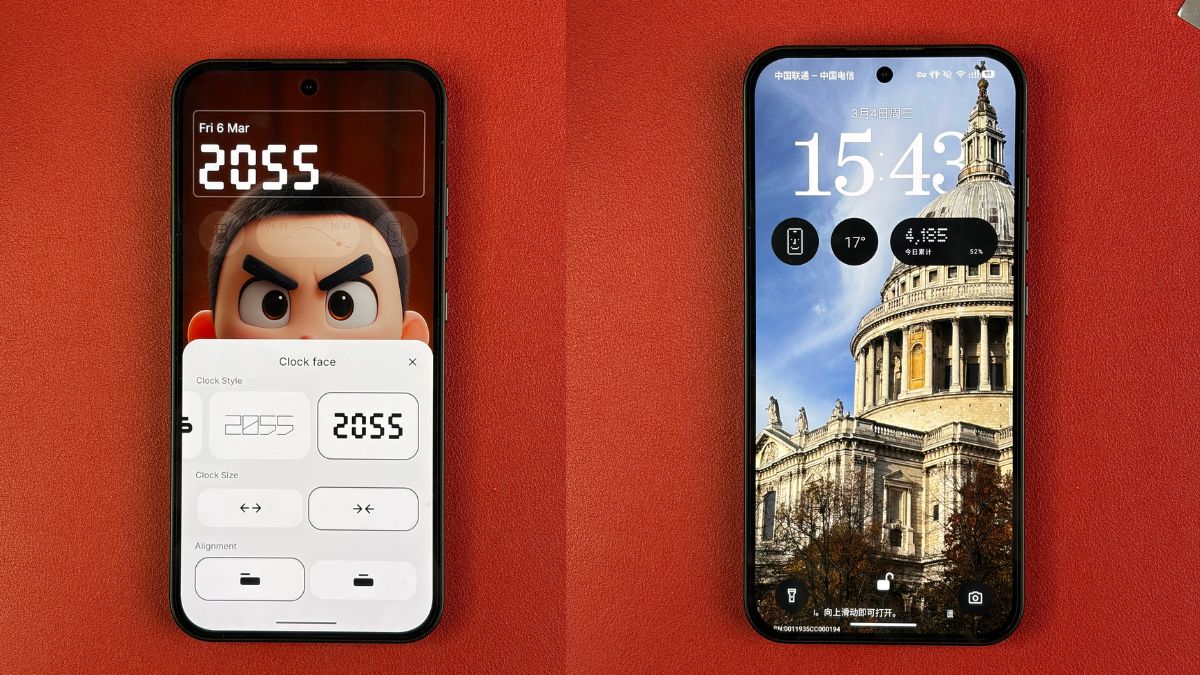
Nothing OS 4.1 introduces improved lock screen customization. Users can now adjust the clock size and alignment easily. The clock can be resized and positioned to the left or center based on preference.
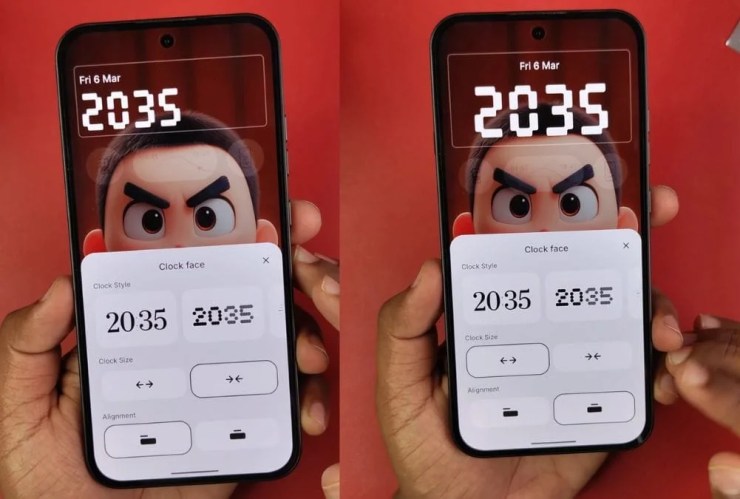
There is also a new animated clock face, and Nothing is reportedly working on adding a depth-effect wallpaper feature. This will allow the clock to appear behind objects in the wallpaper for a cleaner and modern look.
New Camera Watermarks Added
The camera app now includes several new watermark options. One highlight is the new RCB-themed watermark (India Only), introduced after Nothing’s partnership with the cricket team.

Users can also change watermarks directly from the gallery while editing photos, making it easier to customize images anytime.

AI Features in Gallery
The Gallery app now offers new AI-powered editing tools. Users can remove unwanted pedestrians or reflections from photos with just one tap. The edited image is saved separately so users can compare it with the original.

New Camera Presets
Nothing OS 4.1 also introduces new camera presets such as Cold Retro Future, Urban, Cine preset for videos, Cricket preset, and more.

The Cine preset works for video recording and allows users to adjust tint, warmth, sharpness, and more, although video recording is limited to 1080p at 30fps with this preset.
New Widgets for Health and Focus
A new “Breathing Break” widget has been added. It offers Focus, Relax, and Calm modes with guided breathing animations and sounds to help users stay relaxed and focused.

The update also adds a camera preset widget for the home screen. Each widget can support up to five presets, allowing users to switch quickly between them.
New Wallpapers
Nothing has also included new wallpapers inspired by the Phone (4a) color options, including black, white, pink, and blue variants.

Overall, Nothing OS 4.1 focuses on customization, smarter editing tools, and small but useful improvements. While it is currently available for the Phone (4a) series, the update is expected to arrive on other Nothing phones soon.




Stay updated with latest tech news
Follow TechiBoy on Google to get updates on smartphones, gadgets, software updates, and more.
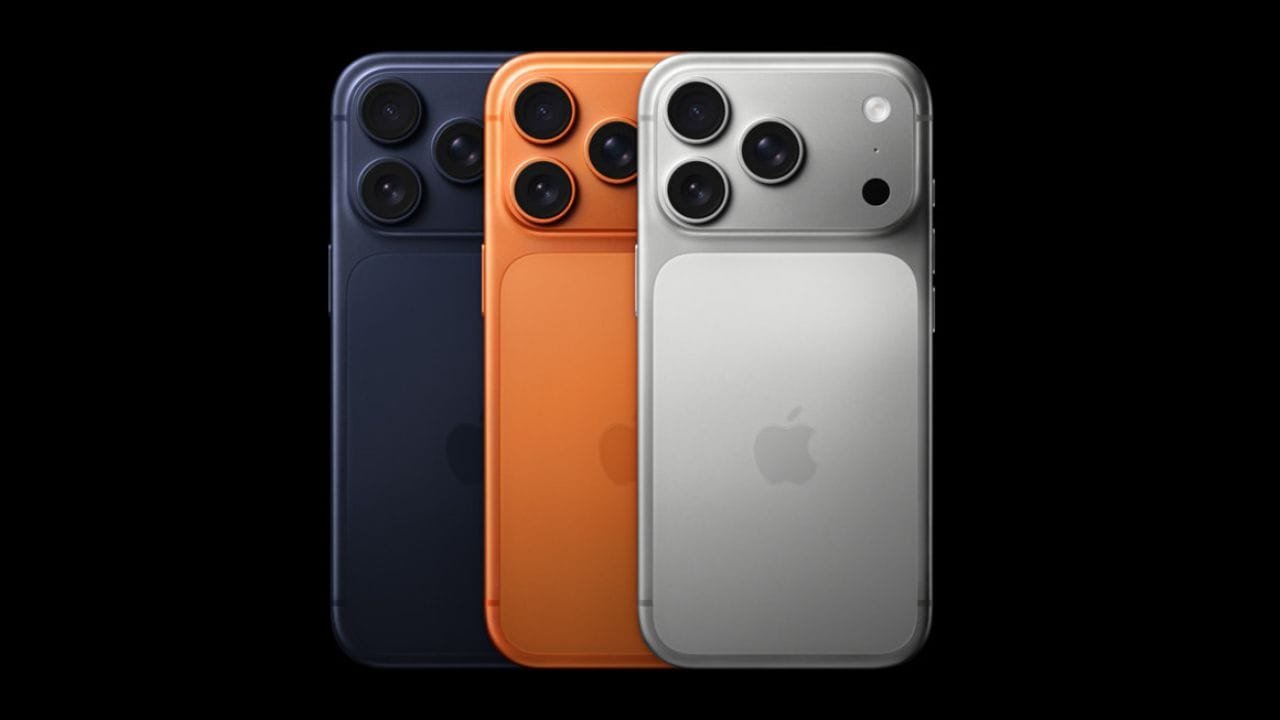
Reliance Digital has announced a promotional offer on the iPhone 17 Pro and iPhone 17 Pro Max, bringing their effective prices down to ₹56,990 and ₹71,990, respectively. The offer combines an in-store discount, exchange value, an additional exchange bonus and bank cashback.
The headline prices are available for the 256GB variants and are subject to exchange eligibility and applicable bank offers.

iPhone 17 Pro at ₹56,990
The iPhone 17 Pro 256GB carries an MRP of ₹1,34,900 at Reliance Digital. Under the promotional offer, the store lists an effective price of ₹56,990.
The calculation shown in the offer is:
| Offer | Amount |
|---|---|
| MRP | ₹1,34,900 |
| In-store discount | ₹9,910 |
| Price after store discount | ₹1,24,990 |
| Old device exchange value | ₹55,000* |
| Exchange bonus | ₹10,000* |
| Bank cashback | ₹3,000* |
| Effective price | ₹56,990* |
The ₹55,000 exchange value and other exchange-related benefits depend on the old device and its condition. The offer material specifically uses an eligible iPhone 15 Pro as the example for the exchange calculation.
iPhone 17 Pro Max at ₹71,990
The iPhone 17 Pro Max 256GB has an MRP of ₹1,49,900. With the same promotional structure, its effective price comes down to ₹71,990.
The offer includes a ₹9,910 in-store discount, up to ₹55,000 exchange value, a ₹10,000 exchange bonus and ₹3,000 cashback, subject to the applicable terms.
| Offer | Amount |
|---|---|
| MRP | ₹1,49,900 |
| In-store discount | ₹9,910 |
| Price after store discount | ₹1,39,990 |
| Old device exchange value | ₹55,000* |
| Exchange bonus | ₹10,000* |
| Bank cashback | ₹3,000* |
| Effective price | ₹71,990* |
Exchange Value Is the Key Factor
It is important to note that ₹56,990 and ₹71,990 are effective prices rather than direct price cuts to the iPhone 17 Pro series. The standard MRP remains ₹1,34,900 for the iPhone 17 Pro 256GB and ₹1,49,900 for the iPhone 17 Pro Max 256GB.
The final amount can vary depending on the model and condition of the phone being exchanged, as well as the eligible bank card used for cashback. Reliance Digital also states that its prices and offers are subject to change.
12-Month No-Cost EMI Available
Reliance Digital’s promotional material also lists 12-month no-cost EMI options. The displayed starting EMI is ₹4,999 for the iPhone 17 Pro and ₹6,249 for the iPhone 17 Pro Max, subject to the applicable terms.
The offer is available through Reliance Digital stores and its online platform, with the retailer currently listing the iPhone 17 Pro 256GB at ₹56,990* and the iPhone 17 Pro Max 256GB at ₹71,990*.
iPhone 17 Pro Series Offer Price
| Model | Storage | MRP | Effective Price* |
|---|---|---|---|
| iPhone 17 Pro | 256GB | ₹1,34,900 | ₹56,990 |
| iPhone 17 Pro Max | 256GB | ₹1,49,900 | ₹71,990 |
Note: Effective prices are based on the displayed exchange value, exchange bonus and bank cashback. Actual benefits may vary depending on exchange eligibility, device condition and payment method. Terms and conditions apply.
Stay updated with latest tech news
Follow TechiBoy on Google to get updates on smartphones, gadgets, software updates, and more.
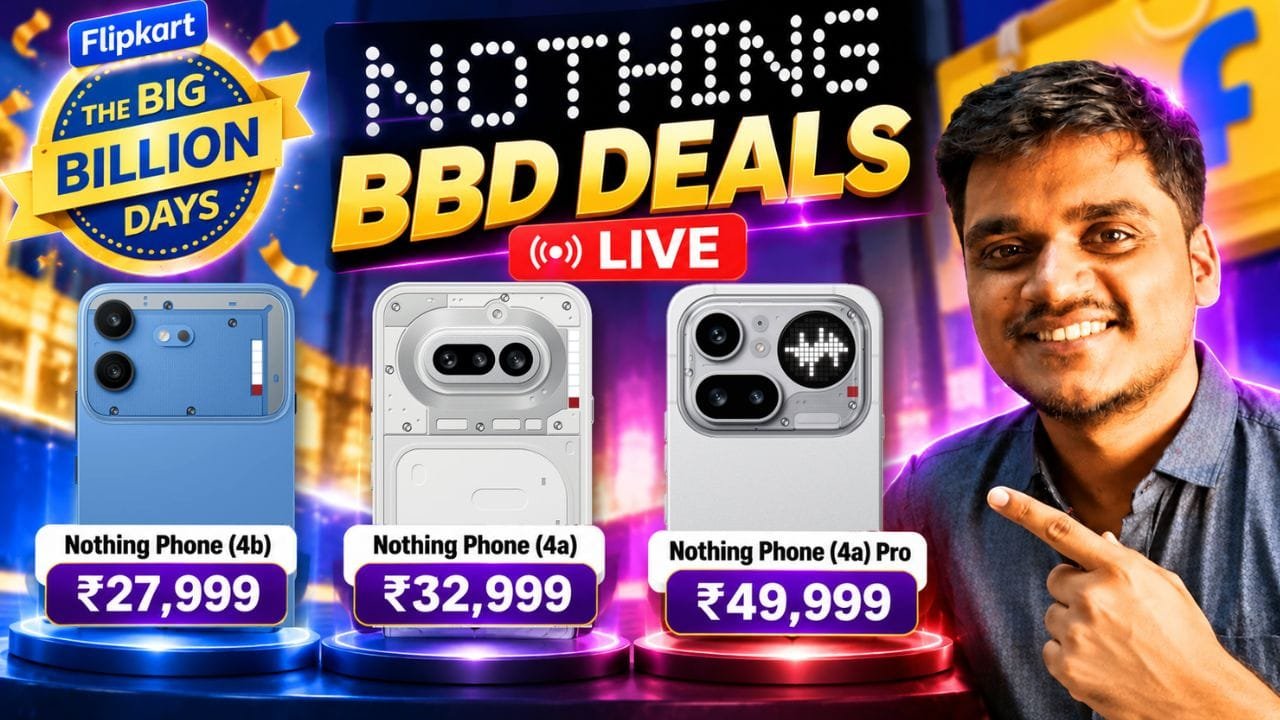
Nothing has announced special pricing and promotional offers for the Nothing Phone (4a), Phone (4a) Pro and Phone (4b) as part of the Flipkart Big Billion Days sale. The offers include price drops, bank discounts, coupons and exchange bonuses on selected variants.

Here’s a complete breakdown of the offers.
Nothing Phone (4a) Offers
The Nothing Phone (4a) gets a ₹3,000 price drop on the 6GB + 128GB variant. With the applicable bank offer, coupon and exchange benefits, the effective price comes down to ₹32,999.
| Variant | Offer Price |
|---|---|
| 6GB + 128GB | ₹32,999* |
| 8GB + 128GB | ₹40,999 |
| 8GB + 256GB | ₹45,999 |
| 12GB + 256GB | ₹46,999 |
The 8GB + 128GB variant gets a ₹4,000 bank offer, while the higher-storage variants are also eligible for a ₹4,000 bank offer.
Nothing Phone (4a) Pro Offers
The Nothing Phone (4a) Pro is available with a ₹4,500 bank offer along with a ₹500 exchange bonus on the listed variants.
| Variant | Effective Price |
|---|---|
| 8GB + 128GB | ₹49,999 |
| 8GB + 256GB | ₹52,999 |
| 12GB + 256GB | ₹54,999 |
The 8GB + 128GB model brings the effective price down to ₹49,999 after the applicable offers.
Nothing Phone (4b) Offers

The Nothing Phone (4b) gets a ₹4,000 price drop on the 6GB + 128GB variant. With the applicable bank offer, coupon and exchange benefits, the effective price is listed at ₹27,999.
| Variant | Effective Price |
|---|---|
| 6GB + 128GB | ₹27,999* |
| 8GB + 128GB | ₹35,999 |
| 8GB + 256GB | ₹36,999 |
The 8GB variants receive a ₹3,500 bank offer along with a ₹500 exchange bonus.
Nothing BBD Offers at a Glance
The headline effective prices for the three phones are:
- Nothing Phone (4b): ₹27,999
- Nothing Phone (4a): ₹32,999
- Nothing Phone (4a) Pro: ₹49,999
The final price for the base variants depends on the applicable combination of bank offers, coupons and exchange bonuses. Buyers should check the offer terms on Flipkart before placing an order.
Nothing Phone BBD Pricing Table
| Model | Base Variant | Effective Price* |
|---|---|---|
| Phone (4b) | 6GB + 128GB | ₹27,999 |
| Phone (4a) | 6GB + 128GB | ₹32,999 |
| Phone (4a) Pro | 8GB + 128GB | ₹49,999 |
*Effective prices for the base variants reflect the combined applicable bank offers, coupons and exchange bonuses.
These offers make the upcoming Flipkart Big Billion Days sale particularly relevant for buyers looking at Nothing’s latest smartphone lineup.
Stay updated with latest tech news
Follow TechiBoy on Google to get updates on smartphones, gadgets, software updates, and more.
Amazon Great Indian Festival 2026 is almost here, and some interesting OnePlus smartphone deals have already started appearing on Amazon.
The sale officially begins on October 8, 2026, with Amazon offering discounts across smartphones and other categories. Customers can also get 10% instant savings on SBI Credit Cards, Debit Cards and Credit Card EMI transactions. Amazon has also announced exchange offers as part of the sale.
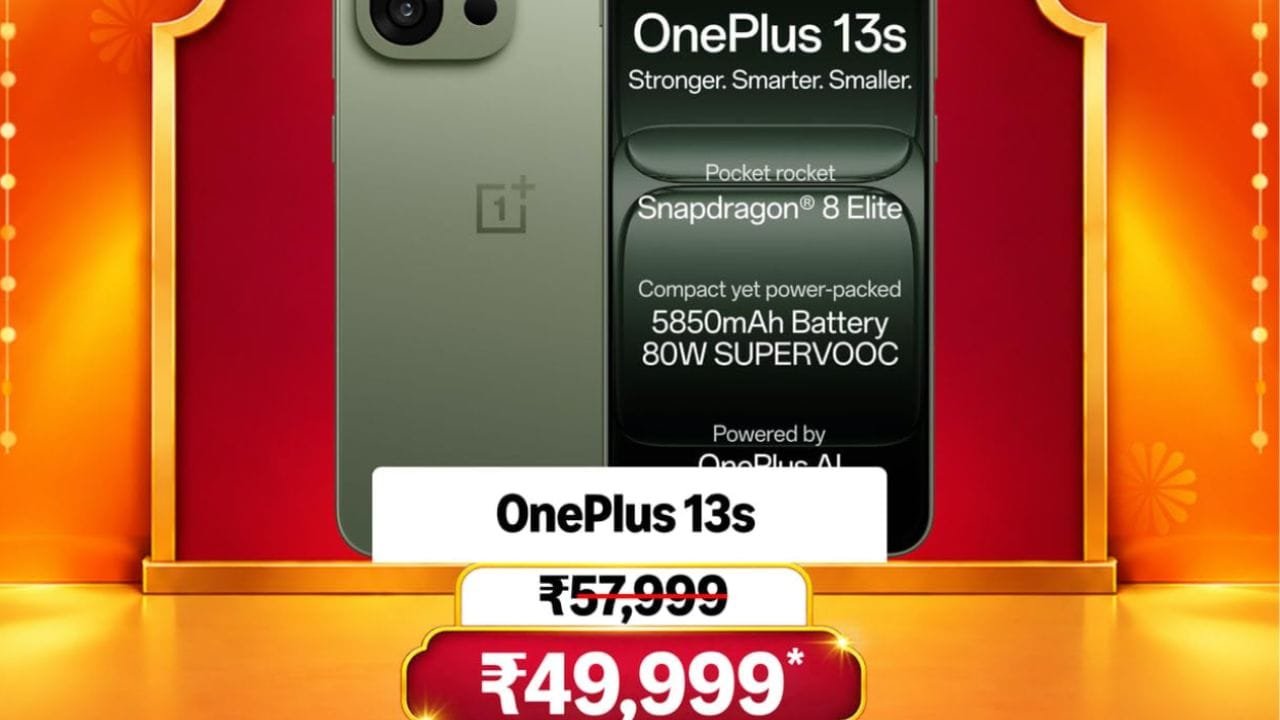
Among the OnePlus phones, the OnePlus 13s at ₹49,999 caught my attention. Here are the prices currently shown in the Amazon GIF banners:
OnePlus phones available at these prices
- OnePlus 15 — ₹81,999
- OnePlus 15R — ₹54,999
- OnePlus 13s — ₹49,999
- OnePlus N6 — ₹21,999
- OnePlus N6x — ₹17,499
- OnePlus N6 Lite — ₹14,749
- OnePlus Nord CE6 Lite — ₹27,499

The prices shown in the banners include the credit card EMI bank offer. The final price can vary depending on the payment method, eligibility and other applicable offers.

OnePlus 13s looks interesting
For me, the OnePlus 13s stands out from this list.
I really wanted to buy the OnePlus 13s when it launched, so seeing it at ₹49,999 during the Great Indian Festival definitely makes it interesting. It could be worth considering for someone looking for a compact OnePlus smartphone with flagship-level hardware.
OnePlus 13s Specifications
- Display: 6.32-inch 1.5K AMOLED, 120Hz
- Processor: Snapdragon 8 Elite
- RAM: 12GB LPDDR5X
- Storage: 256GB / 512GB
- Rear Camera: 50MP main + 50MP 2x telephoto
- Front Camera: 32MP autofocus
- Battery: 5,850mAh
- Charging: 80W SUPERVOOC
- OS: OxygenOS based on Android
- Weight: 185g
- Connectivity: 5G, Wi-Fi, Bluetooth
- Special: Plus Key, AI features, independent Wi-Fi chipset
- Colors: Green Silk, Black Velvet, Pink Satin
However, the price alone shouldn’t be the only reason to buy it. If you’re planning to purchase any of these phones, it is better to watch some reviews and check the camera, battery, performance and software experience before making the final decision.
The other OnePlus phones also have interesting prices, especially the N6 series. But since these are new deals, checking reviews and the exact exchange value for your existing phone would be a good idea.
Exchange offers and bank discounts
Amazon is also running its Exchange Mela during the Great Indian Festival, along with exchange offers across categories. The value of the exchange discount depends on the old device and its condition.
So, depending on the phone you’re exchanging and the payment method you use, the effective price of these OnePlus smartphones could be lower than the prices shown above.
The Amazon Great Indian Festival 2026 starts October 8, while early deals are already appearing on the platform.