
Android
Here’s when the Oppo K13 Turbo series will launch in India

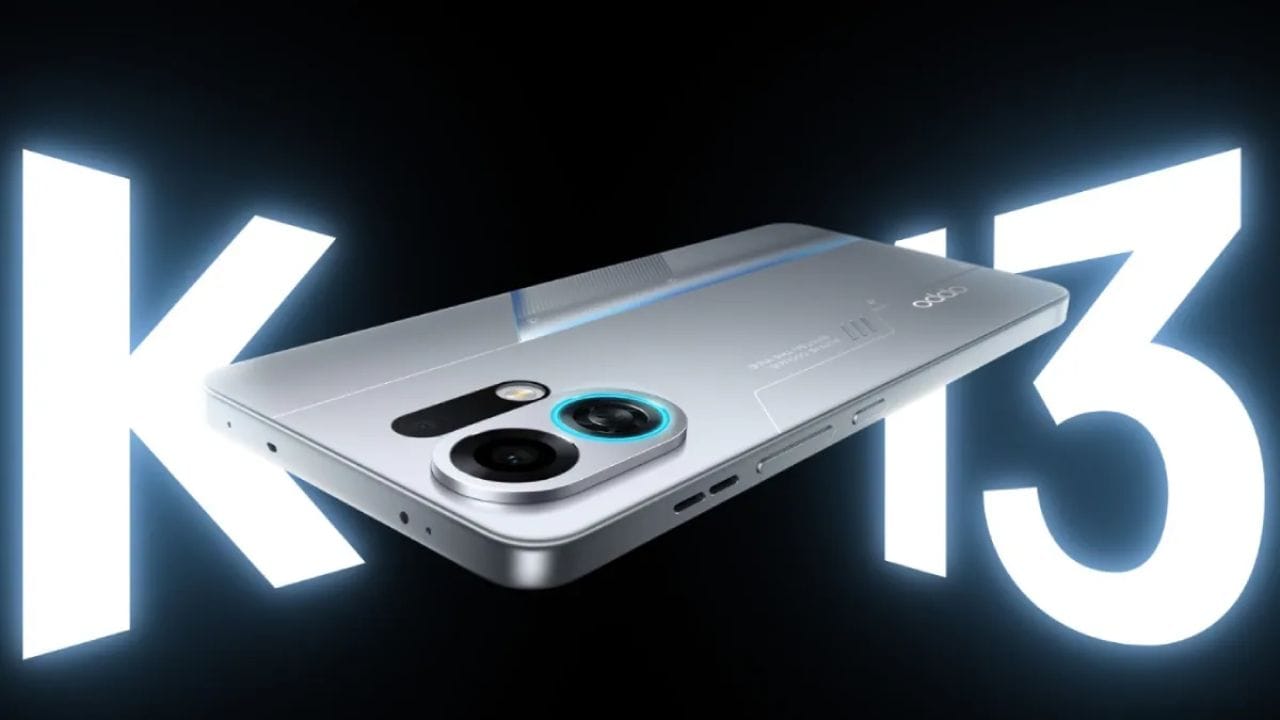
Oppo launched the K13 Turbo series smartphones in China last week, and it has been teasing these phones in India for the past few days. Oppo hasn’t revealed when it will launch the K13 Turbo series in India, but we’ve learned from a reliable source that the lineup will debut in India in the week of August 11. To be more precise, between August 11 and August 14.

Oppo’s K13 Turbo series includes two phones – the Oppo K13 Turbo and the Oppo K13 Turbo Pro. Both have similar designs and specs, with the most significant difference being the chipset. The K13 Turbo is powered by the Dimensity 8450 SoC, while the K13 Turbo Pro has the Snapdragon 8s Gen 4 chip at the helm.
One of the biggest highlights of these phones is the built-in cooling fan, advertised to help the devices run 2–4°C cooler under high-load conditions. Oppo’s Indian branch said this fan module will be IPX6, IPX8, and IPX9-rated, and the smartphones will have 7,000 mAh batteries under the hood.

We are yet to get an official confirmation on whether or not the Oppo K13 Turbo and K13 Turbo Pro’s Indian models will share the design and specs with their Chinese counterparts.
Stay updated with latest tech news
Follow TechiBoy on Google to get updates on smartphones, gadgets, software updates, and more.





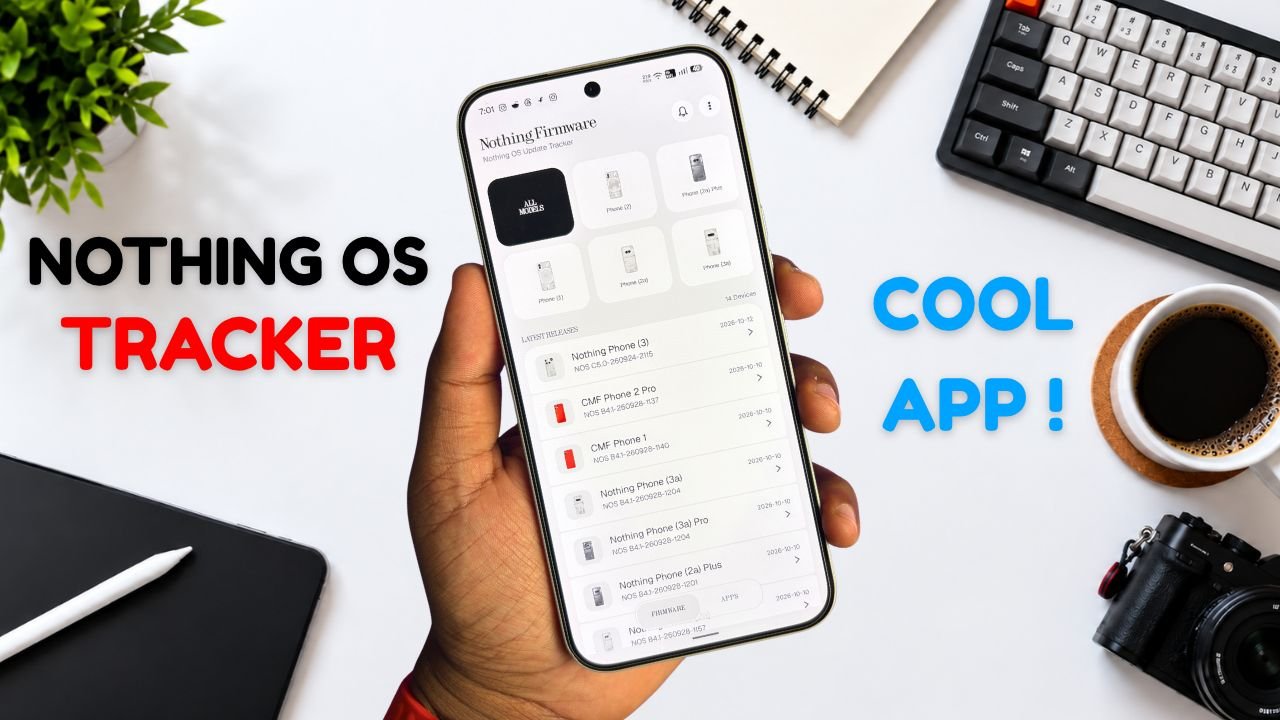
Nothing Phone and CMF users now have a new way to keep track of software updates. Nothing Firmware, an Android app developed by TechiBoy Studios, is now available on Google Play.
The app brings firmware update tracking, changelogs, Nothing OS OTA package downloads, and information on Nothing app updates into one place. It is designed for users who want to stay informed about the latest software releases for their devices.

What Is the Nothing Firmware App?
Nothing Firmware is an independent app built to help Nothing Phone and CMF users follow firmware releases without having to search across multiple sources.
Users can check available firmware updates, read changelogs to understand what’s changed, and download OTA packages through the app. It also tracks Nothing app updates and provides direct links to their Google Play listings.
Nothing Firmware App Features
The app includes several features designed to make software update tracking easier.
- Firmware tracking: Follow firmware releases for Nothing Phone and CMF devices.
- Detailed changelogs: Check update details and learn about new features, improvements, and bug fixes.
- OTA downloads: Download firmware packages with progress tracking.
- Update notifications: Receive alerts when new firmware releases are available.
- Nothing app updates: Track Nothing app releases and open their Google Play listings directly.
- Home screen widget: View the latest firmware information from the home screen.
- Custom alerts: Choose notification sounds and enable voice announcements for update alerts.
- Theme options: Switch between Auto, Light, and true-black Dark themes.
- Device information: Check device details, build numbers, and security patch information.
The app also includes a warning for firmware packages that do not match the detected device, helping users avoid selecting an incorrect package.
Is Nothing Firmware an Official Nothing App?
No. Nothing Firmware is an independent community project developed by TechiBoy Studios. It is not affiliated with, sponsored by, or endorsed by Nothing Technology Limited or CMF by Nothing.

How to Download Nothing Firmware
Nothing Firmware is available on Google Play. Users can download it to keep track of firmware updates, read changelogs, and follow Nothing app releases.
Download: Nothing Firmware on Google Play
If you’re already running an incremental build of Nothing OS 5.0 Open Beta, you can’t directly roll back to the stable version through a regular incremental OTA update. Nothing Firmware currently provides stable incremental updates only. Once Nothing releases the Nothing OS 5.0 stable update for your device, it will appear in the app when available. Until then, you may need to follow Nothing’s official rollback instructions if you want to return to a stable build.
Stay updated with latest tech news
Follow TechiBoy on Google to get updates on smartphones, gadgets, software updates, and more.
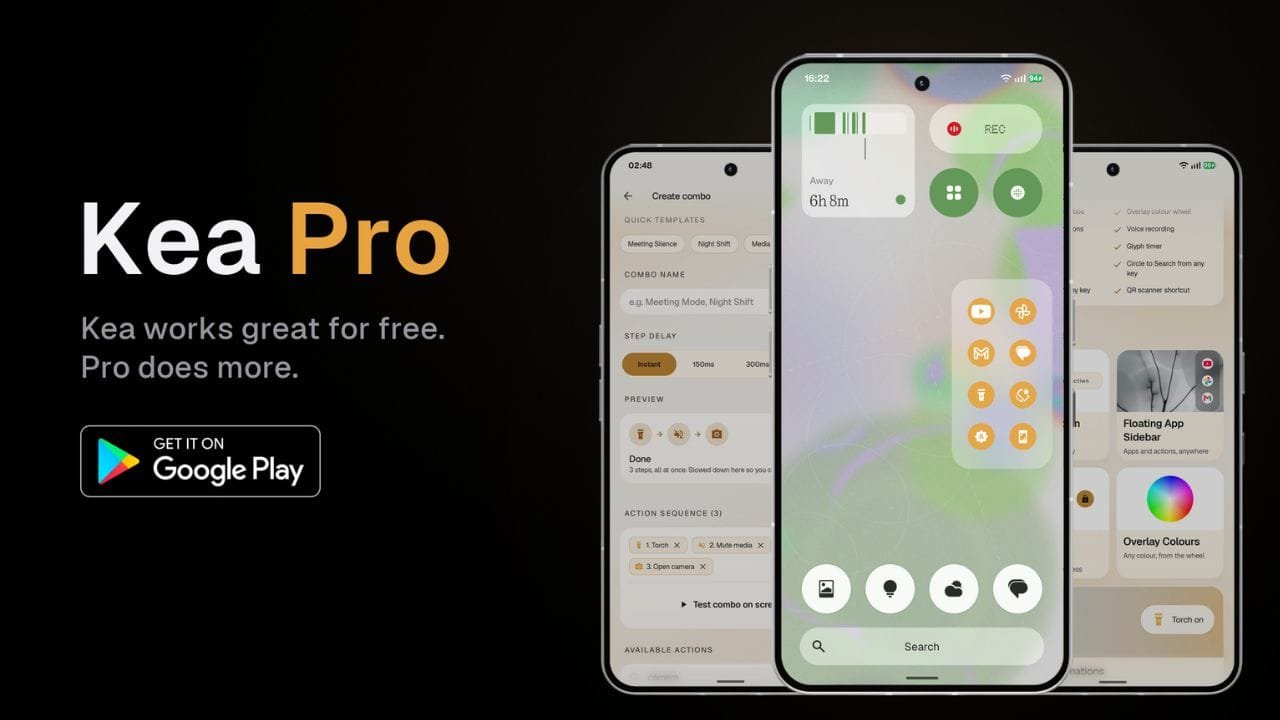
Kea: Button Remapper has received a major update that brings a new Floating App Sidebar, Action Combos, more customization options and several new features for Android users.
The update also brings a redesigned user interface with improved animations, blur effects and a cleaner overall look. While Kea remains available as a free app, some of the new features are available through the paid Kea Pro version.
Floating App Sidebar
One of the main additions in the update is the new Floating App Sidebar. It allows users to pin their favorite apps and actions and quickly access them from anywhere on the phone.

Users can add apps such as YouTube, Instagram, Gmail, games, and more, as well as actions, to the sidebar. The sidebar also supports customization for its position, number of rows and columns, background, icon style, and accent color.

The background can be changed between transparent, translucent and solid styles. Users can also choose different icon styles and customize the sidebar’s color using the available color options and color wheel.
Action Lab Combos
Another new feature is Action Lab Combos. It allows users to perform multiple actions with a single button press.
For example, users can create a shortcut that mutes media volume and enables Do Not Disturb at the same time. This can be useful during meetings when multiple settings need to be changed quickly.

Users can also create their own custom combos by selecting multiple actions and arranging them into a sequence.
Voice and Call Recording
Kea Pro also adds shortcuts for voice recording and call recording using the Nothing Recorder widget.

After setting up the required Recorder widget, users can assign a button press to start or stop recording. Saved recordings can then be accessed through the Nothing Recorder app.
More Customization
The update brings several new options for Kea’s visual overlays. Users can choose different styles, including Dark, Frosted and Smoke themes.

There are also different animation effects, while the position of the overlay can be adjusted for different hardware keys. Kea Pro users can further customize the accent color and use a color wheel for more control over the appearance.
More Features for Nothing Phones
Kea Pro also includes several features designed for Nothing Phone users. These include Glyph Torch and Glyph Timer shortcuts.
Users can assign these features to different button gestures. The app also supports shortcuts such as Circle to Search, QR code scanning and additional hardware button actions.

The app also supports volume button mapping and power button customization, giving users more ways to control different actions using physical buttons.
Free Version Still Available
Kea: Button Remapper continues to offer a free version with more than 30 actions and support for four different button gestures. The free version also includes features such as visual overlays, lock screen controls and a Quick Settings tile.
The Floating App Sidebar, Action Combos, volume button mapping, voice and call recording, Glyph shortcuts and other additional features are available with Kea Pro.
Kea Pro is offered as a one-time lifetime purchase, giving users permanent access to the Pro features after purchasing it.
Here is the app link: https://play.google.com/store/apps/details?id=com.techiboystudios.kea
The latest update also significantly refreshes the Kea interface. TechiBoy Studios will bring more features that are planned for future updates, so the list of available features is expected to grow over time.
Stay updated with latest tech news
Follow TechiBoy on Google to get updates on smartphones, gadgets, software updates, and more.
Google has released Android 17 Beta 3 for developers, around a month after the previous beta. With this update, Android 17 has reached platform stability, which means the main features and system behavior are now finalized.
Available for Pixel Devices
Android 17 Beta 3 is available for Pixel 6 and newer devices, including:
- Pixel 6 and newer models
- Pixel Tablet
- Pixel Fold
Users who are enrolled in the beta program will receive the update over the air.
Key Features and Changes
Google has added several new features and improvements in this update:
- Support for RAW14 image format for better image processing
- Option to hide app labels on the home screen
- Improved audio routing for hearing aids
- Redesigned screen recording toolbar
- Better widget scaling on larger displays


Security Update Included
The update also includes the March Android security patch, which improves system security and stability.
Stable Release Timeline
The stable version of Android 17 is expected to be released around June.

Overall, Android 17 Beta 3 brings useful improvements and shows that the final version is getting closer to launch.
Stay updated with latest tech news
Follow TechiBoy on Google to get updates on smartphones, gadgets, software updates, and more.