
News
OxygenOS 15 Release Details: Beta Version Coming to OnePlus 12 on October 30


OnePlus has officially announced the upcoming release of OxygenOS 15 based on Android 15. Starting October 30, the beta version will be available for OnePlus 12 users. The update promises significant enhancements, focusing on AI-driven features to improve user experience.
OxygenOS 15: New Features & Improvements
With OxygenOS 15, OnePlus introduces an updated approach to animations through a feature known as “Parallel Processing.” This enhancement is designed to smooth transitions between apps, even during rapid switching, ensuring a seamless user interface.
The update brings a notable reduction in system size—up to 20% smaller than its predecessor, OxygenOS 14. This has been achieved by eliminating outdated functions, allowing for better storage management.
New AI-driven capabilities have been added to the camera and gallery applications. AI Detail Boost can identify and enhance pixelated or blurry images with a single tap, and AI Unblur sharpens images, akin to Google’s Photo Unblur. AI Reflection Eraser, another innovative feature, effectively removes reflections from photos without distortion.

OxygenOS 15 enhances device searchability with Intelligent Search, enabling users to pull specific file information from system apps using simple queries. Circle to Search, powered by Google Lens, provides context-based search results from any screen area accessed via a long press.
For travel and event enthusiasts, Pass Scan allows for quick scanning of boarding passes and tickets, integrating them into Google Wallet for easy access. AI Notes offers automated organization and refinement of notes, summarizing key points and adjusting tone to ensure clarity.


The interface of OxygenOS 15 has been updated to enhance user interaction. Shelf Cards now feature a more vibrant color scheme and variable card sizes for customizable home screen layouts. Additional UI updates include new animations for actions like charging and app installations, designed to enrich the user experience.

Multitasking is made more efficient with the introduction of Open Canvas, which allows for full-sized app windows in split-screen mode. A new feature, Share with iPhone, simplifies file transfers between OnePlus devices and iPhones, using the O+ Connect app.
OxygenOS 15 Open Beta Rollout Plan
The OxygenOS 15 Open Beta will expand to other devices in stages, starting with OnePlus 12, 12R, and special editions in October, and extending to older models like OnePlus 10 Pro 5G by February.
By the way, here is the full list of OnePlus device which will get OxygenOS 15 Open Beta Update:
From October 30:
- OnePlus 12
- OnePlus 12R
- OnePlus 12R Genshin Impact Edition
From November:
- OnePlus Open
- OnePlus Pad 2
From December:
- OnePlus 11 5G
- OnePlus 11R 5G
- OnePlus Nord 4
- OnePlus Nord CE 4
- OnePlus Nord CE 4 Lite 5G
- OnePlus Pad
From January:
- OnePlus 10 Pro 5G
- OnePlus 10T 5G
- OnePlus Nord 3 5G
From February:
- OnePlus 10R 5G
- OnePlus Nord CE 3 5G
Stay updated with latest tech news
Follow TechiBoy on Google to get updates on smartphones, gadgets, software updates, and more.





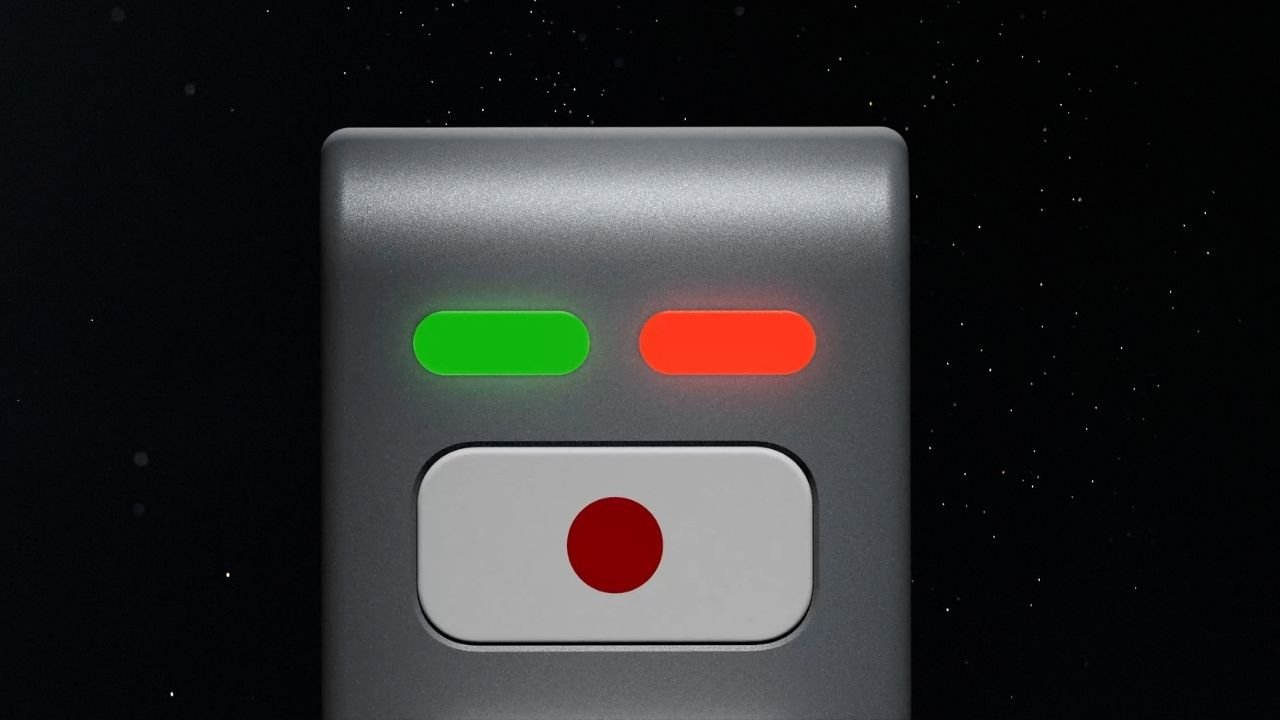
Nothing’s CEO Carl Pei has teased an upcoming AI device on X (formerly Twitter). The device features a unique LEGO-inspired design with a simple and minimalistic look. While the company has not revealed much about it yet, the teaser gives us a first look at what could be its next interesting product.
The upcoming device appears to feature a metal-based body with a matte finish. It does not have a display, but there are two LED lights on the front, one red and one green. Below the lights, there is a physical button with a red dot on a white background.
What Can We Expect From Nothing’s AI Device?
Nothing has not shared any details about the device’s features or how it will work. However, it could work alongside a companion smartphone for internet connectivity. Users may be able to interact with the device to ask questions, get information, and perform different AI-related tasks.
The decision to go with a screen-less design could also be intentional. Nothing has previously spoken about reducing screen time and helping users avoid unnecessary distractions.
The company has introduced several features to reduce distractions, especially at night. Its approach includes the Glyph Interface, Essential Notifications, and a minimalistic monochrome interface.
Rather than focusing only on smartphone specifications, Nothing has been exploring ways to make technology less distracting. Its upcoming AI device could take this idea further by offering a different way to interact with technology without constantly scrolling through social media apps.
Could It Be Nothing Ear (3) Pro With AI Features?
Another possibility is that Nothing’s upcoming AI device could be related to its audio product lineup. It could potentially be a new Nothing Ear (3) Pro with AI features, rather than an entirely new product category.
The screen-less design, physical button and LED indicators could point towards a device designed for quick voice interactions and AI-powered assistance.
However, this is only speculation based on the teaser. Nothing has not confirmed whether the device is a new pair of earbuds, an AI accessory, or an entirely different product.
Could the Device Be Related to Pokémon Kingdra?
There is another interesting detail that could be connected to Nothing’s upcoming AI device. The device may be related to Kingdra, a Water/Dragon-type Pokémon with Pokédex number #0230.

Nothing has previously teased Kingdra in one of its posts on X. This has led to speculation that the upcoming device could carry a model number or internal codename inspired by Kingdra.
Nothing has a history of using Pokémon-inspired names for its products and projects, so this possibility is worth keeping an eye on. However, the company has not officially confirmed any connection between Kingdra and the upcoming AI device.
Nothing AI Device Launch Expected Next Month
Nothing is expected to launch its AI-native device next month. However, the company has not confirmed an exact launch date yet. More details are expected to be revealed by the end of November.
We will have to wait for the official announcement to know what the device can actually do, whether it is related to the Nothing Ear lineup, and how Nothing plans to make it different from existing AI-powered products.
Stay updated with latest tech news
Follow TechiBoy on Google to get updates on smartphones, gadgets, software updates, and more.
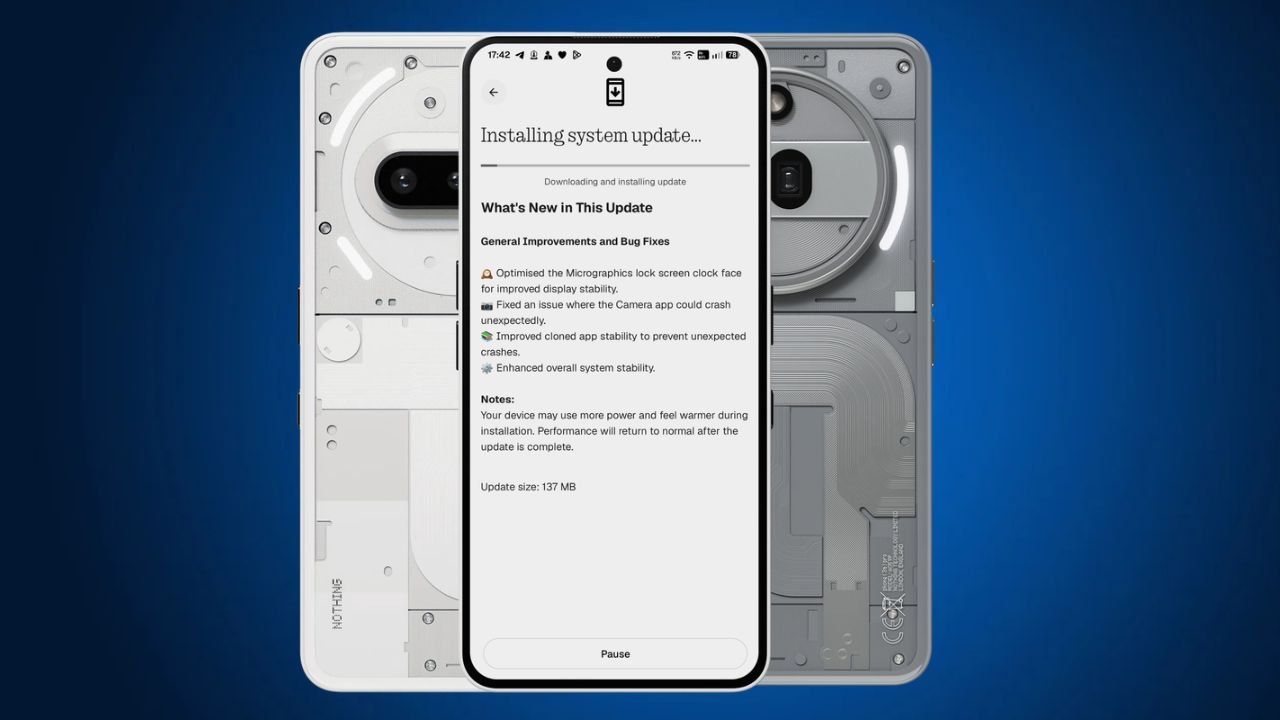
Nothing has started rolling out a new Nothing OS 5.0 Hotfix update for the Nothing Phone (3a) and Nothing Phone (3a) Pro. The latest update focuses on fixing a few issues and improving the overall system stability.
The update is around 137 MB in size and is rolling out to users in phases.
Nothing OS 5.0 Hotfix Update: What’s New?
One of the main changes in this Nothing OS 5.0 hotfix update is related to the Micrographics lock screen clock face. Nothing has optimised it to improve display stability.
Apart from this, the update also brings the following fixes:
- Micrographics Clock: Optimised the Micrographics lock screen clock face for better display stability.
- Camera Fix: Fixed an issue that could cause the Camera app to crash unexpectedly.
- Cloned Apps: Improved stability to prevent cloned apps from crashing unexpectedly.
- System Stability: Improved overall system stability for a smoother experience.
Nothing OS 5.0 Hotfix Update Details
Here are the update details for the Nothing Phone (3a) and Phone (3a) Pro:
| Details | Information |
|---|---|
| Devices | Nothing Phone (3a) and Phone (3a) Pro |
| Software | Nothing OS 5.0 |
| Build Number | C5.0-261106-1007 |
| Update Size | 137 MB |
| Update Type | Hotfix Update |
How to Download the Update?
Nothing Phone (3a) and Phone (3a) Pro users can check for the latest update by following these steps:
- Open Settings on your phone.
- Go to System.
- Select System Update.
- Tap Check for Update.
- Download and install the update if it is available.
The update is rolling out gradually, so it may take some time to reach all users.
Stay updated with latest tech news
Follow TechiBoy on Google to get updates on smartphones, gadgets, software updates, and more.
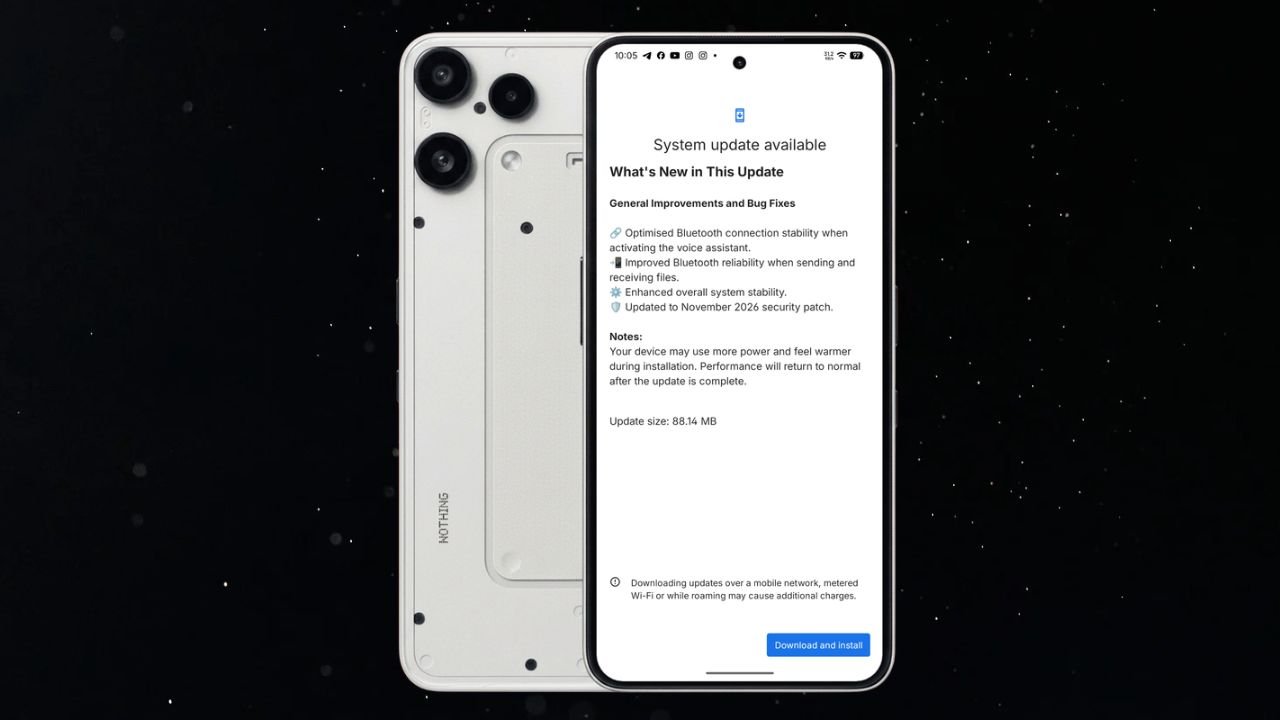
Nothing has started rolling out a new Nothing OS 4.1 November update for the Nothing Phone (3a) Lite. The latest update brings Bluetooth improvements, better system stability, and the November 2026 security patch.
The update is relatively small, with a download size of 88.14 MB. It mainly focuses on improving the overall user experience rather than introducing new features.
Nothing Phone (3a) Lite Nothing OS 4.1 November Update Details
The latest update comes with build number Nothing OS B4.1-261029-1756 for Phone (3a) Lite. It includes several improvements related to Bluetooth connectivity and general system performance.
Here are the update details:
- Device: Nothing Phone (3a) Lite
- Software Version: Nothing OS 4.1
- Build Number: B4.1-261029-1756
- Update Size: 88.14 MB
- Security Patch: November 2026
What’s New in the November Update?
According to the changelog, the update brings the following changes:
1. Improved Bluetooth Stability
Nothing has optimised Bluetooth connection stability when activating the voice assistant. This should make the Bluetooth connection more reliable when using a connected device to access the voice assistant.
2. Better Bluetooth File Sharing
The update also improves Bluetooth reliability when sending and receiving files. This should help provide a more stable experience during Bluetooth file transfers.
3. Enhanced System Stability
Nothing has made improvements to overall system stability. These changes aim to make the phone’s software experience more reliable.
4. November 2026 Security Patch
The update also includes the November 2026 Android security patch to keep the device up to date with the latest security improvements.
How to Download the Update?
Nothing Phone (3a) Lite users can check for the latest update by following these steps:
- Open Settings on your phone.
- Go to System.
- Select System Update.
- Check for the latest available update.
- Download and install latest Nothing OS 4.1.
If the update is not available on your device yet, you can check again later.
Stay updated with latest tech news
Follow TechiBoy on Google to get updates on smartphones, gadgets, software updates, and more.