
Nothing
Nothing Phone 3a Pro Honest Review – After 25 Days of Use


After using the Nothing Phone 3a Pro for over 25 days, here’s my full and honest review. From design and display to camera and performance, I’ll cover everything that will help you decide whether this phone is right for you.
🔍 Design & Build Quality
The design is eye-catching and premium, especially in the grey color variant. Many people asked me about this phone when I used it in public – it’s definitely a conversation starter. The camera bump has a unique circular layout, and the Glyph lights now follow a new circular design too.
While the back is made of glass, the sides are plastic, so don’t expect a full premium metal build, but inside the mid-frame is made up of aluminum, so it can’t break in half. Still, the overall feel is solid. Just note that the camera bump makes the phone wobble when placed on a flat surface.
👍 Pros: Stylish, unique design, good grip
👎 Cons: Plastic frame, camera bump wobble
📦 Unboxing Experience
The phone doesn’t come with a charger – only a Type-C to Type-C cable, SIM ejector tool, and basic documents. Packaging has improved with easier access and better presentation.
👍 Nice packaging
👎 No charger in the box
📺 Display
The Nothing Phone (3a) Pro has a 6.77-inch Full HD+ AMOLED display with up to 120Hz refresh rate. The bezels are slightly thick but uniform. It gets bright up to 3000 nits (peak), so outdoor visibility is quite good. Watching content on YouTube or JioCinema is smooth, and HDR support is present (except for Netflix).
👍 Sharp and bright display, smooth experience
👎 Thick bezels, Netflix HDR not supported
⚙️ Software Experience (Nothing OS 3.1)
The phone runs on Nothing OS 3.1, which is very close to stock Android. There’s no bloatware, and the experience is clean and smooth. New features include:
- Essential Key: A dedicated button for quick notes, voice memos, or reminders
- Custom widgets, new lock screen styles, and ChatGPT integration
- Nothing Gallery with AI search features (though editing tools are still missing)
👍 Smooth UI, stock-like feel, frequent updates
👎 Essential Key still needs improvements, gallery editing missing
🔋 Battery Life & Charging
You get a 5000mAh battery with 50W fast charging (charger not included). On average:
- Normal use: 8–9 hours of screen-on time (it can go above 10 hrs as well in some cases)
- Heavy use (gaming/photos): 5–6 hours
- Charging time: Around 1 hour 10–20 minutes with an original charger
👍 Good battery life and decent charging speed
👎 No wireless charging, charger not included
⚡ Performance
Powered by the Snapdragon 7s Gen 3 and UFS 2.2 storage, the phone handles everyday tasks well. My unit had 12GB RAM and 256GB storage.
- Benchmark scores were solid (Antutu: ~759K).
- Gaming like BGMI at 90fps and 120fps is smooth in TDM, but drops can occur in classic matches.
- There is some lag in camera app or multitasking, mainly due to UFS 2.2 limitations.
👍 Smooth multitasking, consistent updates
👎 Occasional lag in camera and heavy apps
📷 Camera – Highlight Feature!
This phone shines in the camera department with a triple camera setup:
- 50MP main sensor
- 50MP 3X periscope zoom camera
- 8MP ultra-wide
The new camera app also supports camera LUTs (filters), manual controls, and importing presets.
Photos are sharp, detailed, and especially great in 3X zoom and macro shots. Low-light and night photography is also very good for the price.
Video options:
- Rear: Up to 4K 30fps, but 3X periscope zoom only works in 1080p 30fps
- Front: 50MP, supports 4K 30fps
👍 Outstanding photo quality, especially zoom and macros
👎 Periscope zoom not available in 4K video yet, no new watermark options
🧠 Final Verdict
After using the Nothing Phone 3a Pro for almost a month, I can confidently say it offers great value for users looking for:
- A stylish and futuristic design
- Clean software with regular updates
- A very good zoom camera and overall photography experience
- Decent performance and battery life
🔻 But keep in mind:
- No charger in the box
- Slight lag in camera app
- Premium pricing might feel high without discounts
If design and camera are your top priorities, and you don’t mind minor performance trade-offs, the Nothing Phone (3a) Pro is definitely worth considering!
Stay updated with latest tech news
Follow TechiBoy on Google to get updates on smartphones, gadgets, software updates, and more.





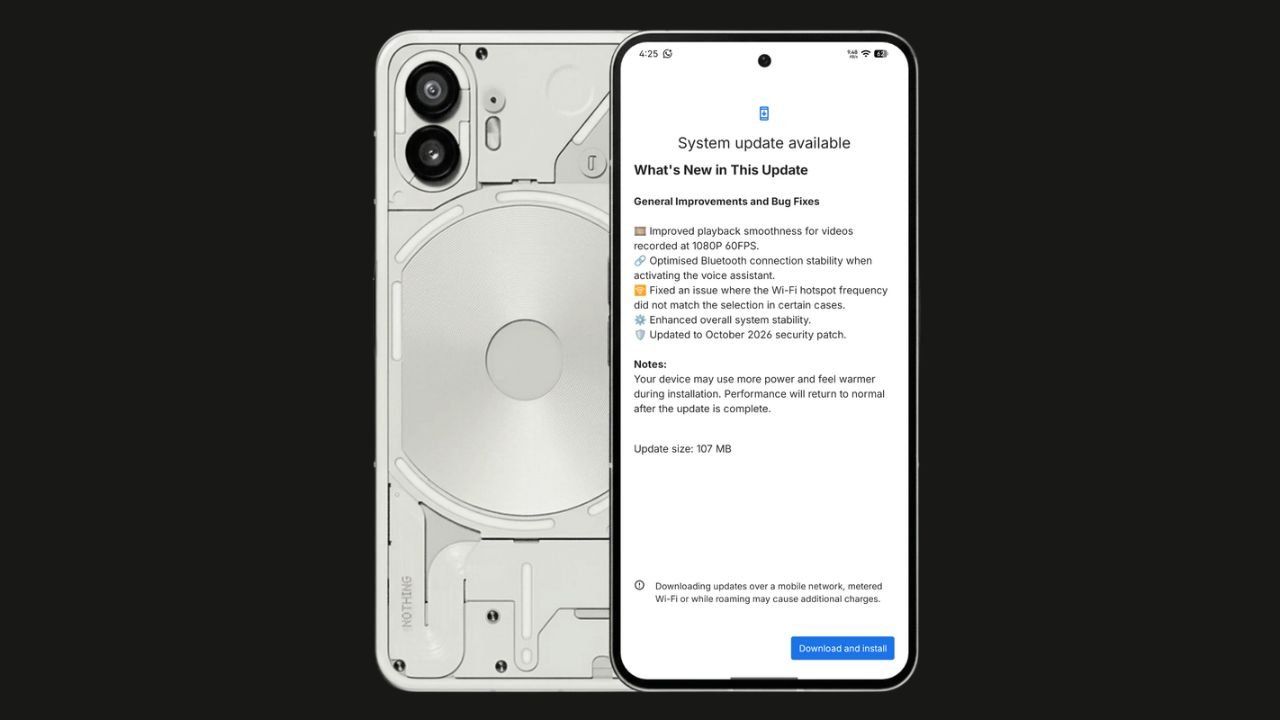
Nothing has started rolling out the Nothing OS 4.1 October 2026 update for the Nothing Phone (2). The update focuses on bug fixes, system stability improvements, and connectivity optimisations. It also brings the October 2026 security patch.
The update size is 107 MB, making it a relatively small maintenance update.
Nothing OS 4.1 October Update: What’s New?
According to the official changelog displayed on the device, the update includes the following improvements:
- Video playback: Improved smoothness for videos recorded at 1080p@ 60FPS.
- Bluetooth: Optimised connection stability when activating the voice assistant.
- Wi-Fi hotspot: Fixed an issue where the hotspot frequency did not match the selected option in certain cases.
- System stability: Enhanced overall system stability.
- Security: Updated to the October 2026 security patch.
How to Download the Update
Nothing Phone (2) users can check for the latest update by navigating to Settings > System > System Update. If the update is available, download and install it.
The rollout may happen in phases, so some users might have to wait before receiving the update.
If you don’t receive any OTA related to the update, you can manually update through our Nothing Firmware app.
Overall, the Nothing OS 4.1 October update is a minor maintenance release focused on improving the everyday user experience rather than introducing new features.
Stay updated with latest tech news
Follow TechiBoy on Google to get updates on smartphones, gadgets, software updates, and more.
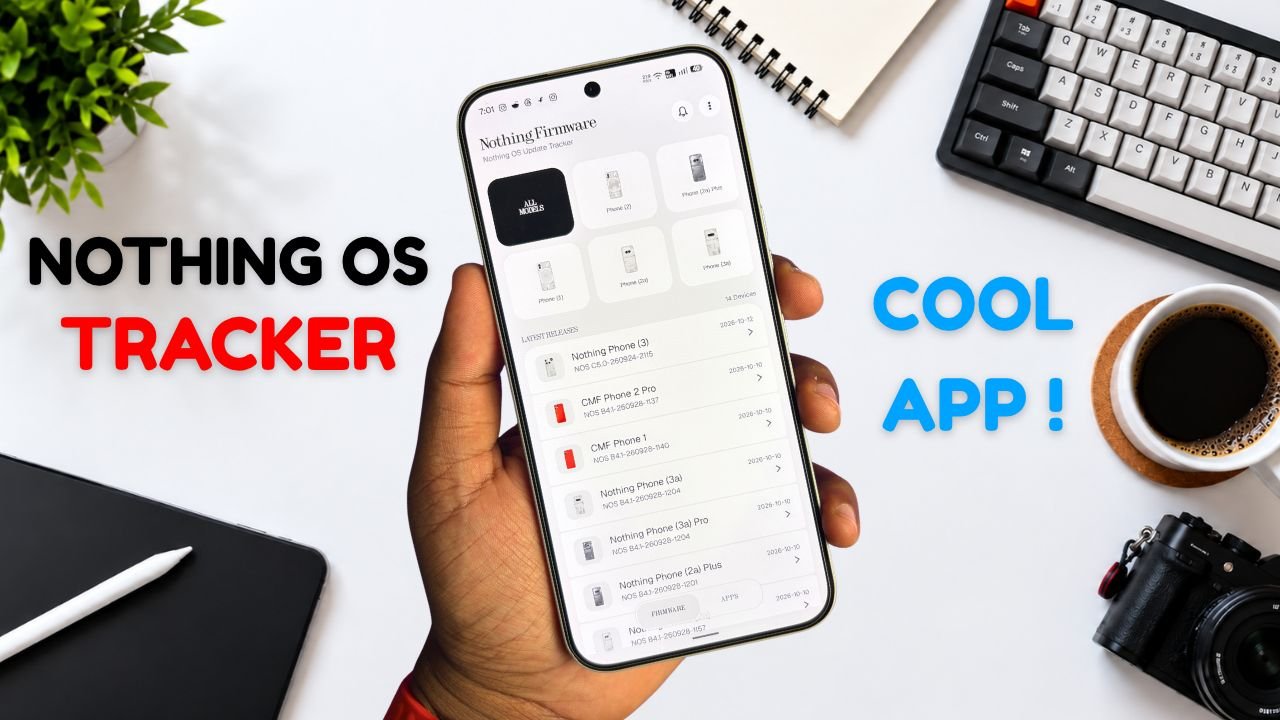
Nothing Phone and CMF users now have a new way to keep track of software updates. Nothing Firmware, an Android app developed by TechiBoy Studios, is now available on Google Play.
The app brings firmware update tracking, changelogs, Nothing OS OTA package downloads, and information on Nothing app updates into one place. It is designed for users who want to stay informed about the latest software releases for their devices.

What Is the Nothing Firmware App?
Nothing Firmware is an independent app built to help Nothing Phone and CMF users follow firmware releases without having to search across multiple sources.
Users can check available firmware updates, read changelogs to understand what’s changed, and download OTA packages through the app. It also tracks Nothing app updates and provides direct links to their Google Play listings.
Nothing Firmware App Features
The app includes several features designed to make software update tracking easier.
- Firmware tracking: Follow firmware releases for Nothing Phone and CMF devices.
- Detailed changelogs: Check update details and learn about new features, improvements, and bug fixes.
- OTA downloads: Download firmware packages with progress tracking.
- Update notifications: Receive alerts when new firmware releases are available.
- Nothing app updates: Track Nothing app releases and open their Google Play listings directly.
- Home screen widget: View the latest firmware information from the home screen.
- Custom alerts: Choose notification sounds and enable voice announcements for update alerts.
- Theme options: Switch between Auto, Light, and true-black Dark themes.
- Device information: Check device details, build numbers, and security patch information.
The app also includes a warning for firmware packages that do not match the detected device, helping users avoid selecting an incorrect package.
Is Nothing Firmware an Official Nothing App?
No. Nothing Firmware is an independent community project developed by TechiBoy Studios. It is not affiliated with, sponsored by, or endorsed by Nothing Technology Limited or CMF by Nothing.

How to Download Nothing Firmware
Nothing Firmware is available on Google Play. Users can download it to keep track of firmware updates, read changelogs, and follow Nothing app releases.
Download: Nothing Firmware on Google Play
If you’re already running an incremental build of Nothing OS 5.0 Open Beta, you can’t directly roll back to the stable version through a regular incremental OTA update. Nothing Firmware currently provides stable incremental updates only. Once Nothing releases the Nothing OS 5.0 stable update for your device, it will appear in the app when available. Until then, you may need to follow Nothing’s official rollback instructions if you want to return to a stable build.
Stay updated with latest tech news
Follow TechiBoy on Google to get updates on smartphones, gadgets, software updates, and more.
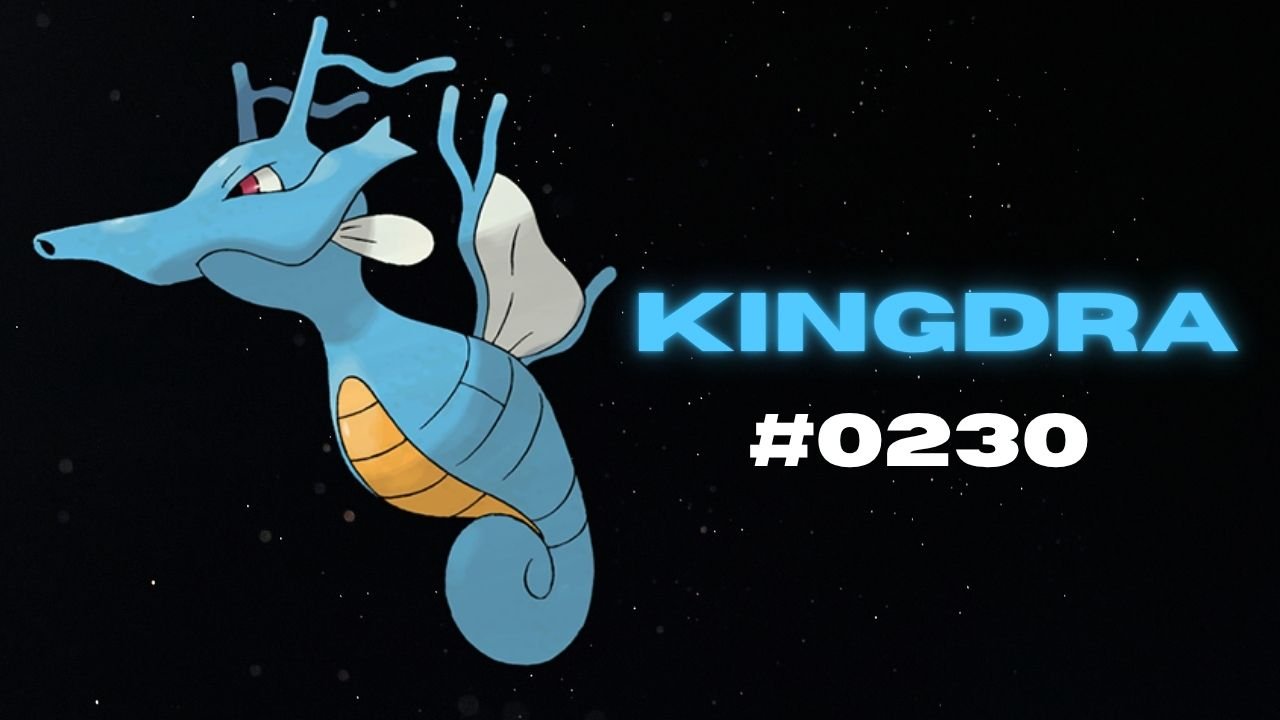
Nothing has teased another Pokémon on its official X account and Nothing Community, hinting that a new product could be on the way. This time, the company has shared Kingdra, Pokémon #230 in the National Pokédex.
Kingdra is a Water/Dragon-type Pokémon introduced in Generation II. The teaser features the Pokémon alongside a cryptic description about sleeping deep on the ocean floor to build energy and causing tornadoes when it wakes up.

What Could Nothing Be Launching Next?
Nothing has not revealed which product the new Pokémon teaser refers to. However, the company has previously used Pokémon-themed teasers to build anticipation for upcoming devices, making this latest post worth watching.
An audio product, such as new Nothing Ear earbuds or headphones, could be one possibility. A new smartphone or another product category cannot be ruled out either.
For now, the product name, specifications, pricing and launch date remain unknown. More details may emerge through future teasers from the company.
Stay updated with latest tech news
Follow TechiBoy on Google to get updates on smartphones, gadgets, software updates, and more.